18
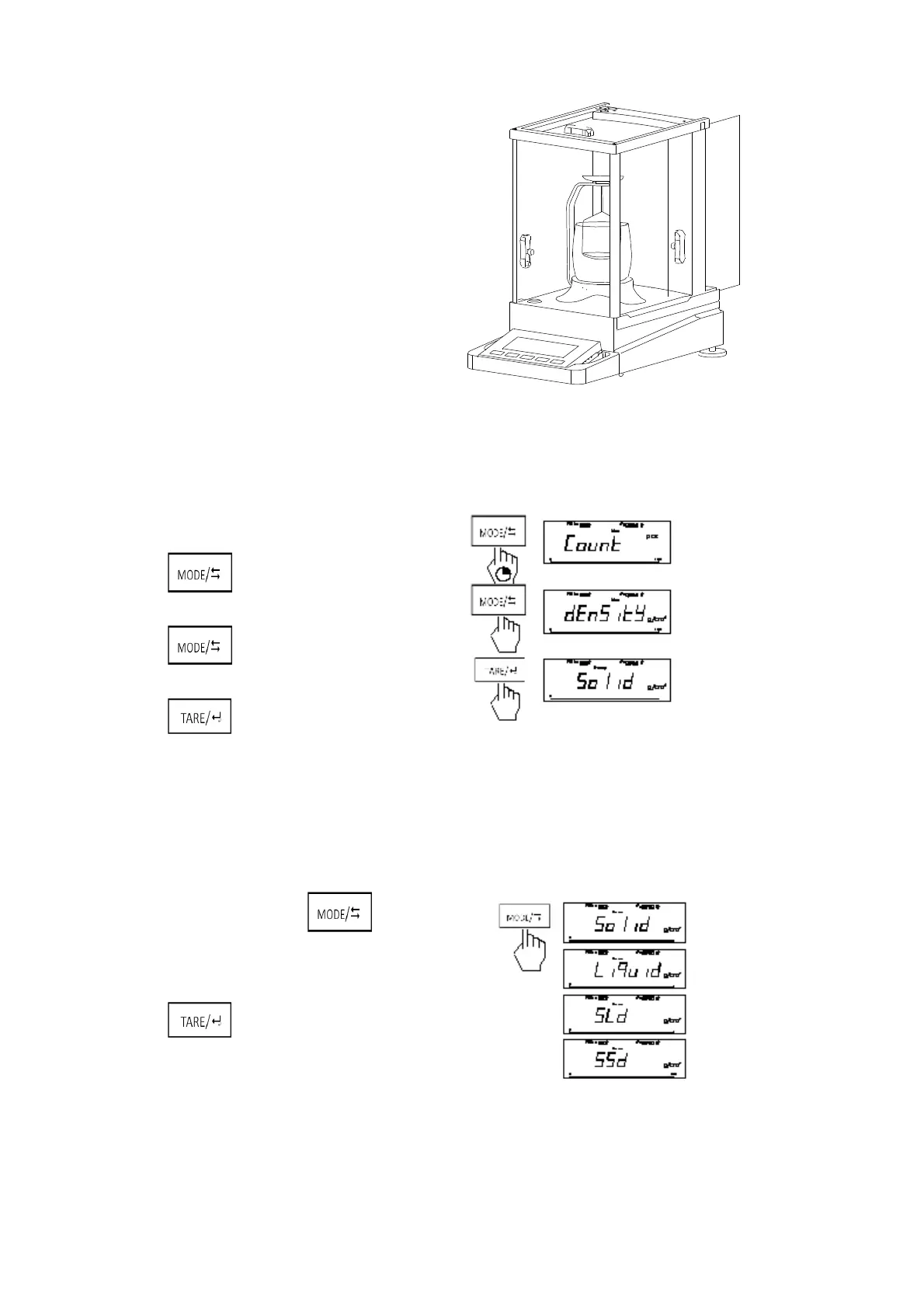
on the edge of fixed circle. Level rotate and the shelve table do not
meet the C-style bracket.
Put arched glass on the shelve table.
Then put the testing shelf on the C-style bracket.
2. Density Mode Select
Long press into the mode menu
(g/cm
3
). Short press to shift unit of density
Short press into the desity mode.
In the Density Mode, short press to shift:
Solid Density Measure → Liquid Density Measure
→ Standard Solid Set→ Standard Liquid Set
Short press to confirm.



 To Next Page