S
A
F
E
L
Y
R
E
M
O
V
E
H
A
R
D
W
A
R
E
15
SAFELY REMOVING YOUR PLAYER FROM THE COMPUTER
NOTE: To avoid damage to your player or data loss, always follow
the procedure listed
below before disconnecting your player from the USB port on your computer.
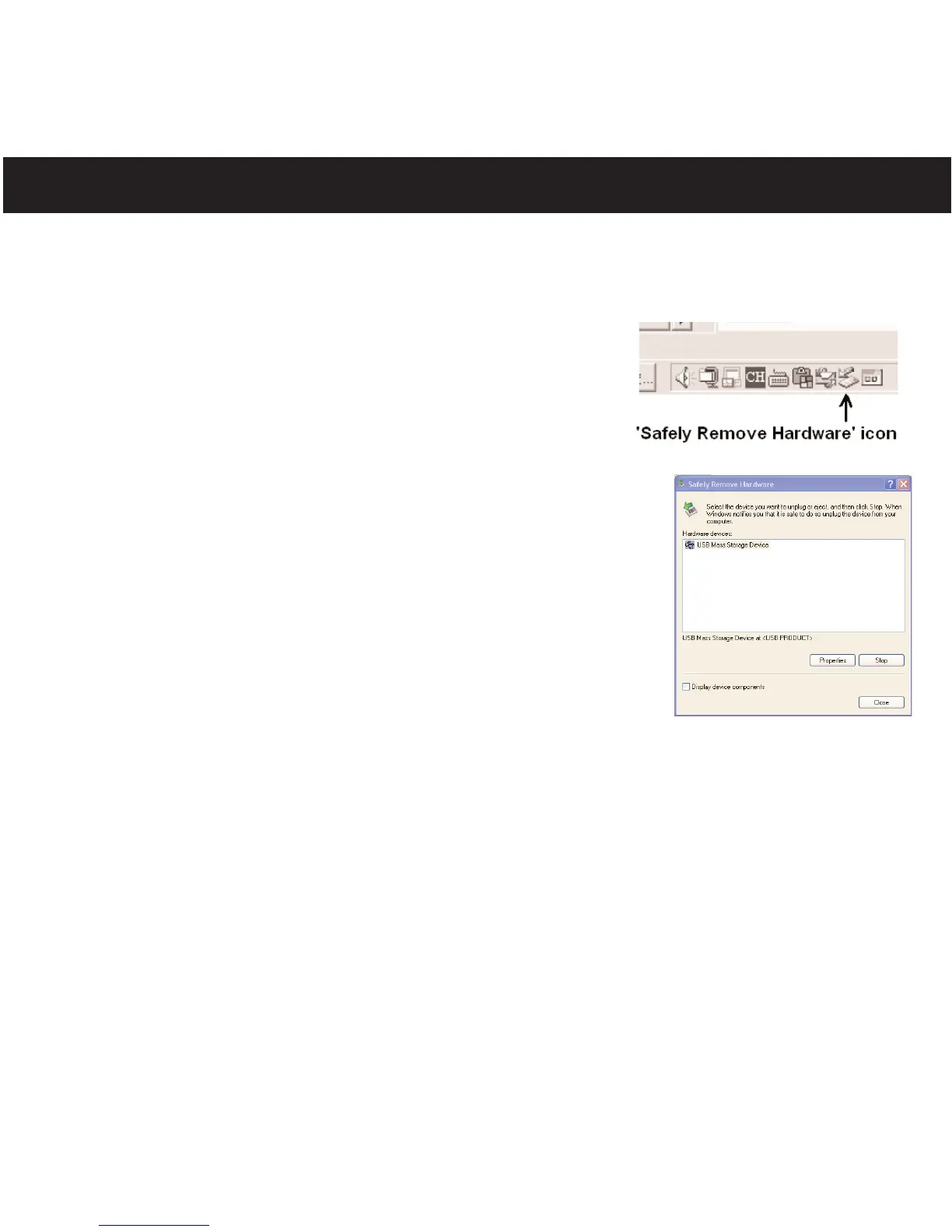
Using your mouse, double click the "Safely Remove
Hardware" icon on the task bar.
From the "Safely Remove
Hardware" window (shown lower
right), select "USB Mass Storage Device" and click the
"Stop" button. The "Stop a Hardware Device" window will pop-up.
Click "OK". When the "Safe to Remove Hardware" window is
displayed, you may remove the player from the USB cable or
remove the USB cable from the computer.
NOTES:
• If the “Safely Remove Hardware” icon is not displayed on the
task bar, please double click on My Computer
. Right click on
“
R
emovable Disk
” and left click on “Eject”. Then it is safe to
remove the player from the computer.
• If you are
using Windows XP/Vista and the Windows Media
Player 10 or 11 software is already installed, then you do not
need to follow the above "Safely Remove Hardware" procedure.



 To Next Page