1
2
3
17
OPERATION–MUSIC PLAYBACK MODE
TO LISTEN TO MP3s/WMAs
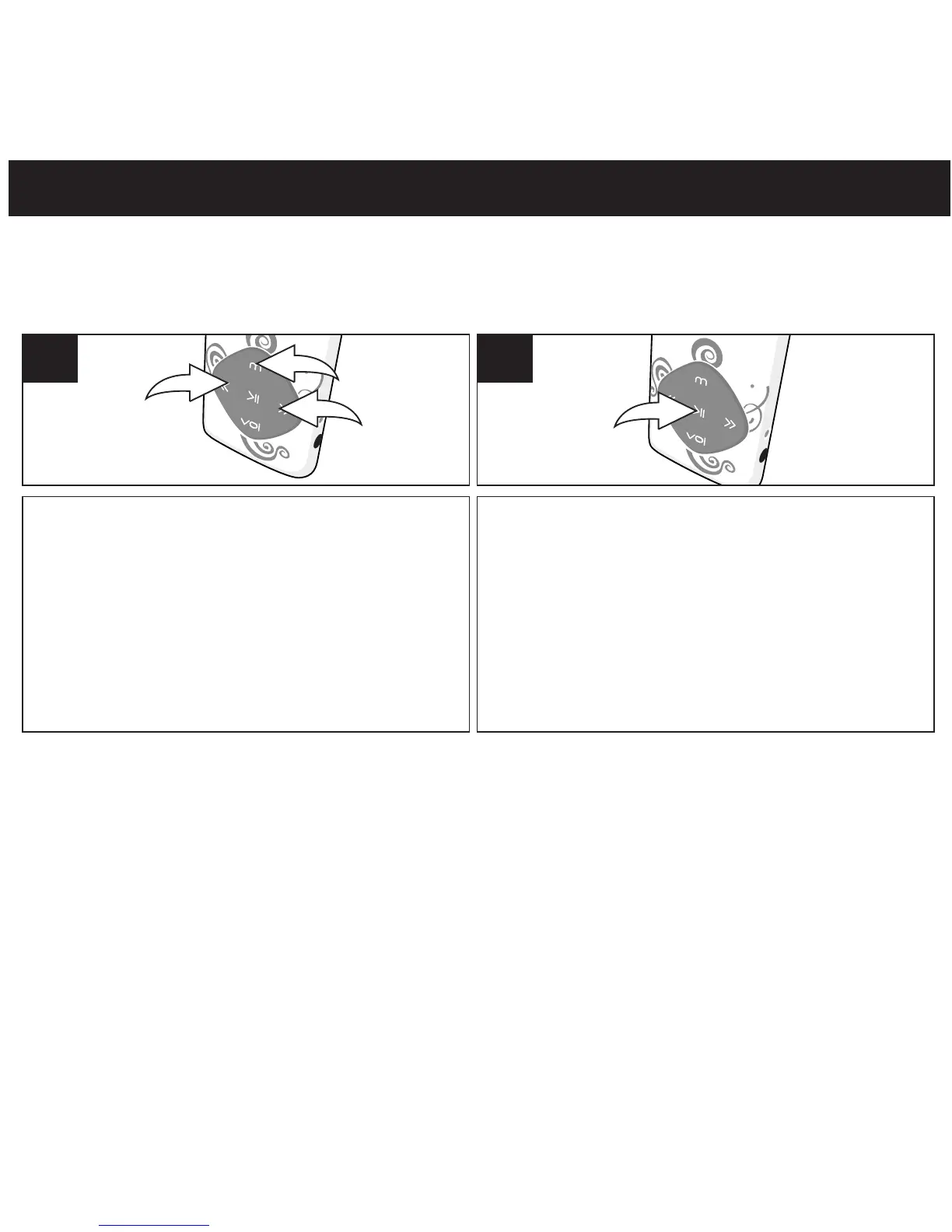
Press the Power/Play/Pause ®p button to
start playback. The MP3 information will
scroll across the screen.
2
(7
This unit supports the following audio formats: MP3, MPEG 1/2/2.5 Layer 3 with a bit rate of 32-
320 kbps and WMA files.
1
Turn the unit on as shown on page 16.
If the unit is already on and in another mode,
press and hold the Mode/Enter button 1;
the Mode Menu screen will appear. Select
Music using the Navigation Down/
Skip–Search l button 2 or Navigation
Up/Skip–Search m button 3 then press
the Mode/Enter button 1 again to select it.
NOTES:
• See pages 10-12 and 14 for information on transering MP3/WMA files to this unit.
• You can pause playback at anytime by pressing the Power/Play/Pause ®p button; the Pause
icon will appear on
screen and the song will remain paused until the button is pressed again.
• To set the Play Mode (Normal, Repeat One,Folder, Repeat Folder, Repeat All, Random, Intro) setting refer to page 25.
• To set the Equalizer, see page 24.
(AUTO RESUME): Each time you exit the Music Playback mode or Voice Playback mode and
turn the unit off,
when the unit is turned back on or you enter the Music Playback mode or Voice
Playback mode again, this unit will
resume at the beginning of the last track which was playing
before turning the power off.
•
While playing the music, press Mode/Enter button to go to submenu. (Repeat, Equalizer, Tempo Rate, Replay,
•
Replay Times, Replay Gap). Press navigation Down/Skip-Search or Up button to select and press mode/enter
button to enter. Press Power/Play/Pause button to return to previous menu.
•
While the music is stop/pause playing, press mode/enter button to go to submenu(Local Folder, Delete, Delete All). Press
navigation Down/Skip-Search or Up button to select and press mode/button to enter. Press Power/Play/Pause
to return to previous menu.
®p
•
1
l
m
®p
®p
l
m
®p
®p
l
m



 To Next Page