GENERAL
OPERA
TION
16
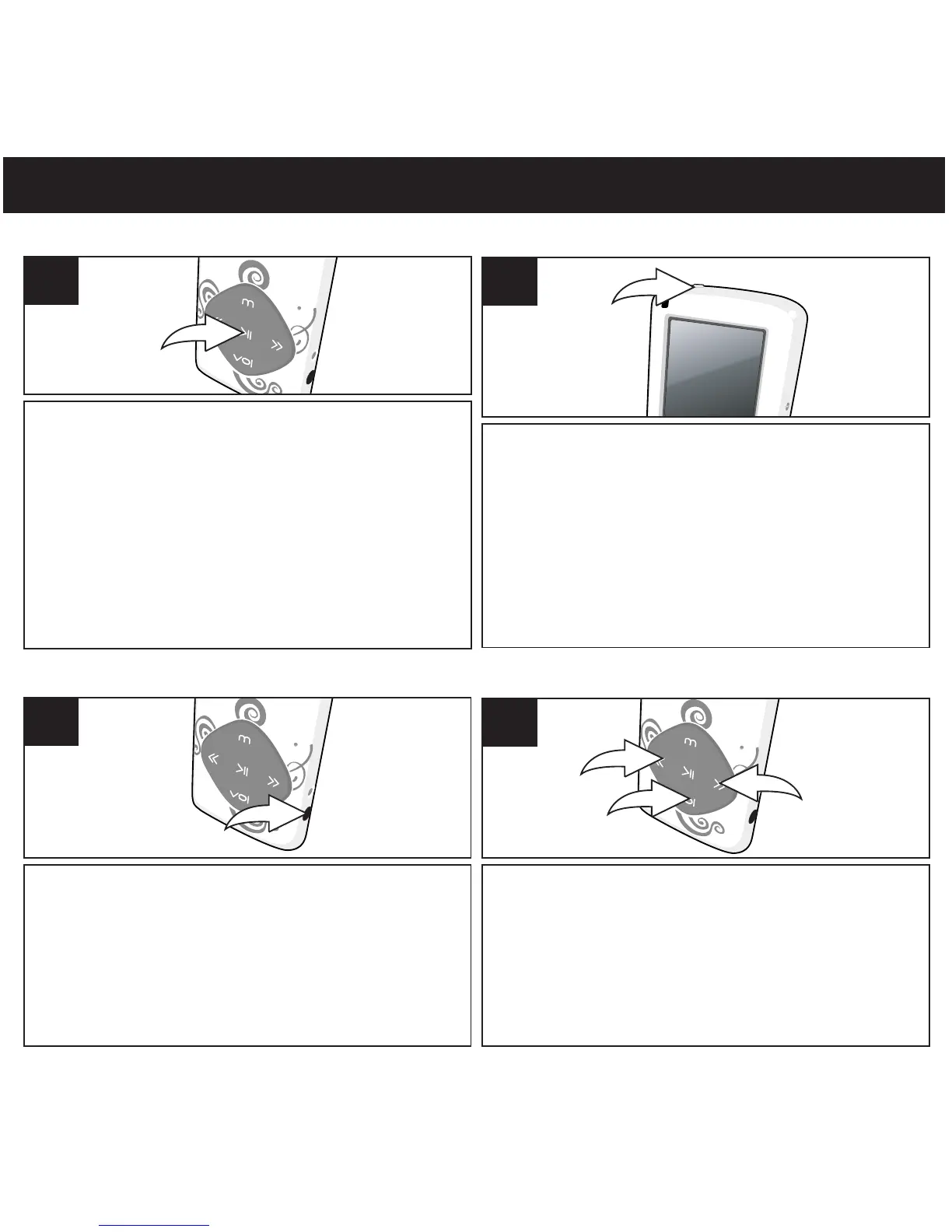
HEADPHONES JACK
VOLUME SETTING
Plug the headphones (included) into the
Headphones jack on the side of the unit.
1
To control the volume, while in the Music or Voice
modes, press the Volume button 1; the V
olume
Setting screen will appear. Within four seconds,
press the Navigation Down/Skip–Search l button
2 to raise or Navigation Up/Skip–Search m
button 3 to lower the volume. The volume level is
indicated on the screen by a number (0-30).
1
TURNING THE POWER ON/OFF
HOLD SWITCH
To turn the unit on, press and hold the
Power/Play/Pause ®p button; the Welcome
screen will appear for a few moments followed
by the MP3 screen. To turn the unit off, press
and hold the Power/Play/Pause ®p button.
Do not release the Power/Play/Pause ®p
button until the Good Bye screen appears.
Wait a minute after turning off the unit to turn
on the unit again.
1
Slide the Hold switch to
the Lock position to lock
the buttons; This is useful, for example,when
you do not want the file changed by
accidentally pressing a button. Slide the Hold
switch to the Unlock position to cancel the Hold
function;
1



 To Next Page