OPERA
TION–RECORDER
MODE
(CONTINUED)
21
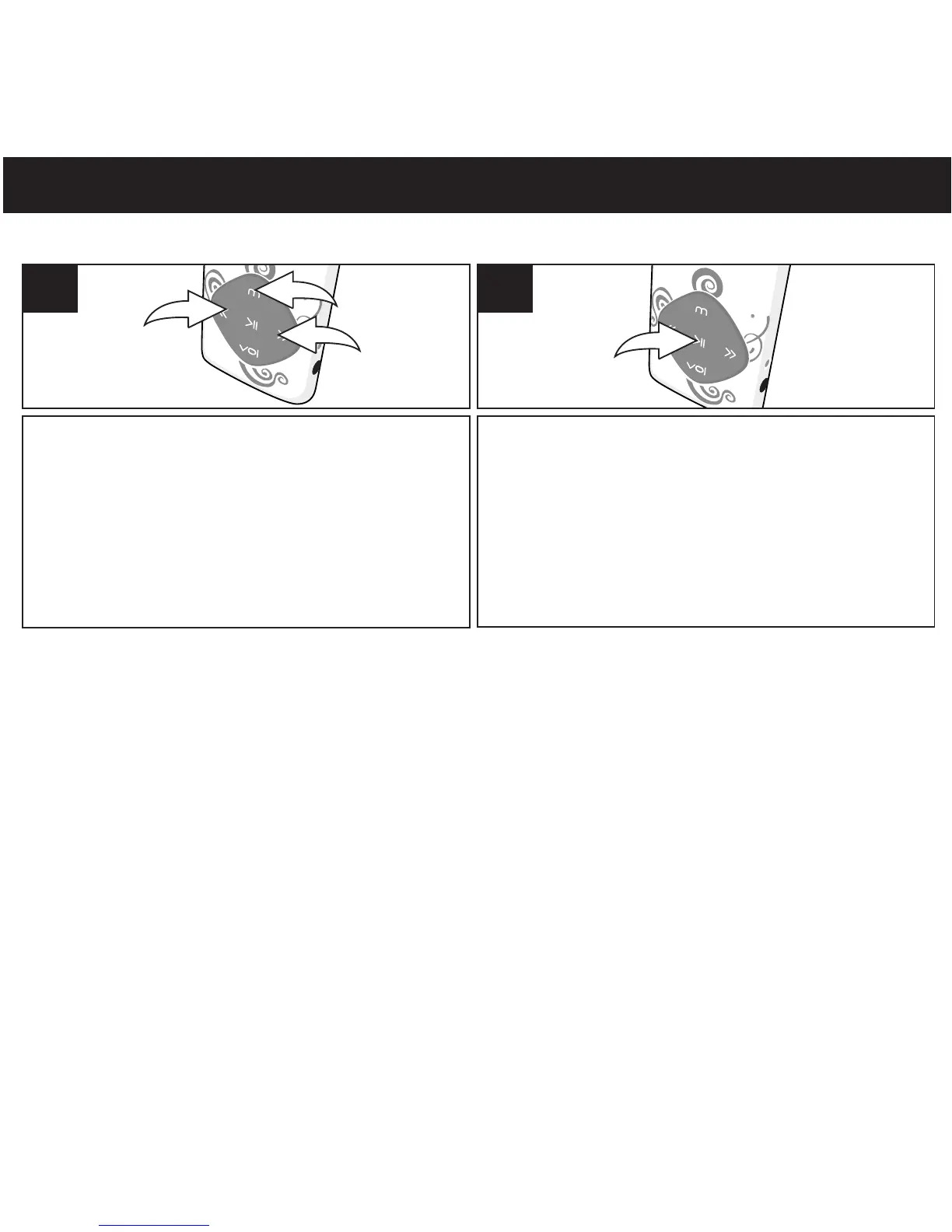
To listen to the recording, while in the main
menu, select Voice using the Navigation
Down/Skip–Search l button 1 or
Navigation Up/Skip–Search m button 2,
then press the Mode/Enter button 3 again to
select it.
1
TO LISTEN TO A RECORDING
Press the Power/Play/Pause ®p button to
start playback. The WAV information will
scroll across the screen.
2
NOTE: Play/Pause, Forward/Reverse Skip and High-Speed Search work the same way in
Recording Playback mode as they do in Music Playback mode. See pages 17 and 18 for more
details.
• While playing the recording, press Mode/Enter button to go into submenu. (Repeat, Tempo
Rate,Replay). Press navigation Down/Skip-Search or Up button to select and press
Mode/Enter button to enter. Press Power/Play/Pause button to return to previous menu
• While the recording is stop/pause playing, press Mode/Enter button to go to submenu.
(Local Folder, Del. File?, Delete All). Press navigation Down/Skip-Search or Up button
to select and press Mode/Enter button to enter. Press Power/Play/Pause to return to
previous menu.
l
m
®p
l
m
®p



 To Next Page