OPERA
TIO
N–RECORDER
MODE
20
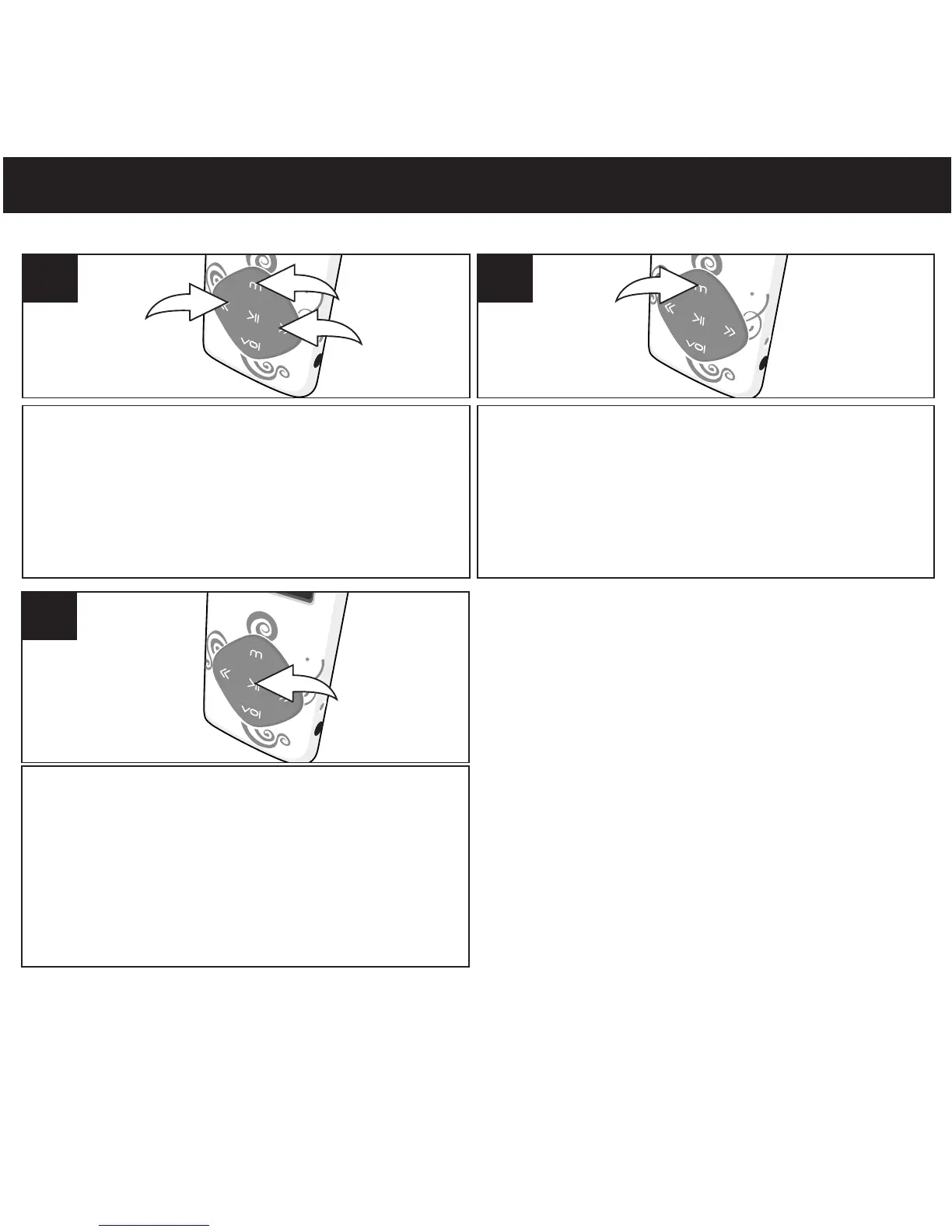
Turn the unit on as shown on page 16. Press
and hold Mode/Enter button 1; the
Mode Menu screen will appear. Select
Record using the Navigation Down/
Skip–Search l button 2 or Navigation Up/
Skip–Search m button 3.
1
TO CREATE A VOICE RECORDING
Press the Mode/Enter button to select it;
The Elapsed time will appear in the middle
of the display.
2
Speak into the microphone,
Press the
Power/Play/Pause ®p button to start/pause
recording, and press again to resume
recording. Press and hold Power/Play/
Pause button to stop and save the
recording.
3
®p



 To Next Page