26
SETTING THE POWER SAVING
SETTING THE POWER SAVINGS
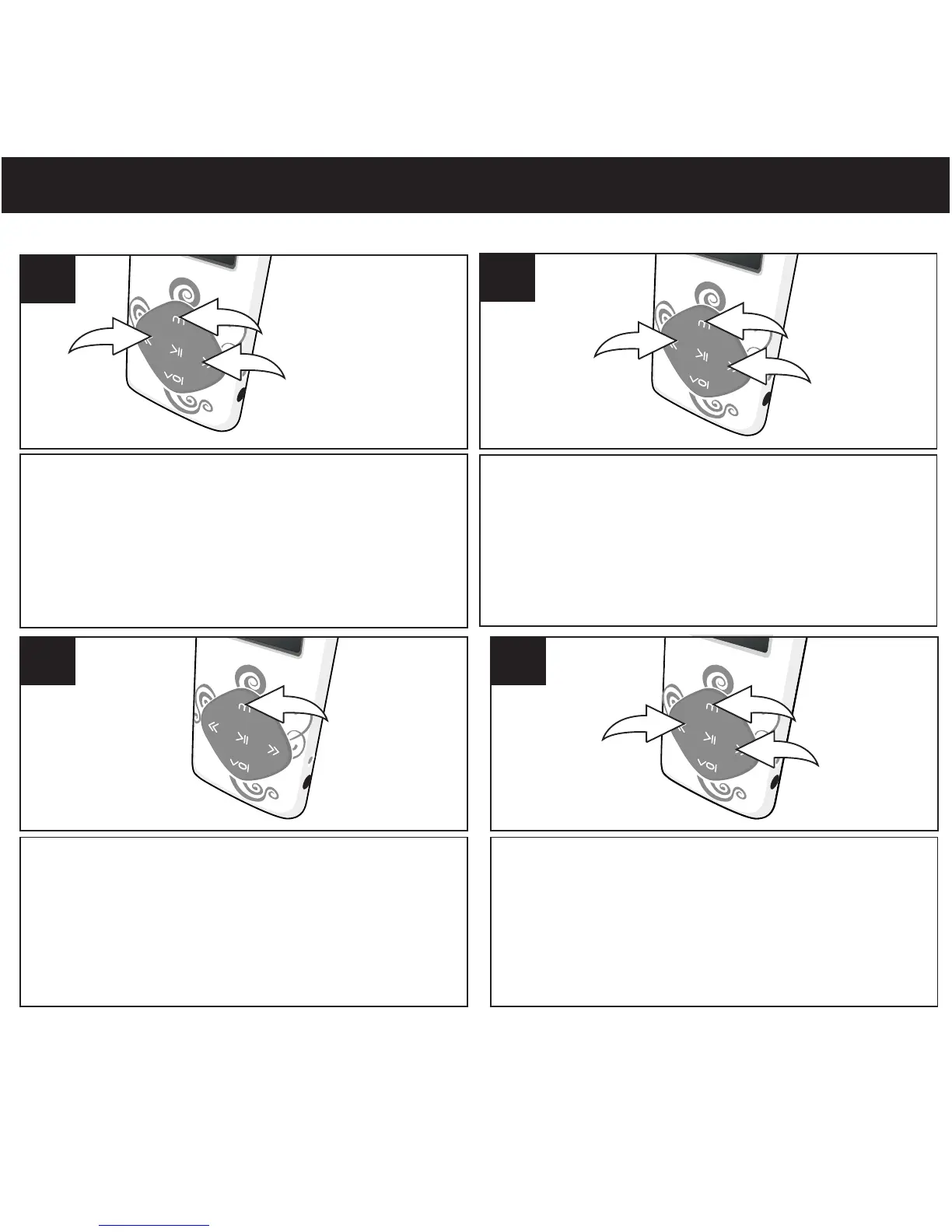
Turn the unit on as shown on page 16. Press and
hold the Mode/Enter button 1; the Mode Menu
screen will appear. Select Setup using the
Navigation Down/Skip–Search l button 2 or
Navigation Up/Skip–Search m button 3, then
press the Mode/Enter button 1 again to select it.
1
2
3
1
Select Power off using the Navigation
Down/Skip–Search l button 1 or
Navigation Up/Skip–Search m button 2,
then press the Mode/Enter button 3 to
select it.
3
1
2
2
Press the Mode/Enter to select Off Time.
1
3
S elec t a de sire d P ower Sa ving s off Time
s etti ng (Disable; 10, 20... or 60 seconds) using
the Navigation Down/Skip–Search l
1 or Navigation Up/Skip–Search m button 2,
then press the Mode/Enter b utton 3 to
confirm and return to Setting menu.
4
NOTE:
• This sets the time interval of the unit will stay on during no operation.
3
1
2
button
1



 To Next Page