Setup
91369 Service Manual 2-20
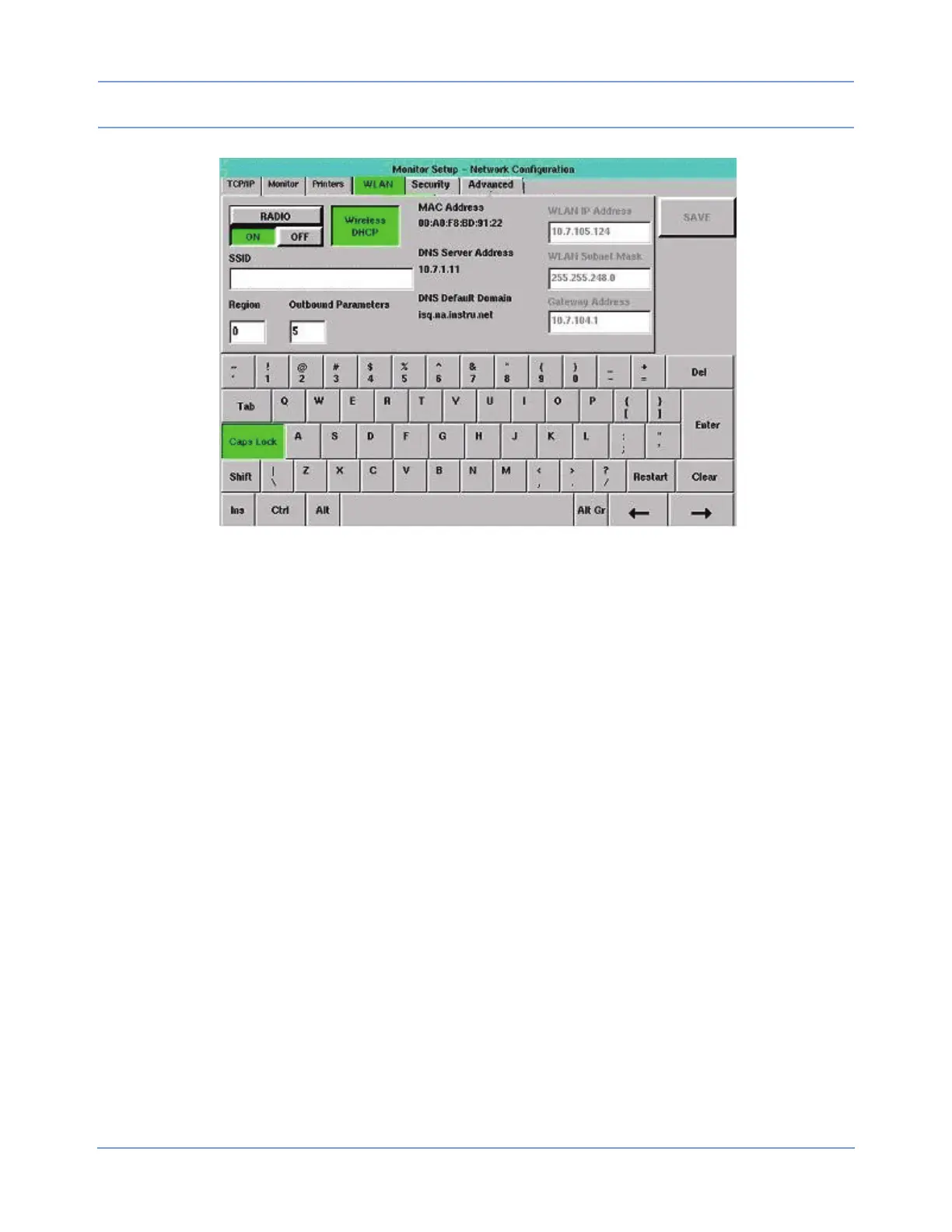
Figure 2-14: WLAN tab
The tabbing order is RADIO ON/OFF >> SSID >> Region >> Outbound Parameters >> Wireless DHCP >>
WLAN IP Address >> WLAN Subnet Mask >> Gateway Address >> RADIO ON/OFF. WLAN IP Address,
WLAN Subnet Mask, and Gateway Address are not available in the tabbing order if Wireless DHCP is
selected. Changes made to this tab’s settings take effect after a successful save and monitor reset.
RADIO ON/OFF (default = OFF)
The RADIO ON/OFF setting defaults to OFF when a radio is present. If this key is toggled to ON, and SAVE is
selected without a valid region defined [refer to Region (default = blank) on page 2-22], an error box displays
(the radio cannot be switched to ON if the Region setting is invalid). Select OK to remove the error box. The
RADIO ON/OFF key automatically toggles back to OFF.
The radio will function only if this key is set to ON. Keys, input cells, select boxes, and combo boxes are
enabled without regard to the setting of this key. However, WLAN communication only occurs if ON is selected.
Note:
Any change in the wireless tabs (except for the setting of the OUTBOUND PARAMETERS input cell)
requires a monitor reset before the changes take effect.
To activate the radio-only functions, select ON.
Wireless DHCP (default = OFF)
The Wireless DHCP tab is similar in function to the DHCP key on the TCP/IP tab, but for wireless networks.
When Wireless DHCP is selected, the monitor asks the wireless DHCP server for the following information:
• WLAN IP Address
• WLAN Subnet Mask
• Gateway Address


 To Next Page