Setup
91369 Service Manual 2-26
OPEN Authentication
Open authentication simply requires that the SSID for the monitor’s WLAN card match that of the AP. The AP
must also be set for open authentication. Refer to Table 5 on page 2-22.
Shared Key authentication
In Shared Key authentication, the AP sends the monitor’s WLAN card a challenge text string that the WLAN
card encrypts (using its WEP key) before returning it to the AP. If the monitor’s WLAN card WEP key does not
match the AP’s WEP key, the AP rejects the encrypted text and will not allow the WLAN card to associate with
it. Refer to Table 5 on page 2-22.
Advanced Tab
The Advanced tab provides access to the advanced WLAN settings. The Advanced tab only displays on
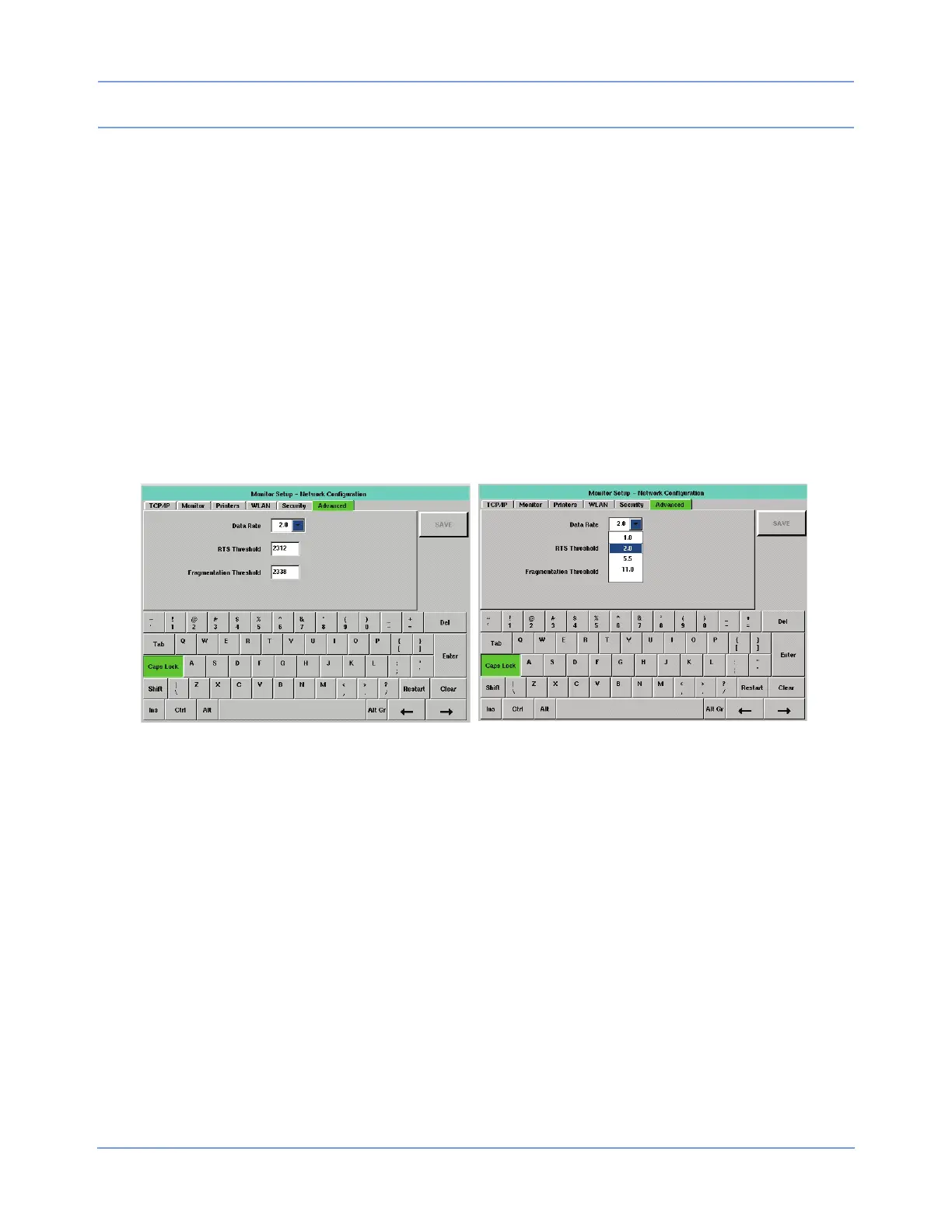
monitors that are configured for wireless operation. The left window of Figure 2-16 displays the Advanced tab;
the right window illustrates the window with the Data Rate combo box displayed. Changes made to this tab’s
settings take effect after a successful save and monitor reset.
Figure 2-16: Advanced tab
Editing this tab is performed as described in Editing Tab Fields on page 2-13. The tabbing order is Data Rate
>> RTS Threshold >> Fragmentation Threshold >> Data Rate.
Note:
In the tabbing order, position of input focus on the combo box is not visually apparent. Input focus on a
combo box can be determined by using the up or down arrow keys on a USB keyboard to move through
the list items.
Data Rate (default = blank)
A combo box displays the current WLAN Data Rate selection. The operator may change that selection using
this combo box.
When selecting a Data Rate, select the maximum data rate that the WLAN interface should use when sending
unicast and multicast data packets. The WLAN interface uses a lower rate if reliable network communication
cannot occur at the selected higher data rate.



 To Next Page