91369 Service Manual 2-41
Setup
Note:
The TRANSFER key is unavailable if the Rule box is blank or the contents have been changed but not
saved.
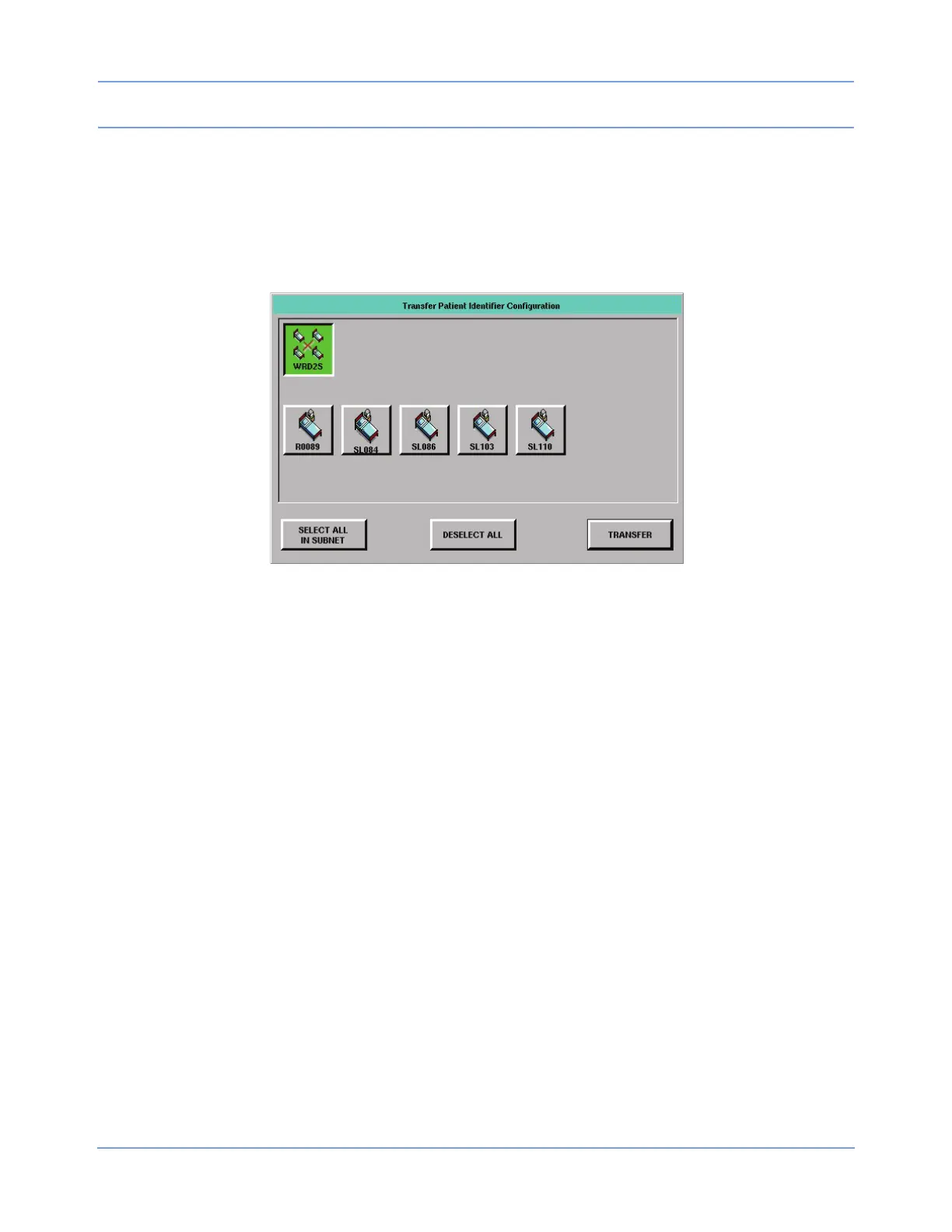
3 Select the destination monitors, then touch the TRANSFER key in the Transfer Patient Identifier
Configuration dialog box to transfer the data to the other monitors. The message Transfer Complete
displays following a successful transfer.
Figure 2-26: Transfer Patient Identifier Configuration dialog box
The other two keys at the bottom of the Transfer Patient Identifier Configuration dialog box perform the
following functions:
• SELECT ALL IN SUBNET — Selects all the monitors within the currently selected subnet with one key
touch.
• DESELECT ALL — Deselects all the monitors in all the subnets with one key touch.
The list of monitor keys displayed below the subnet keys may include monitors that do not support the PI string
transfer protocol if legacy products are present. Keys for those monitors are always unavailable.
Note:
The SELECT ALL IN SUBNET and DESELECT ALL keys are unavailable if no monitors that support the
transfer protocol exist within the selected subnet. Selection or deselection only applies to the keys for
91xxx monitors.



 To Next Page