Maintenance
91369 Service Manual 4-22
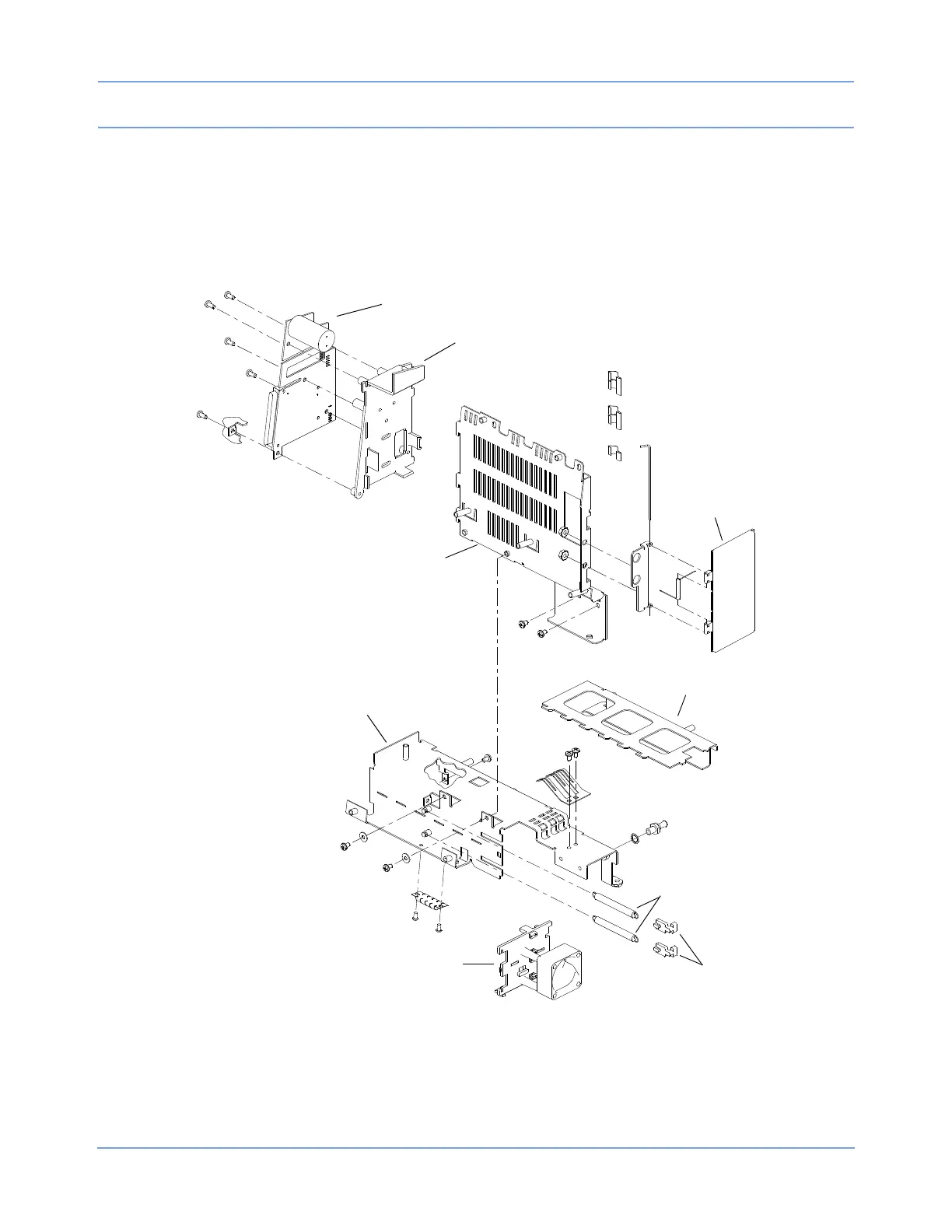
Replacing the Fan/Battery Contact Assembly
1 Remove the chassis assembly from the housing as previously described (refer to Removing the Chassis
Assembly on page 4-21).
2 Separate the chassis assembly from the module wall assembly by removing the two screws above the
battery ejection springs and the two screws near the bottom.
Figure 4-17: Replacing the fan/battery contact assembly and Interconnect PCBA
3 Pry up the center retainer on the battery contact assembly (near the battery ejection springs). This should
free the fan/battery contact assembly.
4 Remove the screw between the chassis and the Interconnect PCBA.
Interconnect PCBA
Interconnect frame
Module wall
assembly
Module door
Battery divider
Battery ejection
springs
Battery ejectors
Chassis assembly
Fan/battery contact assembly
(includes fan)



 To Next Page