User manual EXPERT 2K-FA
Pag. 70 of 70 Issue 2 – May 2011
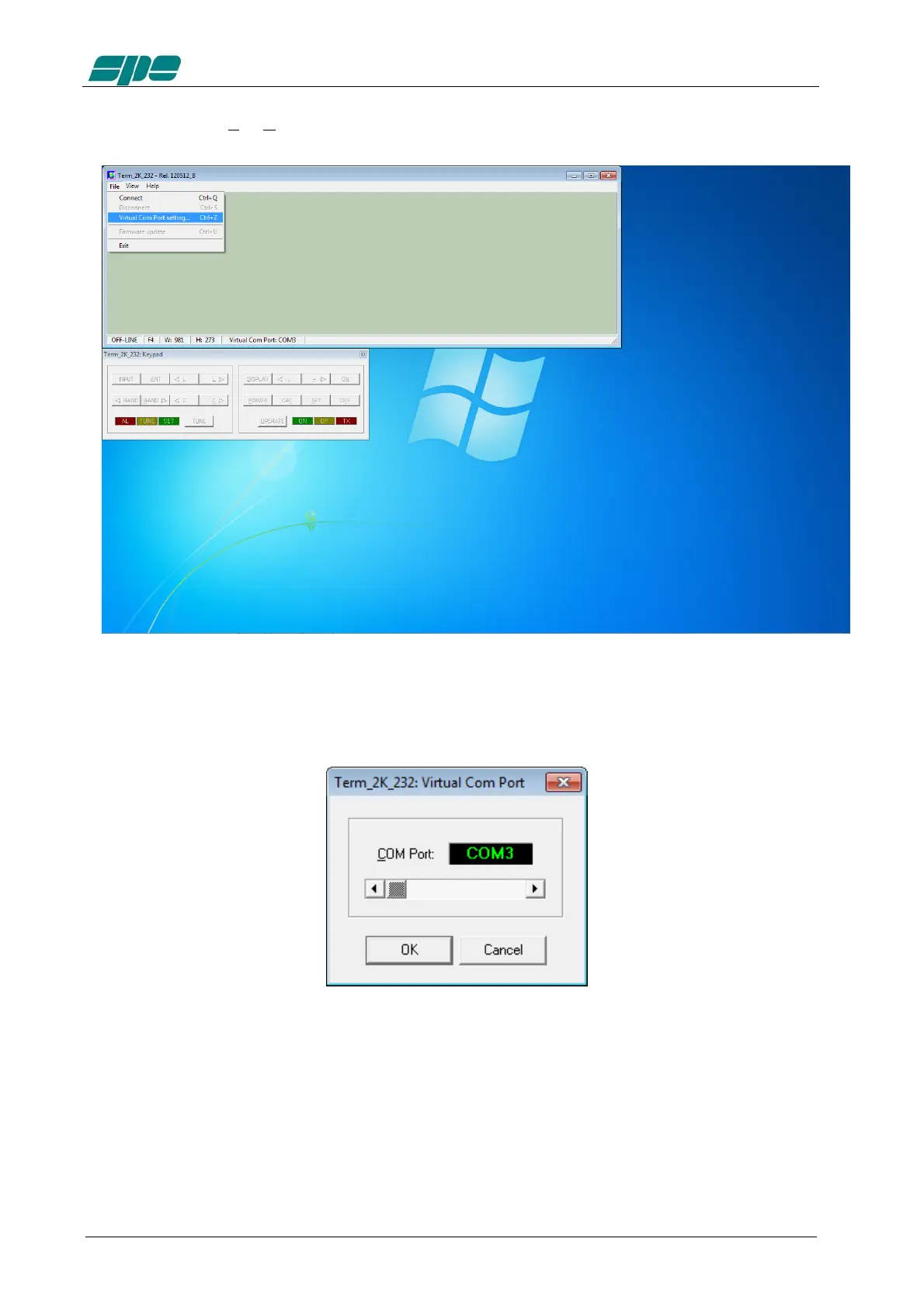
After then select File/Virtual Com Port setting.
The above mentioned menu item makes it possible to access the following dialog box,
which allows a direct setting of the desired COMx serial port for connecting the
EXPERT 2K-FA.
With all the serial resources connected go to Control Panel >>> Hardware and Sound
>>> Device Manager and choose a serial COM listed in the HW configuration but not
used by other applications.
In case USB-to-RS232 serial converters are being used, proceed as explained and
check all the COM ports polled by the system.



 To Next Page