User manual EXPERT 2K-FA
Pag. 8 of 8 Issue 2 – May 2011
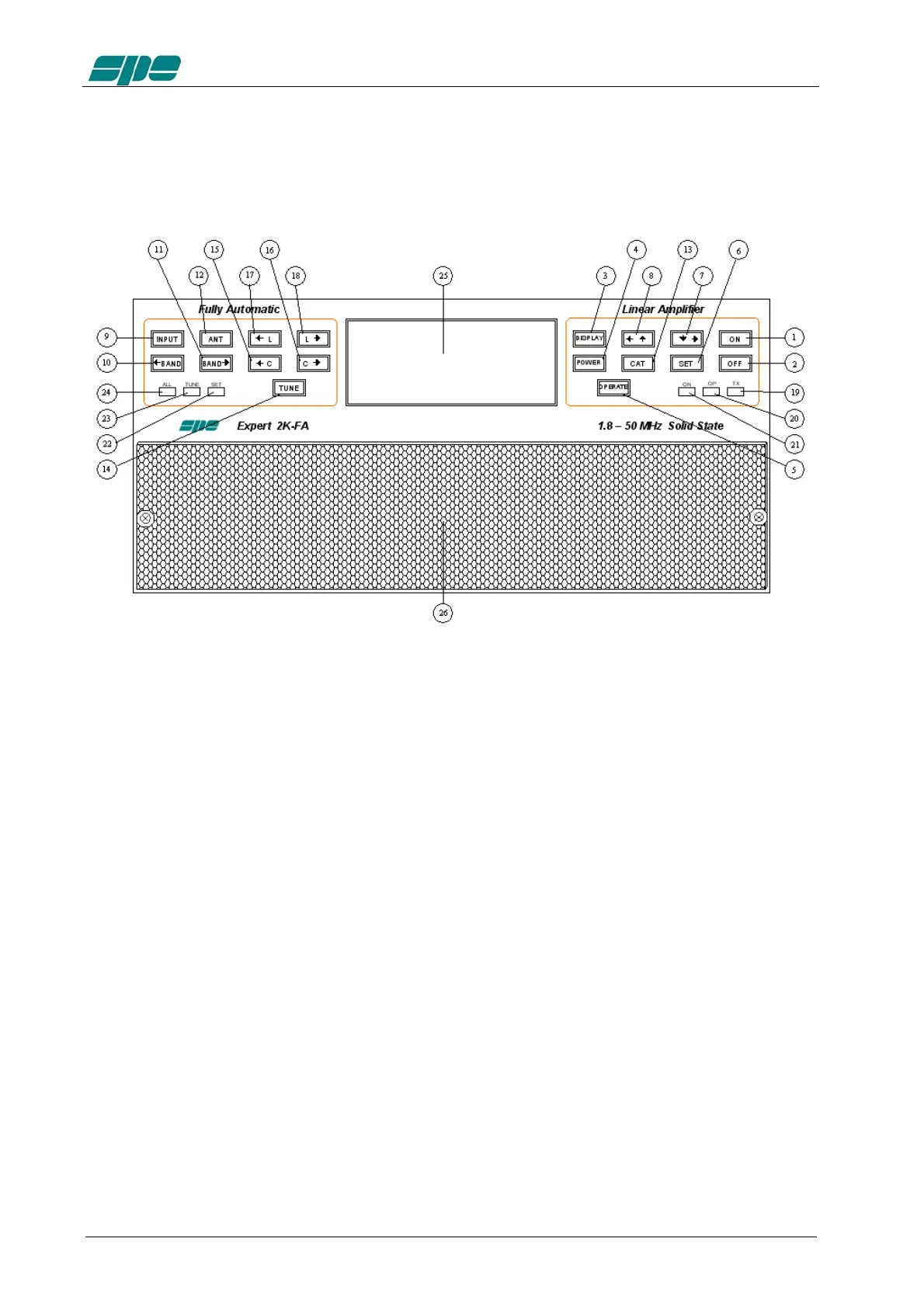
1. PANEL DESCRIPTION
1.1 Front Panel
1) ON
2) OFF
3) DISPLAY switches between display pages.
4) POWER switches output power from “MAX / MID / LOW“.
5) OPERATE switches between Standby / Operate.
6) SET used to program the amplifier.
7) ▼► used to program the amplifier.
8) ◄▲ used to program the amplifier.
9) INPUT selects one of the two inputs of the amplifier.
10) ◄BAND switches bands manually (downward in frequency).
11) BAND► switches bands manually (upward in frequency).
12) ANT switches the antennas for every single band
13) CAT shows the current CAT interface setting.
14) TUNE: starts the automatic tuning process.
15) ◄C used for manual tuning.
16) C► used for manual tuning.
17) ◄L used for manual tuning.
18) L► used for manual tuning.
19) TX red led, illuminates during transmission.
20) OP yellow led, illuminates when the amplifier is in “Operate” state.
21) ON green led, illuminates when the amplifier is “ON”.
22) SET green led, illuminates during programming.
23) TUNE yellow led, illuminates during tuning.
24) ALL red led, illuminates when there is an alarm.
25) DISPLAY
26) AIRFLOW GRID



 To Next Page