37
device.
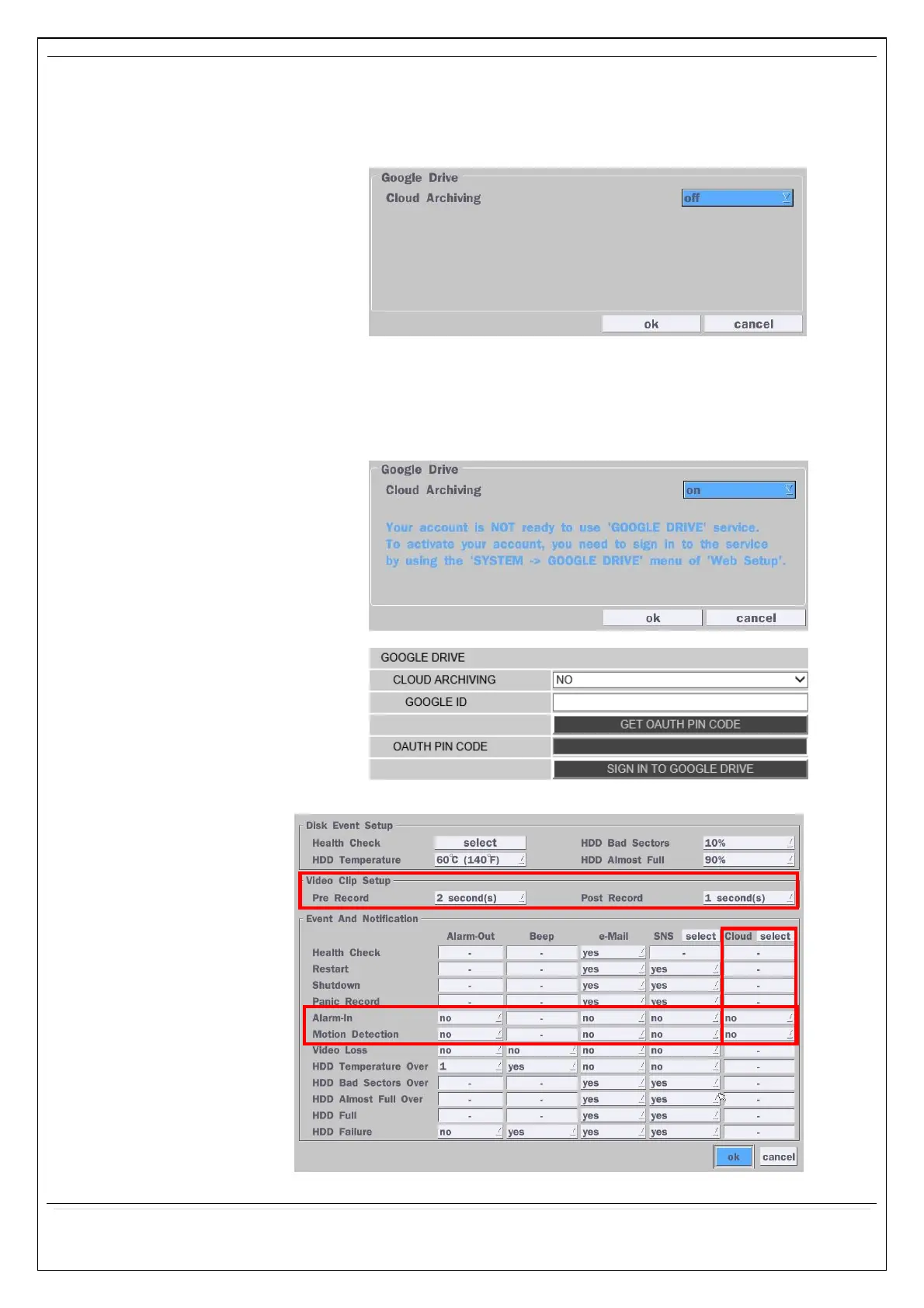
1) How to set (Setup – System – System Event Notification – Cloud)
1-1) Click “select” button beside of Cloud.
1-2) Select Google Drive Cloud Archiving to ‘Yes’
1-3) Video clip will be save at Google Drive when ‘Alarm-In’ and ‘Motion’
triggered.
1-4) If the Google Drive Account is not activated then please sign it in
through web setup first.
1-5) Set Video clip duration
2) How to playback



 To Next Page