38
2-1) Playback through PC
: Log in Google Drive and select a file and playback
2-2) Playback through Mobile device
: Use ‘SpecoPlayer’
Notice – Support iOS from ‘1.5.8_150316’, Android from
‘3.2.2.7_150316’
How to use ‘SNS’
- Notice : User have to make an Twitter account for DVR in order to
follow the Twitter followers.
- DVR send event message to Twitter followers when Event Triggered.
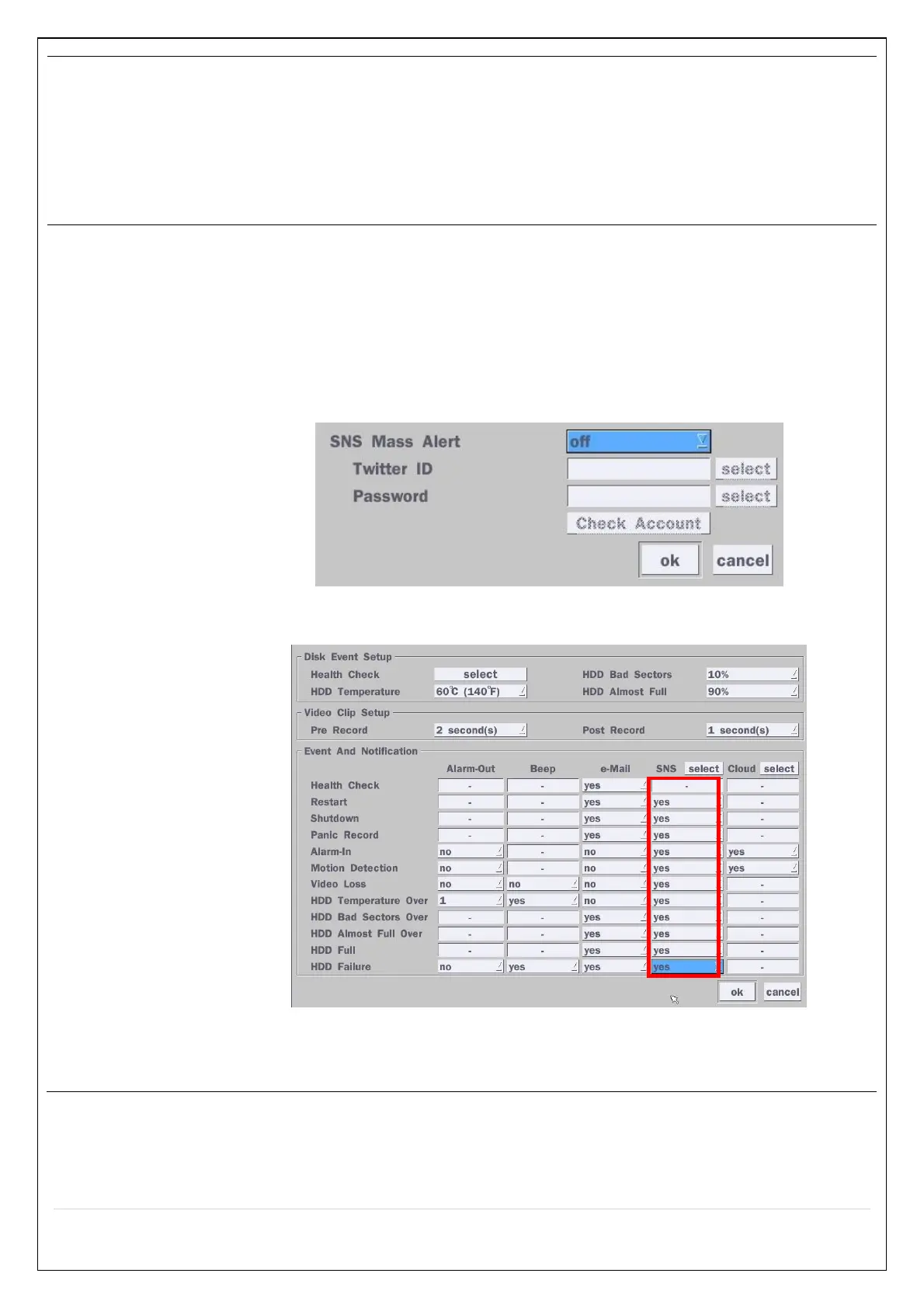
1) How to set (Setup – System – System Event Notification – SNS)
1-1) Click “select” icon beside of SNS.
1-2) Enter the Twitter Account
1-3) Select the items that user want to receive the status message.
Select “yes”
2) Message receiving (Following)
2-1) Follow the DVR twitter account
2-2) Followers can see received messages



 To Next Page