Using GMOS 13
7
Lean Angle History
lists the max angles of the last three turns. Updated every time a new turn is
completed. A right-aligned number represents a right turn angle degree, while
a left-aligned number a left turn angle degree.
• Lean angle degrees less than (including) 15 will not be displayed in Lean
Angle History.
8
Max Right / Left Angle
shows the max right/left lean angle degrees measured since GMOS is pow-
ered on.
• Lean angle degrees less than (including) 15 will not be displayed in Max
Right / Left Angle.
• To clear the record, please go to System Menu and select “RESET MAX
ANGLE”.
9
Lean Angle Meter
shows real time lean angle up to left / right 69 degrees.
10
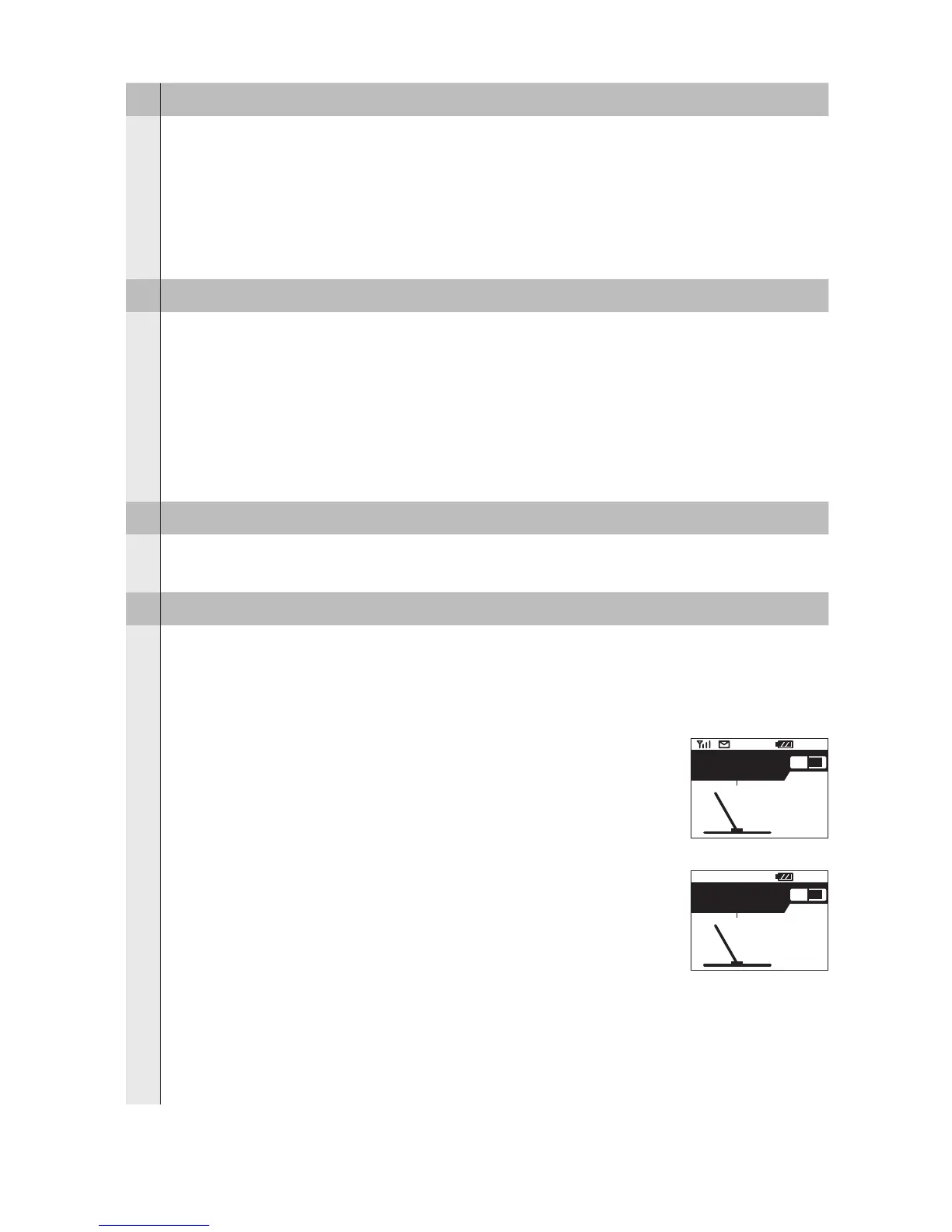
Message Area
displays messages about log recording. The message will be displayed for
about 2 seconds. There are ve messages that may appear in the Message
Area:
START LOGGING / END LOGGING
displayed when GMOS starts / ends data recording. This
is an additional reminder besides the REC icon.
POSITIONING:
displayed when SELECT is pressed to start recording,
but there are not enough satellites to provide all the GPS
positioning data necessary for starting a new log, such as
location, time, and date. The system will continue search-
ing for more satellites. Sometimes this may take up to a
few minutes. During this process, the GPS Antenna Icon
will not be displayed. When you see the GPS Antenna
Icon reappear, press SELECT to start recording.
12:30
TOP
82
75
KMH
-
+
45
33
21
37
45
START LOGGING
12:30
TOP
82
75
KMH
-
+
45
33
21
37
45
POSITIONING


 To Next Page