Using GMOS 22
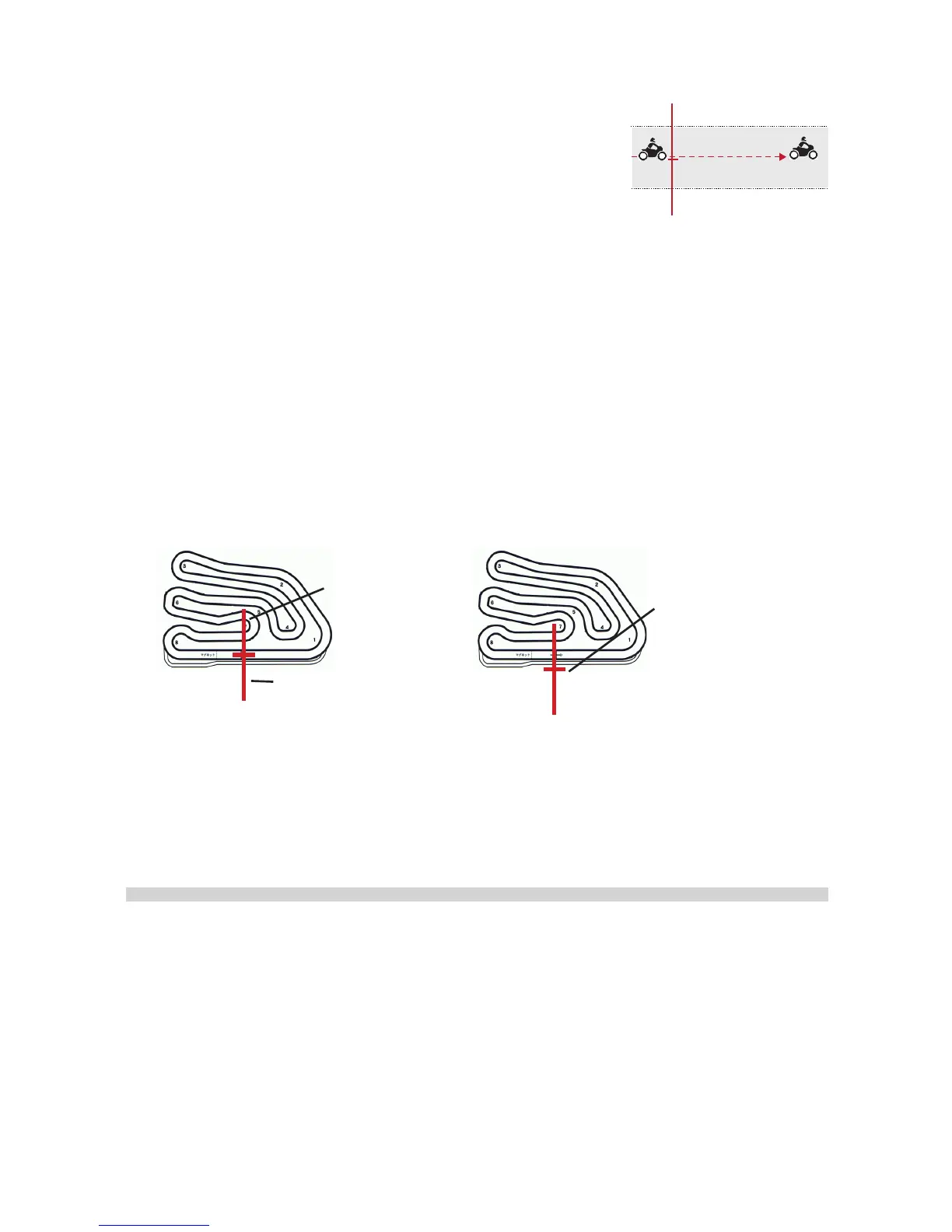
Stay Close to the Center Line
When setting a Finish Line, it is essential that you stay
close to the center line of the track. This will ensure that
the reference point is in the middle of the track so that the
Finish Line will extend evenly to both sides and cover the
width of the track lane.
Adjust Line Width Beforehand If Necessary
If necessary, before setting the Track, enter Laptimer Menu to adjust Line Width
according to the size of the course and the quality of GPS reception. The width is
100M by default. However, if your track is small and very winding, such as a go-kart
course, adjust the width to 60M.
• In some very small circuits, you may even need to set the reference point outside
the track lane to make sure the Line does not extend to the next neighboring lane
and cause unwanted crossings.
set the reference point
outside the track so that
the line does not extend
to the next neighboring
lane.
wrong crossing
Line Width: 60M
This can done with SpeedAngle R4 Track Manager. For more information, please
see the tutorial video on www.speedangle.com/download, SpeedAngle R4 sec-
tion.
Linear Track
The way to set the Finish Line for a linear track is just a little bit different from setting
for a closed track. The easiest way is to use Track Manager of SpeedAngle R4 to
set and upload your Finish Line. Otherwise, ride to your Finish Line location, set the
starting speed at 10 (recommended), and follow the steps below:
• Turn GMOS on. Ignore any Tracks found and select “SET NEW”.
• Speed up to above your starting speed.
• Keep riding till you see the Timer running. Now the Finish Line has been set.
Finish Line
Stay close to the center


 To Next Page