Using GMOS 27
4. Double click on the SpeedAngle R4 icon to launch it.
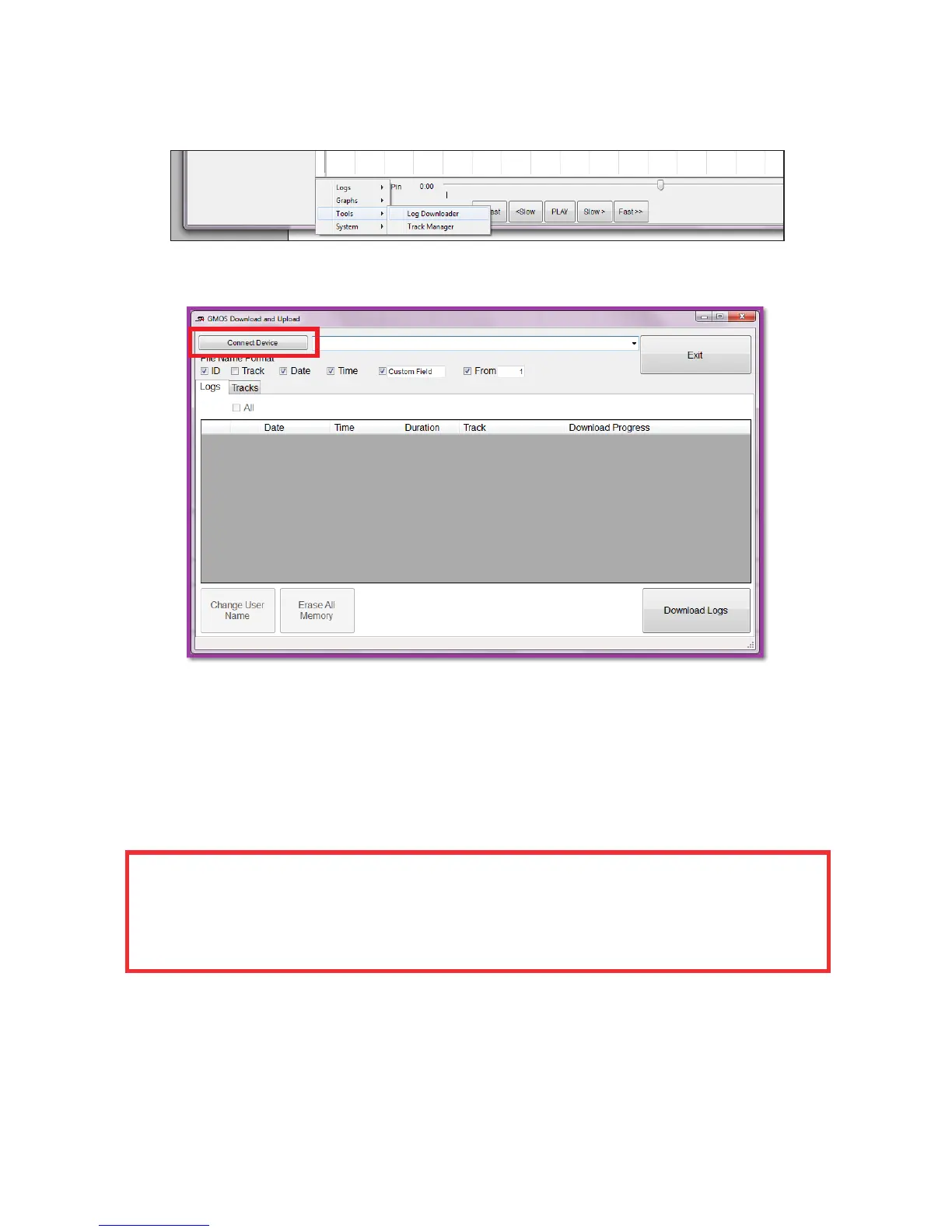
5. Click on the MENU button at the bottom left, go to “Tools -> Log Downloader”.
6. Click on “Connect” to connect the device. Now you are ready to download logs.
For more information, such as preloading track settings or modifying Finish Line
location after a log has been recorded, please watch the tutorial videos on www.
SpeedAngle.com/Download, SpeedAngle R4 section.
GMOS utilizes high speed download to save download time. If you are download-
ing with a laptop and are encountering download errors, please set the battery
management plan to HIGH PERFORMANCE. If you are using communication
softwares such as Skype, close it as well.


 To Next Page