Sivu 42
Function Mode
Toiminta tila
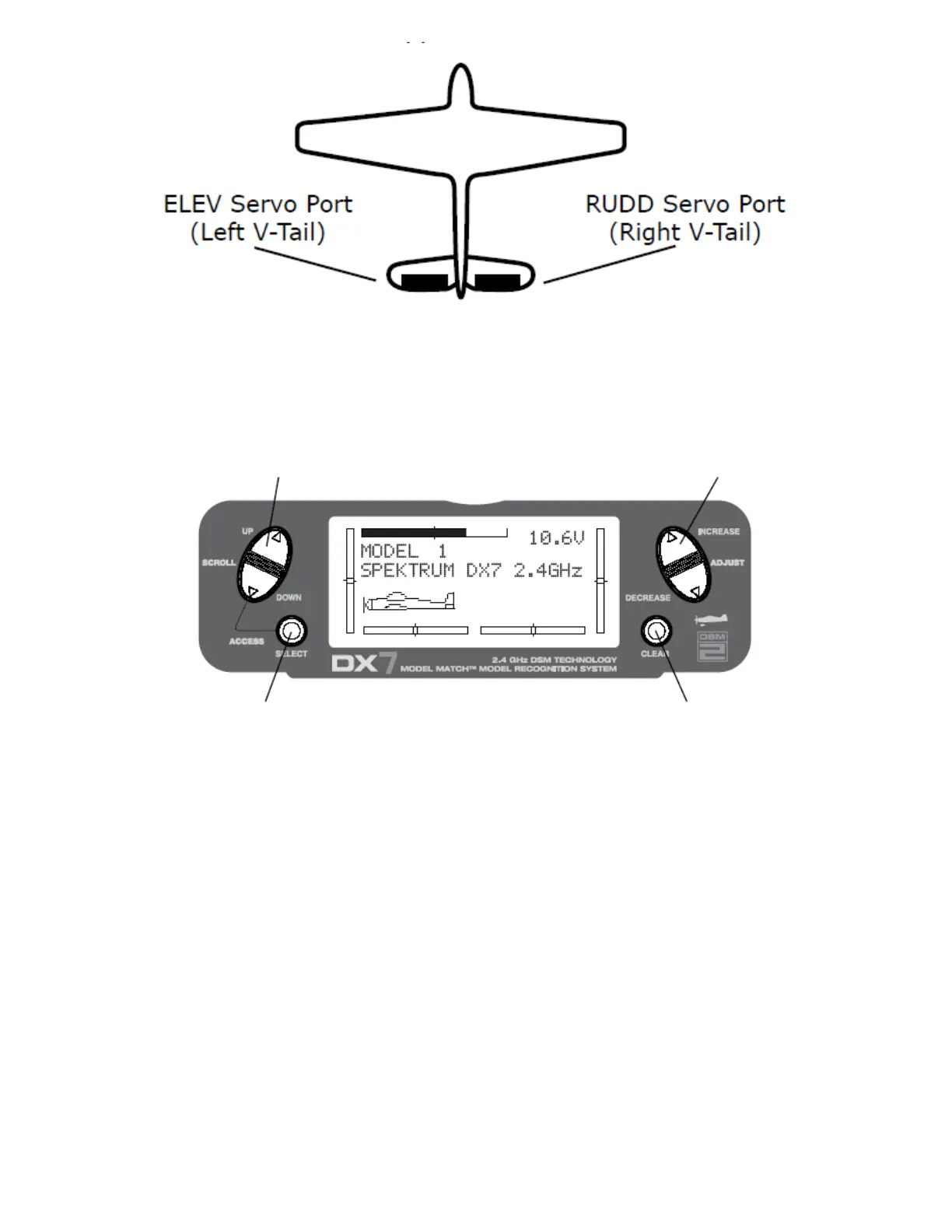
UP and DOWN key INCREASE and DECREASE key
Ylös ja Alas kytkin Lisäys ja Vähennys kytkin
SELECT key CLEAR key
Valinta kytkin Nollaus kytkin
To Enter Function Mode
• From Main Screen Display press the DOWN and SELECT keys simultaneously to enter the
Function Mode.
• Use the UP or DOWN keys to select the desired function.
• Use the SELECT key to scroll to the desired channel.
• Use the INCREASE and DECREASE keys to change the values or positions of the selected channel.
• Use the CLEAR key to return the selected value to the factory default settings.
Mennäksesesi toiminta tilaan
• Mennäksesi päänäytöltä Toiminta tilaan, paina DOWN ja SELECT kytkimiä samanaikaisesti.
• Käytä UP tai DOWN kytkimiä valitaksesi haluamasi toiminto
• Käytä INCREASE ja DECREASE kytkimiä vaihtaaksesi valitun kanavan arvoja tai tiloja.
• Käytä CLEAR kytkintä palauttaaksesi valittu arvo tehdasasetuksille.
Sivu 43
Function Mode Flowchart
Information pertaining to each function is explained on the following pages. Functions will appear on the screen
in the same order they are shown on the flow chart below:



 To Next Page