36
6. Perform the Meter Verification Test
6.1 From the WIRE VERIFY GRAPH select EXIT
6.2 Select METER VERIFY ONLY
6.3 Enter the appropriate Kh and press SELECT
6.4 INPUT NUMBER OF PULSES PER REVOLTION for which the meter is set
6.5 Make sure the meter sensor is detecting pulses or rotations with all 3 phases in the circuit.
6.6 Short the CT’s that you are not testing (e.g. short B & C if testing A).
6.7 Hold down the second button for 3 seconds to select START OVER.
6.8 Wait for 2 pulses to be detected to determine if the PLS OR REVS SUGGESTED is
the same as PLS OR REVS NOW SET. If the same, select PHASE A (or B or C) by
pushing momentarily (less than 2 seconds). If different, hold down the first button for 3
seconds to select CHANGE P;R and change appropriately and then select PHASE A
(or B or C).
6.8.1 Buttons on the Front of the Bird Dog Plus—If you are using the buttons on the
front of the unit, press the START button to begin the test. Press the STOP
button once you have counted the proper number of revolutions to stop the test.
6.8.2 Remote Switch—If the remote switch is detected, press the button on the
remote switch to begin the test. Press the button again once you have counted
the proper number of revolutions to stop the test.
6.8.3 Automatic Sensors—Press the START button. Once the sensor sees a pulse or
a disk rotation, the test will begin. The test will automatically stop once the
final revolution or pulse is detected.
7. Review Results of Meter Verify Test & Save Results
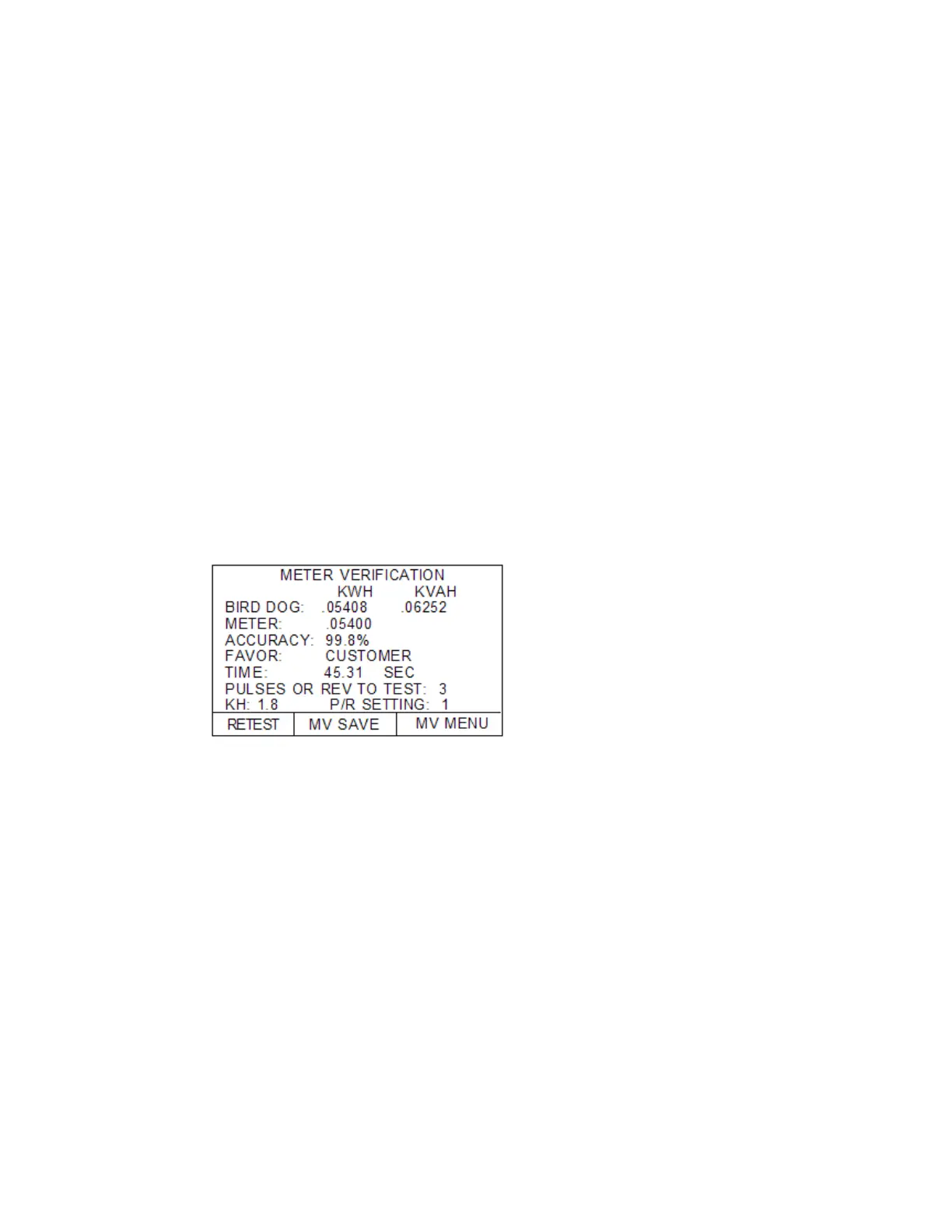
7.1 Insure that the accuracy is within your tolerance specification.
Test Time > 30 Seconds?
Accuracy OK
7.2 Press the MV SAVE button
7.3 Press STORE if all is OK. Press ABORT if a correction is needed
7.4 You have now finished Phase A (or B or C); if C, go to Step 9
8. Move Probes to the Next Phase
8.1 Unshort the CTs to provide all currents to the meter
8.2 Press the MV MENU button
8.3 Go back to Step 5.2 and repeat through Step 8.2.
9. Wrap Up Procedure--After testing, turn off Bird Dog Plus, leaving cables connected.
Coil secondary voltage and current cables together into case. Coil the sensors and put them in the
case. Close the case lid.



 To Next Page