109
For more information on the implementation of this approach to testing electronic meters, see the
note in Section F.3.3.4 of this manual entitle, Guidance on the Proper Sensor to Use on Some
Electronic Meters.
F.3.3.3 Infrared Sensor
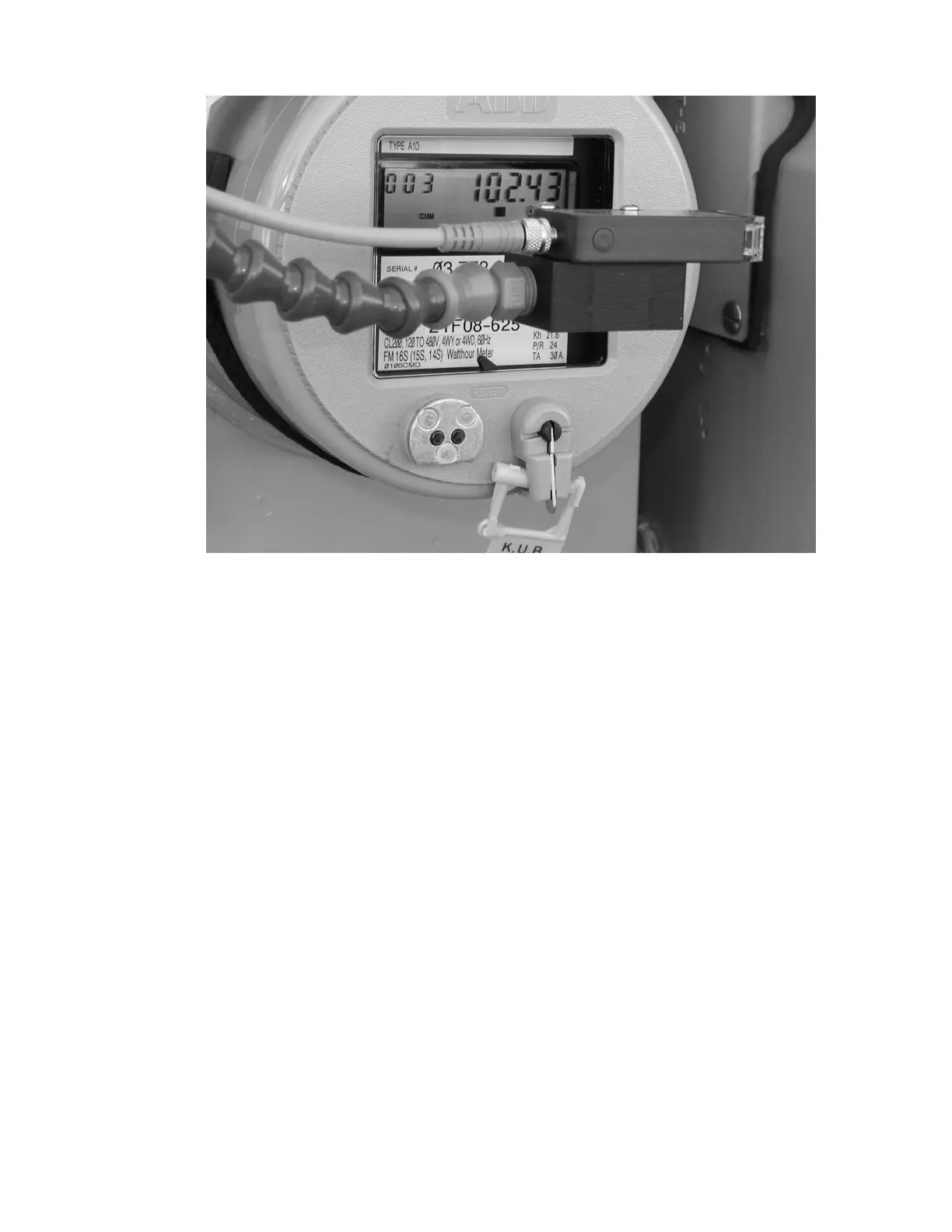
For an electronic meter you will use an infrared sensor that detects infrared pulses out of
the meter. If you are going to detect the accuracy of electronic meters, then you can use this
sensor. There is no way to manually see and detect the pulses. At the end of the Loc-Line
hose is a square block of plastic with one side hollowed out. Simply place the hollowed out
portion over the OPTOCOM port on the face of the meter as illustrated below. Make sure
that the hollowed out portion of our sensor fits snugly over the OPTOCOM port and
positioned at right angles to the OPTOCOM port as shown below. The infrared sensor can
then pick up the pulse. When testing an electronic meter that has an infrared transmitter not
in an OPTOCOM port, position the hollowed out area over the sensor and try to shield it
from sunlight so the Bird Dog Plus sensor can properly pick up the pulses. The first pulse
begins the measurement. The last pulse ends the measurement. An illustration of how the
infrared sensor attaches to an electronic meter with an OPTOCOM port is shown in the
following illustration:



 To Next Page