IM-P343-35 CTLS Issue 5
12
start of text under grey section header box
start of text continuing from previous page
TRANSLATION RUN OVER
SP500 Electropneumatic Smart Positioner
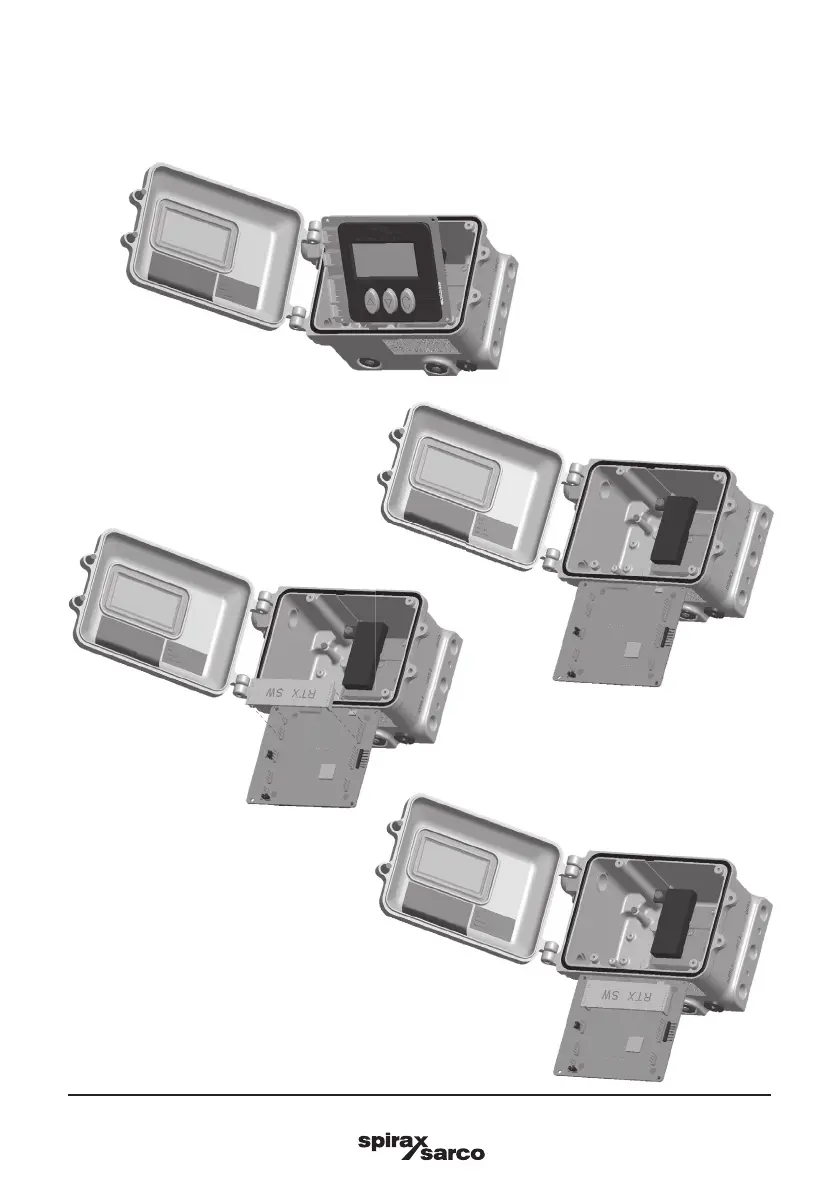
Fig. 6
Fig. 7
Fig. 8
Fig. 9
-
Rotate the mainboard and insert the option board (as shown in Figures 6, 7, 8 and 9).
-
Rotate the mainboard to the initial position, x it with the 4 screws, close the positioner and switch on
the power supply and air supply.





 To Next Page