IM-P343-35 CTLS Issue 5
42
start of text under grey section header box
start of text continuing from previous page
TRANSLATION RUN OVER
SP500 Electropneumatic Smart Positioner
9.4.1 TRAVL - % travel display
•
Programming notes
Press key to access TR AVL.
Provides selection of % valve travel display with option of 0 - 100% or 100 - 0%.
Default is 0 - 100%.
Use and keys to toggle selection.
Press key to return to AUTOS.
Commissioning notes
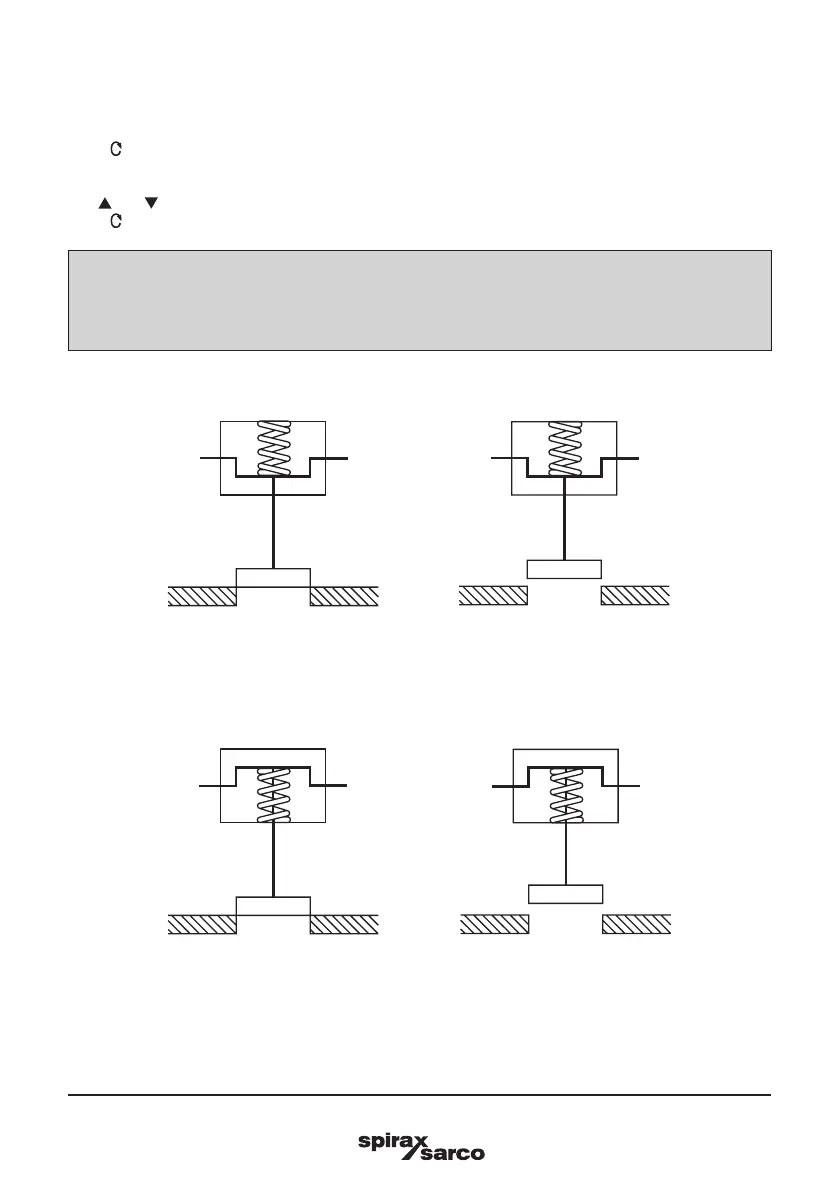
The selection of % valve travel display depends on the valve and actuator configuration. Figures 56 to
59 (pages 41 and 42), and Figures 60 and 61 (page 43) provide guidance on selection. After completion
of AUTOS if a change is made to TRAVL it will be necessary to initiate an AUTOS routine once again.
Display = 0%
Display = 100%
Display = 0%
Display = 100%
Fig. 56
2-port valve normally closed - TRAVL setting = 0 to 100%
Fig. 57
2-port valve normally open - TRAVL setting = 0 to 100%





 To Next Page