IM-P736-02 EMM Issue 3
87
VLM30 In-Line Vortex Flowmeter
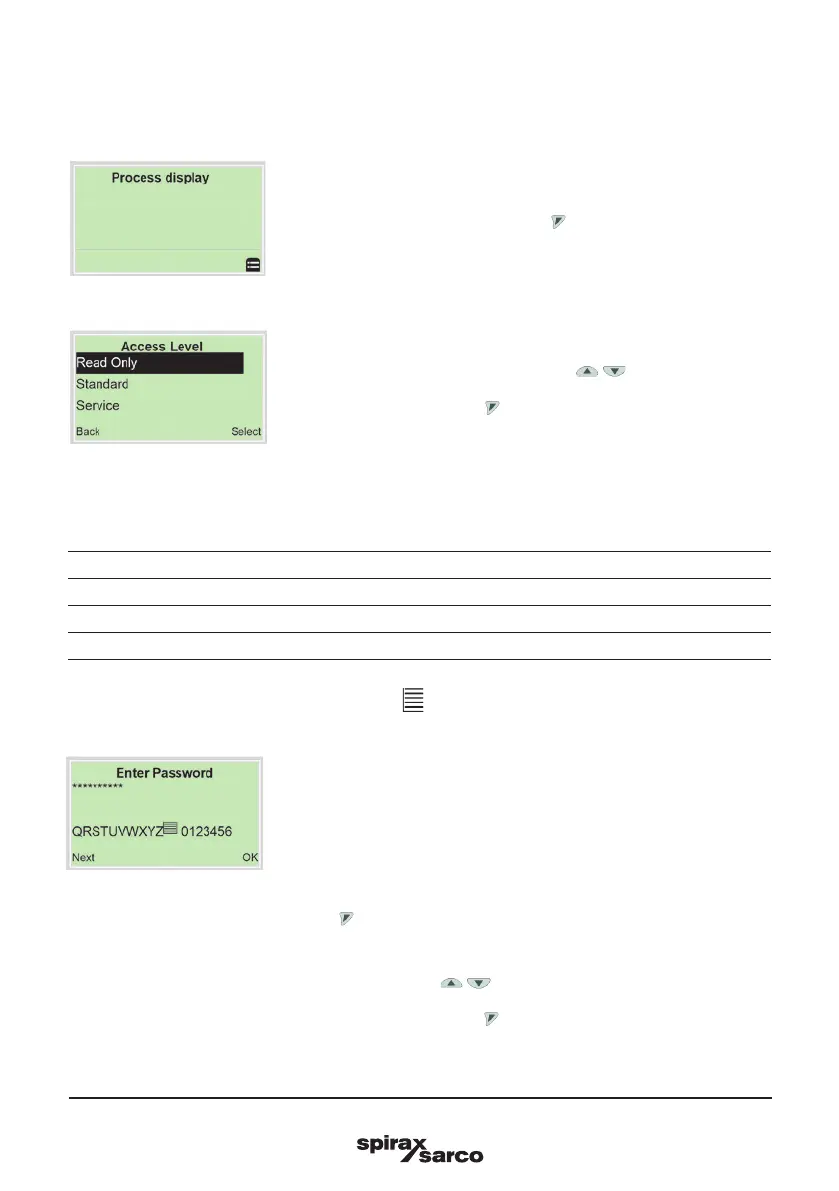
Note: There are three levels of access. A password can be defined for level ‘Standard’.
There is no factory default password. For security reasons it is recommended, to set a password.
Access Level Description
Read Only All parameters are locked. Parameters are read only and cannot be modified.
Standard All the parameters can be altered.
Service Only Customer Service has access to the Service menu.
Once you have logged on to the corresponding access level, you can edit or reset the password.
Reset (status ‘no password defined’) by selecting ‘ ’ as a password.
The newly assigned password is not valid until you log out from the ‘Standard’.
4. Enter the corresponding password (see Section 5.7 Selecting and
changing parameters). No password is preset in the factory settings.
Users can switch to the configuration level without entering a password.
The selected access level remains active for 3 minutes. Within this time
period you can toggle between the process display and the configuration
level without re-entering the
password.
5. Use to confirm the password.
The LCD display now indicates the first menu item on the configuration level.
6. Select a menu using / .
7. Confirm the selection with .
5.7 Switching to the configuration level (parameterisation)
The device parameters can be displayed and changed on the configuration level.
1. Switch to the configuration level with .
2. Select the desired level of access using /
3. Confirm the selection with .



 To Next Page