You can click on the mouse button and adjust with a mouse by simply dragging the graph. You
may switch the real-time tracking on so that the green adjustment bar will follow the blue active
bar. Then you will adjust the value where the RPM’s is at the time.
Notice the graph below 400 RPM’s is set to the cranking timing. Then the next step is for idling.
The split for vacuum timing is the blue arrow at 1500 RPM. When the RPM is below this limit the
low vacuum timing graph is active and above this value the high vacuum timing graph will be
active. This setting is adjusted in the timing set-up.
6.8.1.2 Vacuum Timing Map
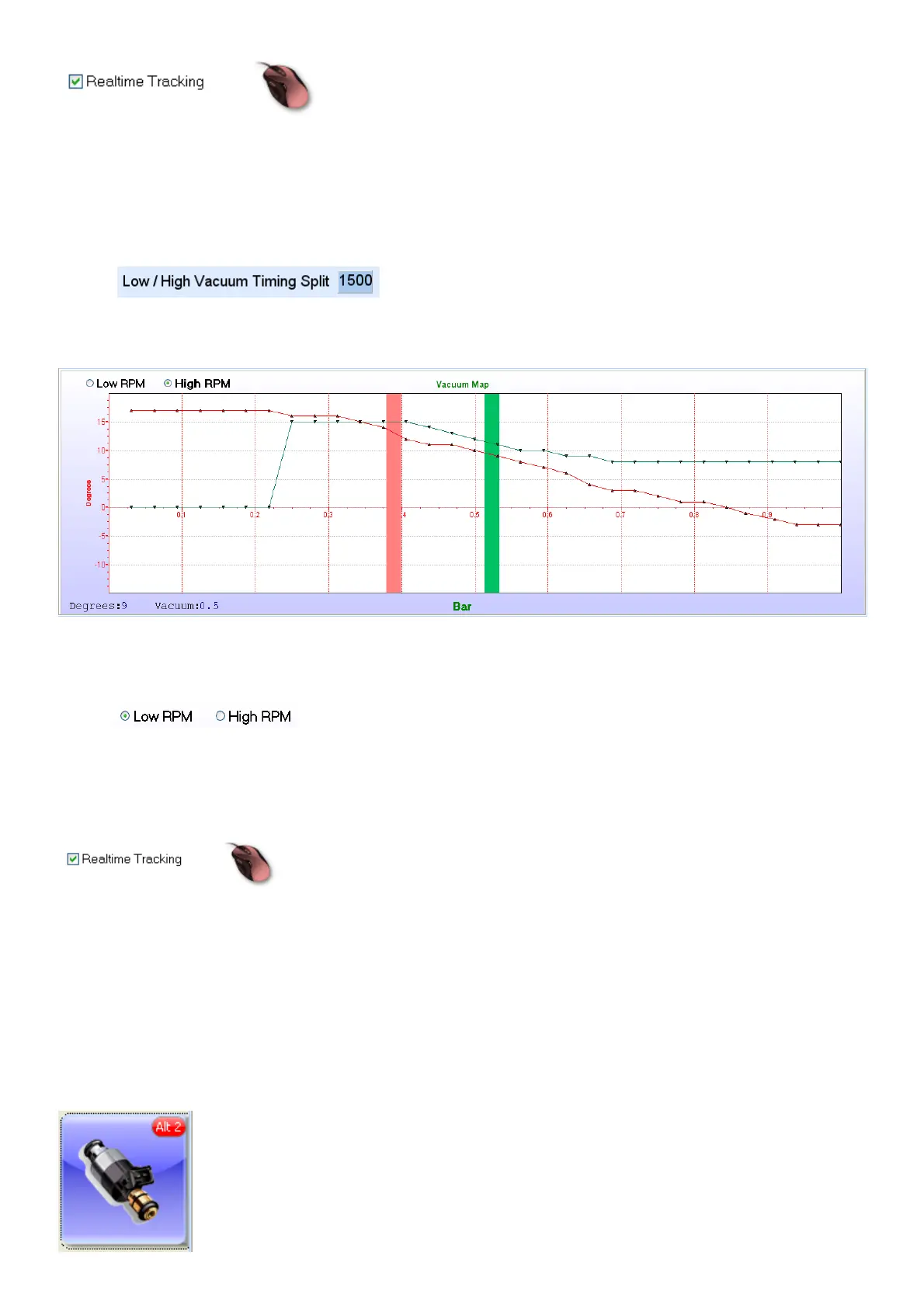
On this map you can set the amount of ignition advance and retard for a specific vacuum or boost
pressure value. There are 2 maps with 32 divisions for the map sensor which can be adjusted
from -15° to +20° in 1° intervals.
Select and move the cursor over the graph with your mouse. From there on
you can set the map with your cursor keys. Use the left and right cursor to change vacuum
intervals and up and down cursor keys to adjust the timing at 1 degree intervals. The green bar is
where your cursor is and where you can change the values. The Pink bar is where your engines
current vacuum is.
You can click on the mouse button and adjust with a mouse by simply dragging the graph. You
may switch the real-time tracking on so that the green adjustment bar will follow the blue active
bar. Then you will adjust the value where the RPM’s is at the time.
The degrees you set here will be added or subtracted to the dynamic timing map. Note the -3°
from 0.85 to 1 bar. This will compensate for sea level and inland timing.
6.8.2 Fuel Maps (Alt 2)



 To Next Page