• Always disconnect the 10 Way output harness from the ECU. When the programmer is
connected all the outputs are switch to the high state which means that coils and injectors
will be switched on. This may damage the coil drivers or coils and fill the engine with fuel.
• Follow the Startup Procedure to make sure that the right firmware and settings is loaded to
prevent damage.
12.2 Installation
On the CD in the Firmware Programmer File run the setup file mcu_ide.exe to install the software
program. If you do not have the programmer software you may download the latest version from
the internet at the following link:
http://www.silabs.com/Support%20Documents/Software/mcu_ide.exe
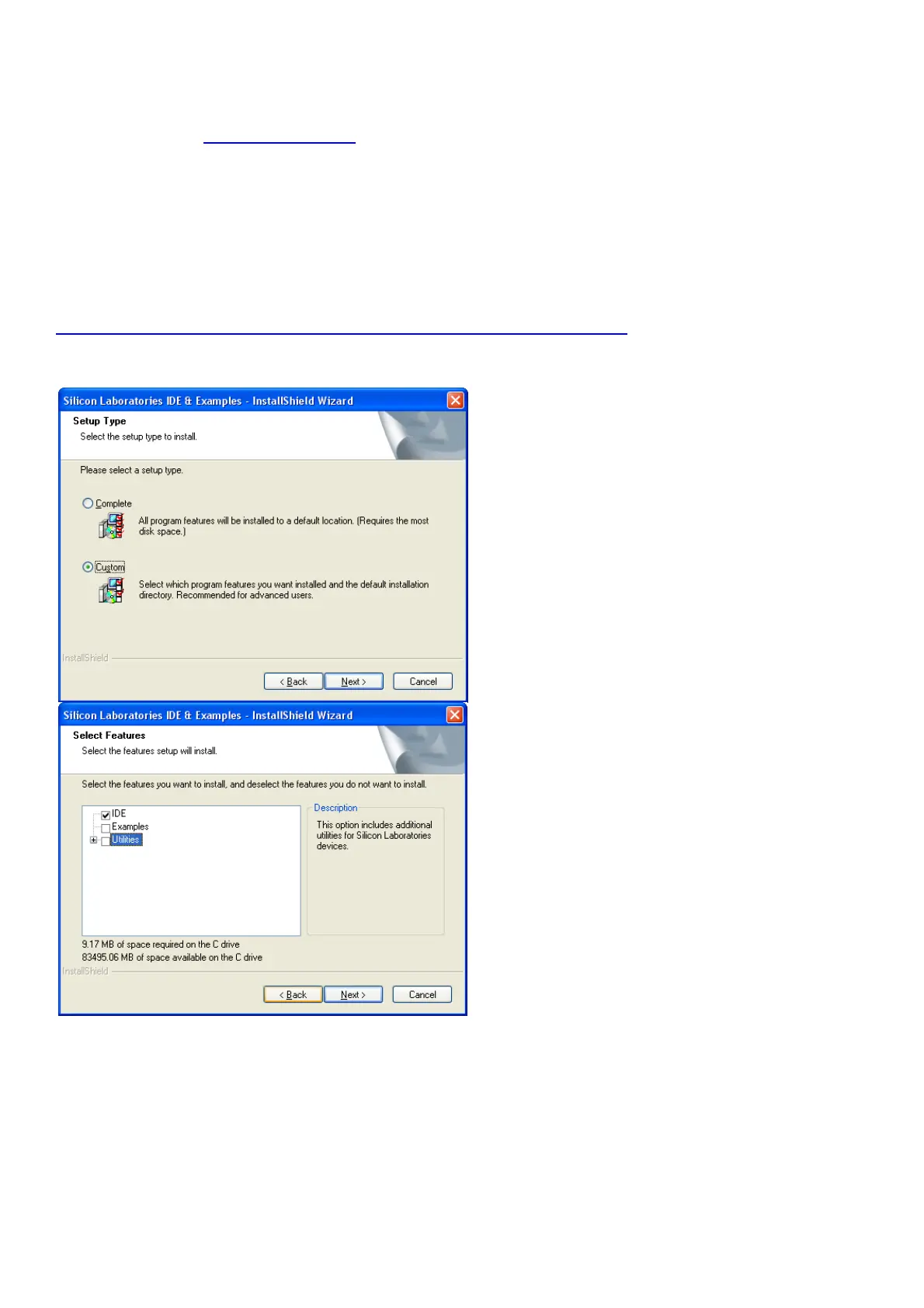
Follow the onscreen instructions till you are asked for the following. Click on Custom and uncheck
Examples and Utilities.
You will not need these and they will only take up unnecessary disk space. No harm if you install
the complete programmer. Connect the USB programmer to the PC only and start the program at
the start button, activate Silicone Laboratories and click on Silicone Laboratories IDE.
Now click on Options, Connect Options and select USB Debug Adapter and also C2 interface.
Click OK and you are all set to use the Programmer.



 To Next Page