5.2 Spitronics USB driver installation
Go to the Spitronics USB Driver file on the CD. Activate the USB Setup.exe file. The software will
install automatically. It may take a couple of minutes on slower laptops. Now insert the USB cable
into the PC. Windows will detect the cable and install the driver for it. If it does not connect to the
ECU see Changing the Com Port Settings below.
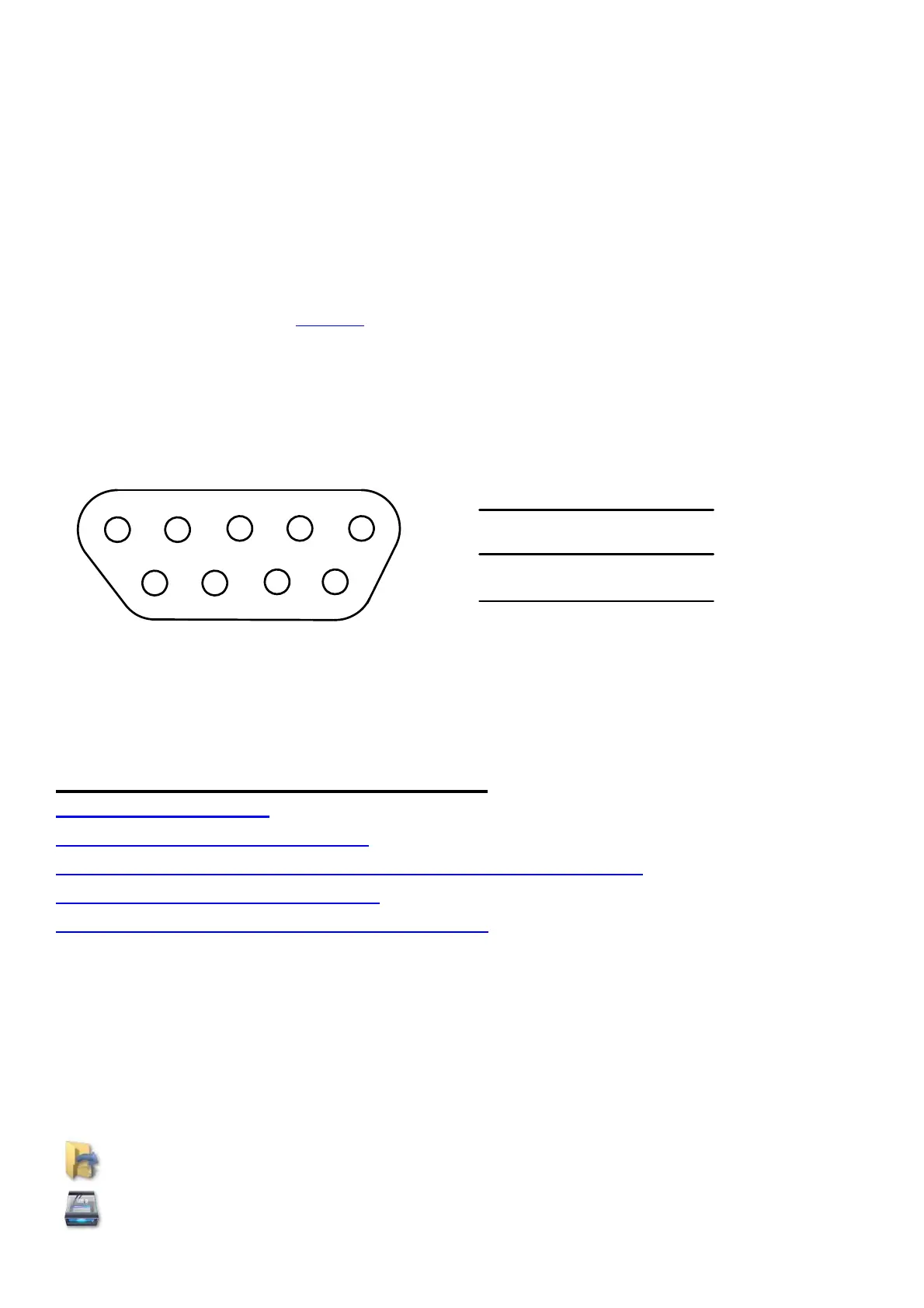
5.3 RS232 Computer to ECU interface
The ECU communicates to the computer via the serial RS232 interface. It operates at 19200 baud
rate. See the drawing for connection diagrams.
Communication can also be achieved by USB via a USB to RS232 converter cable. Ensure that
the drivers for the cable are installed according to manufacturer specifications. When using other
than Spitronics cables, you have to break out pin 1,4,6,7,8 & 9 as they are used for other inputs
and outputs such as for programming the ECU as well as the launch control buttons. See
drawing. On a serial connector provision is made for hardware handshaking on printers etc. It is
not used for these management electronics. The Spitronics USB converter you do not have to
break out the pins as they are internally disconnected.
1
5
6
9
X
XX
XXX
2
3
5
2
3
5
Earth
DB9P Male - Pin View
DB9P Extension Cable
Note: These cables are optional and can be bought from the agent, computer shop or made in
some cases.
6. Software Operation and Setup
6.1 Button Description
6.2 Connecting a PC to the ECU
6.3 Changing the USB Comport in Windows Device Manager
6.4 Memory operation of the ECU
6.5 Selecting Different Pages in the Software
This chapter will explain how the software operates and how to set it up for your specific engine.
The ECU comes preconfigured so that you don’t have to go through the tedious process of
configuring all the different parameters, to get the engine to start. There are however certain
checks on different engines to get the ECU to work properly. Failure to do this may damage the
ECU or components of the engine which will solely be your responsibility. Refer to the drawings of
your model to see if your engine has a special setup procedure.
6.1 Button Description
Open a saved MAP from the hard disk into the PC Software.
Save MAP data from the PC or ECU on the hard disk.



 To Next Page