6.4.3 Loading a Map from the hard disk onto an ECU
First connect to the ECU. Then press the Open file button. Then press the Write to ECU
button. The data will now be written into the ECU flash memory. Note that the serial number is not
written in the process although for this session the serial number is the same as the Map serial
number. Once the software is closed and restarted, the ECU serial number will be displayed. Also
note that if an incorrect version of the map is loaded, a check box will warn you of it.
6.4.4 Locking a MAP on the ECU
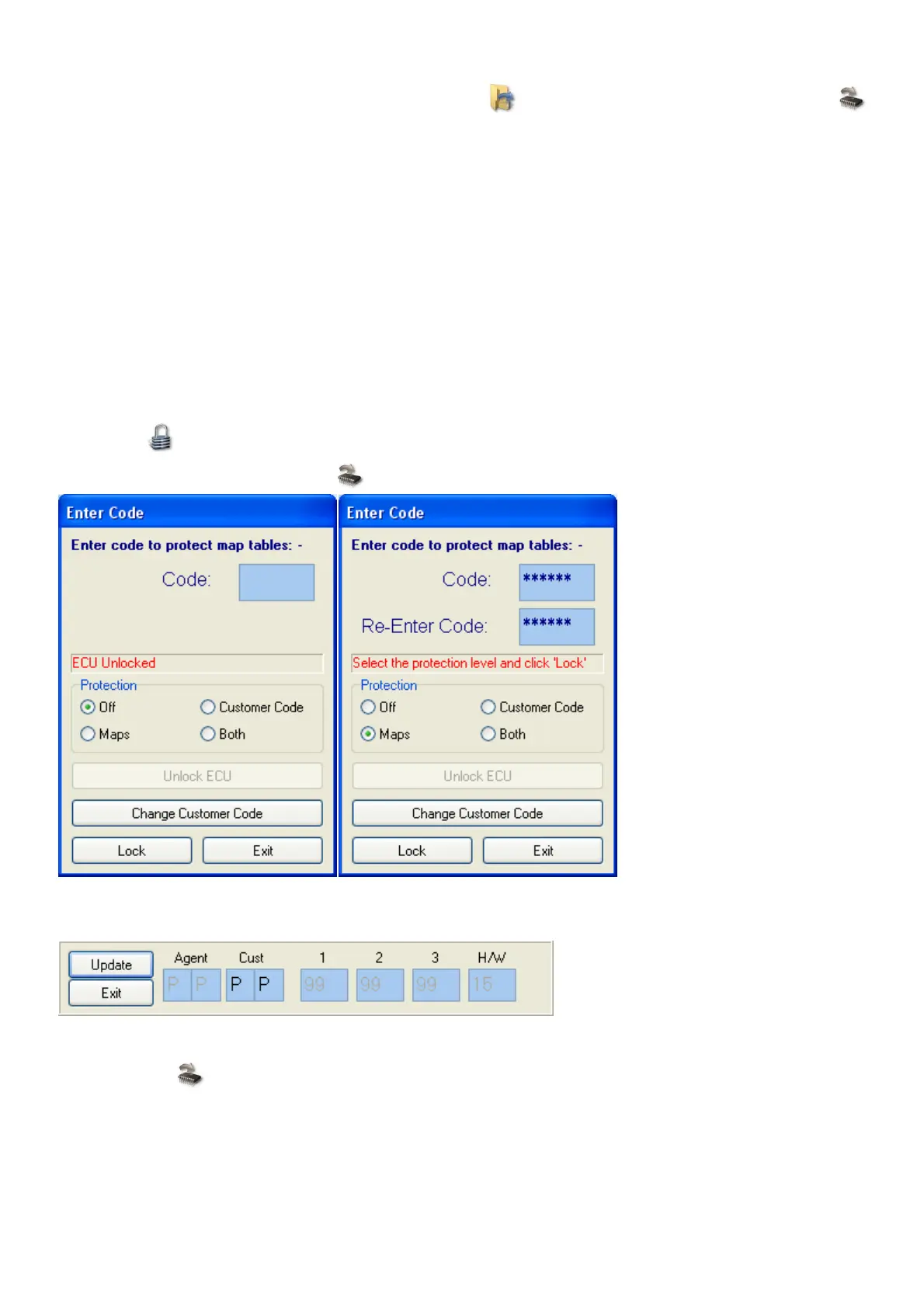
The tuning MAP on the ECU can be locked to prevent other users from copying it or changing
settings on it. This feature is to let engine builders install protection settings on the ECU for
guarantee purposes. Note however that you can overwrite the code by loading another MAP onto
the ECU. This would however indicate to the agent that tampering took place and may void
guarantees.
The Agent has the option of changing the customer code for his reference. He can protect it with a
password and leave the maps open. It would mean however that the customer cannot lock his
own maps under the code as they use the same code for protection.
Press the button and enter a password. Select which protection is required. Press Lock, Exit
and then press the Write to ECU button to save it to the Flash memory.
To change the Customer code you need to put in the Agent Password which is only supplied to
the agents by the manufacturer.
To unlock the ECU enter the same password that you used to lock the Code. If you press the
Write to ECU button, the maps will stay open.



 To Next Page