6.8.4 Correction Maps (Alt 4)
6.8.5 Data Logger (F4)
6.8.6 Manual (F5)
Click on the Maps tab to get information on the tuning maps of your engine. Startup Maps are
being preset before the ECU has been shipped. These maps may require to be adjusted to suit
your engine. Some maps for tuned engines are also supplied and may only require minor
adjustments.
Click on of these icons to adjust different settings in the setup page. Activate the Hot-Key by
pressing the Alt button plus the correlating number as in the icon block.
6.8.1 Timing Maps (Alt 1)
6.8.1.1 Dynamic Timing Map
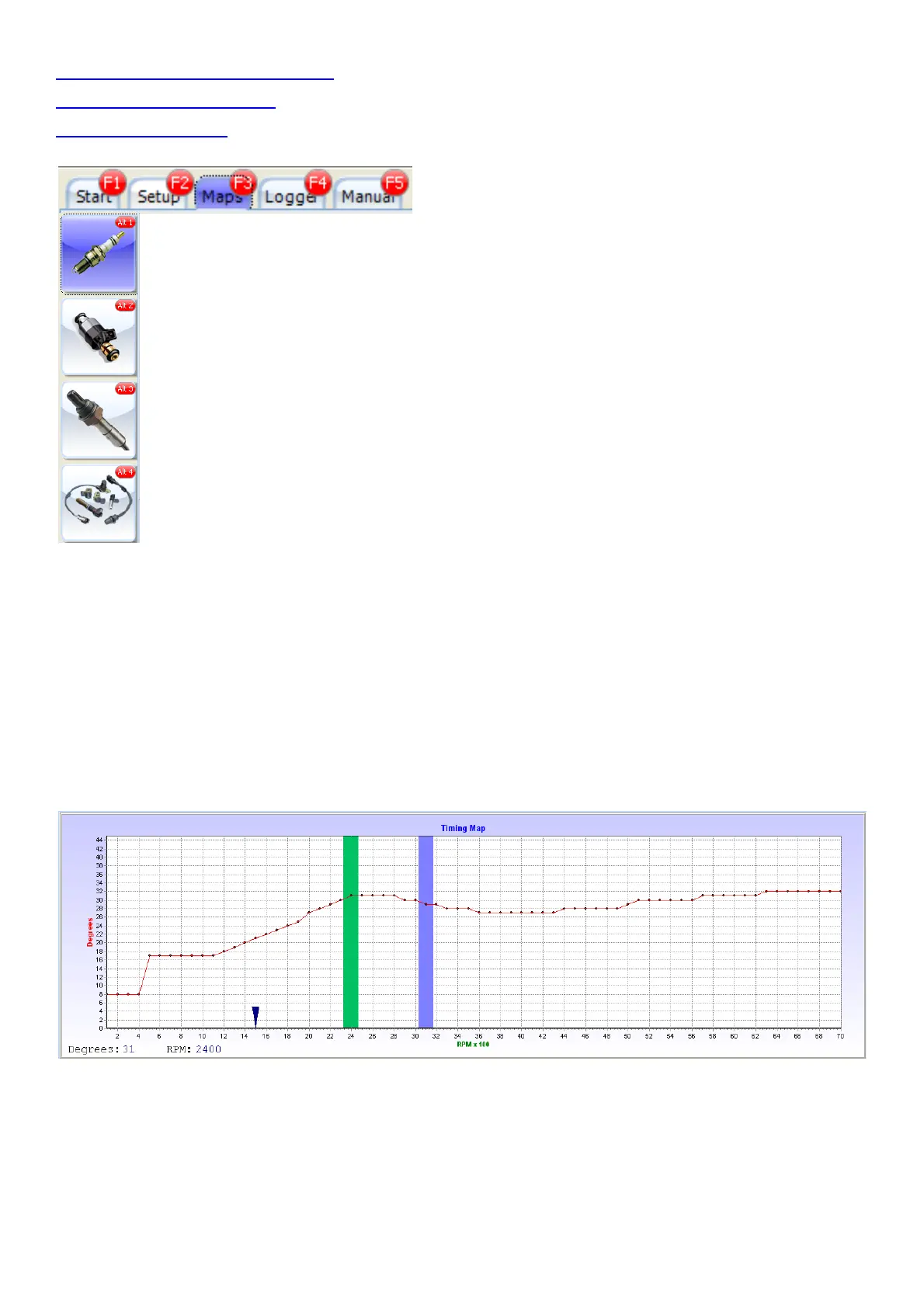
This Timing map is the wide open throttle map. Here you set the maximum timing of the engine
trough the whole RPM range. If the engine ping or detonate, see at which RPM’s it happens and
bring the graph 3 to 4 degrees down at that RPM range.
The dynamic timing curve can be adjusted every 100 RPM’s in steps of 1° between 0 and 45°.
Move the cursor over the graph with your mouse. From there on you can set the map with your
cursor keys. Use the left and right cursor to change RPM bar at 100RPM intervals and up and
down cursor keys to adjust the timing at 1 degree intervals. The green bar is where your cursor is
and where you can change the values. The Blue bar is where your engines current RPM’s are.



 To Next Page