22
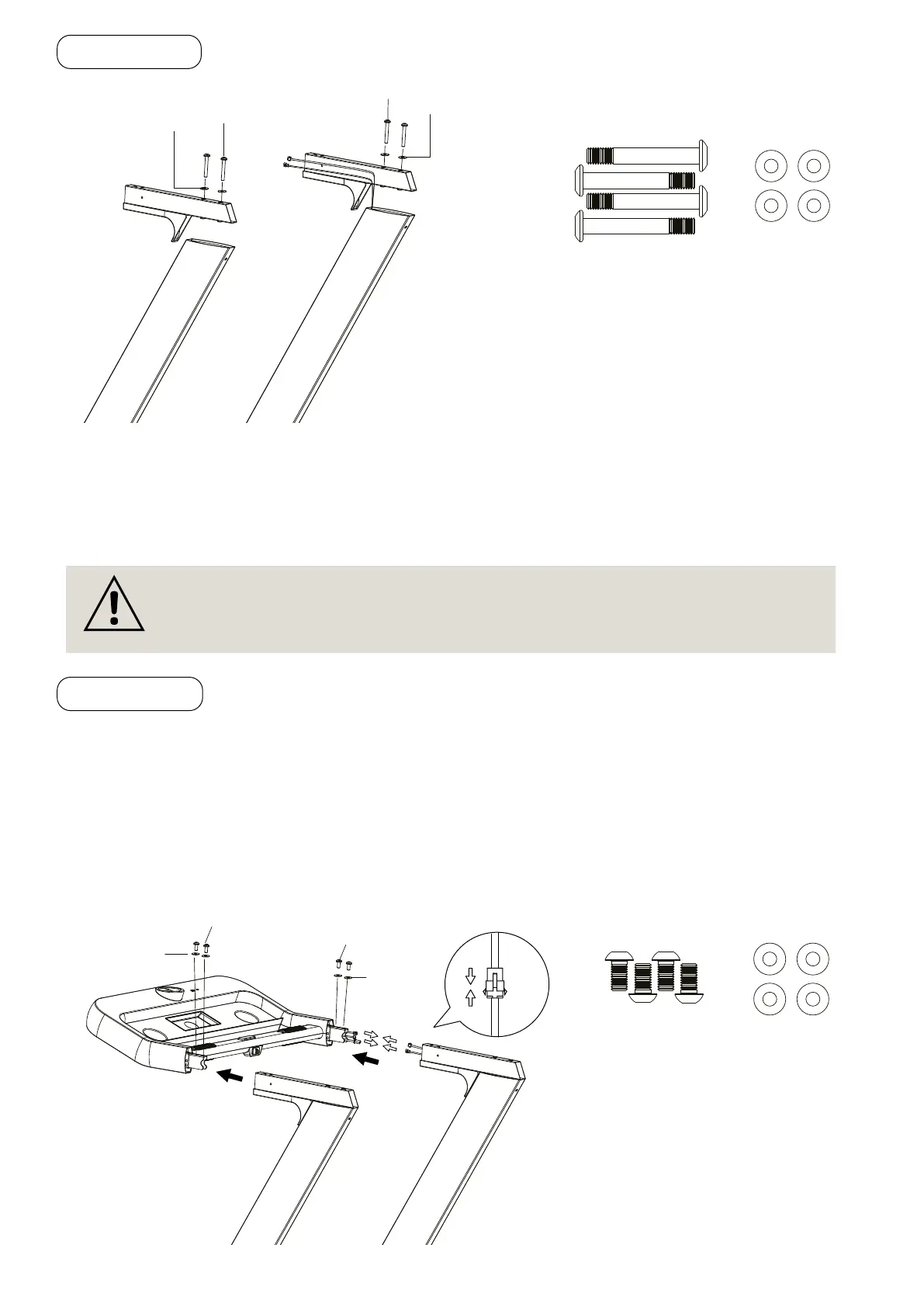
2.3 STEP 2
Pass through the Main Control Cable from the Right Handlebar Support Tube to the Right Handlebar
Bracket (C).
Install the Handlebar Bracket (C) onto the Left/Right Handlebar Support Tubes, using four M8×70
Hexagon Socket Oval Head Bolts (S7) and four Washers (S6).
2.4 STEP 3
It is recommended to have a second person assist with this step. One person should hold the Computer
Console (B) in place while the other person connects the cables.
• Connect the cable that comes from the Computer Console (B) to the Main Control Cable that comes
from the Right Handlebar Support Tube.
• Slide the Computer Console (B) onto the both Left/Right Handlebar Bracket (C). Secure Computer
Console (B) onto the both Left/Right Handlebar Bracket (C) with four M8×16 Hexagon Socket Oval
Head Bolts (S1) and two Washers (S2).
(C)
(C)
S7
S6
S6
M8x70
Hexagon Socket
Cap Screws
Washer
x 4
IMPORTANT: While sliding the Handlebar Bracket (C) onto the Right Handlebar Sup-
port Tubes, make sure the cables are installed and pay attention not to pinch the
cables.
(B)
(C)
(C)
Main Control Cable
S2
S6
S6
M8x16
Hexagon Socket
Washer
x 4


 To Next Page