23
DE
EN
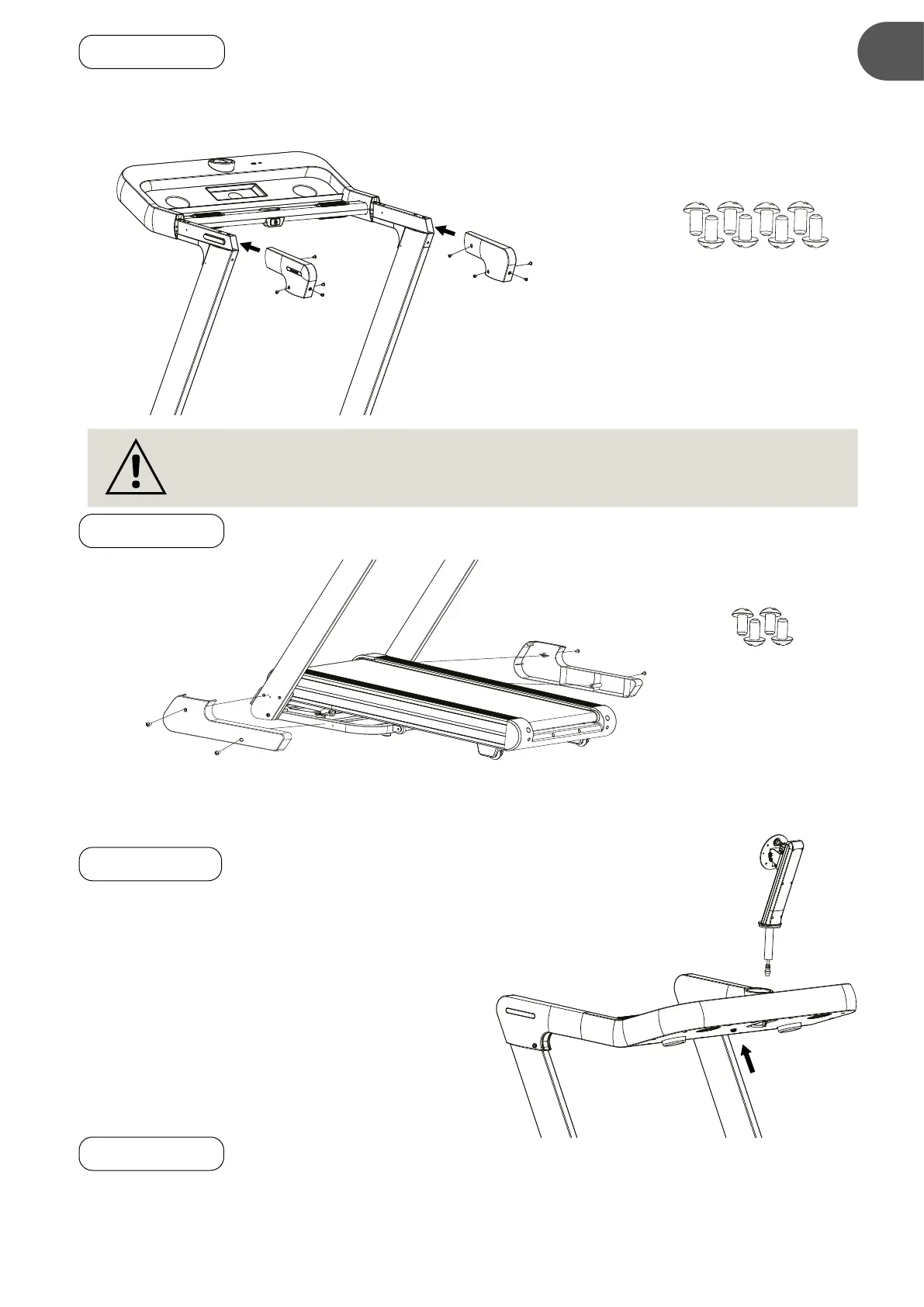
2.5 STEP 4
Slide the Handlebar Cover (D) onto the both Left/Right Handlebar Support Tubes. Secure the Handlebar
Cover (D) onto the both Left/Right Handlebar Support Tubes with eight M5×10 Cross Recessed Truss
Head Bolts (S5).
2.6 STEP 5
Attach both Right/Left Base Covers (E) onto the Left/Right Handlebar Support Tubes, with four M5×10
Cross Recessed Truss Head Bolts (S5).
2.7 STEP 6
Place the Monitor Holding Tube (F) onto the Computer
Console (B), connecting the cable (#162) into the
corresponding slot in the back of the Computer
Console (B).
2.8 STEP 7
It is recommended to have a second person assist with this step.
• First person: Hold the monitor (G) securely with both hands. Take a safe position next to the device.
Hold the intended position on the back of the monitor (G) against the mounting plate.
• Second person: Make sure that the electrical connector on the back of the monitor (G) is pointing
(D)
(D)
S5
S5
M5x10
Cross Recessed
Truss Head Bolts
NOTE: PLEASE FULLY TIGHTEN BOLTS INSTALLED IN STEP 4 WITH THE TOOLS
PROVIDED.
(E)
(E)
S5
S5
S5
S5
M5x10
Cross Recessed
Countersunk Head Bolts
x 4
(B)
(F)
162


 To Next Page