STACK Dash-2 Kart Logger 3. Operating the Dash-2 Kart Logger
Users Guide 7
3. Operating the 3. Operating the Dash-2Dash-2 Kart Logger Kart Logger
This section takes you through the operation of the Dash-2 Kart Logger so that you can familiarise yourself with its use before you
install it in the kart.
Switches
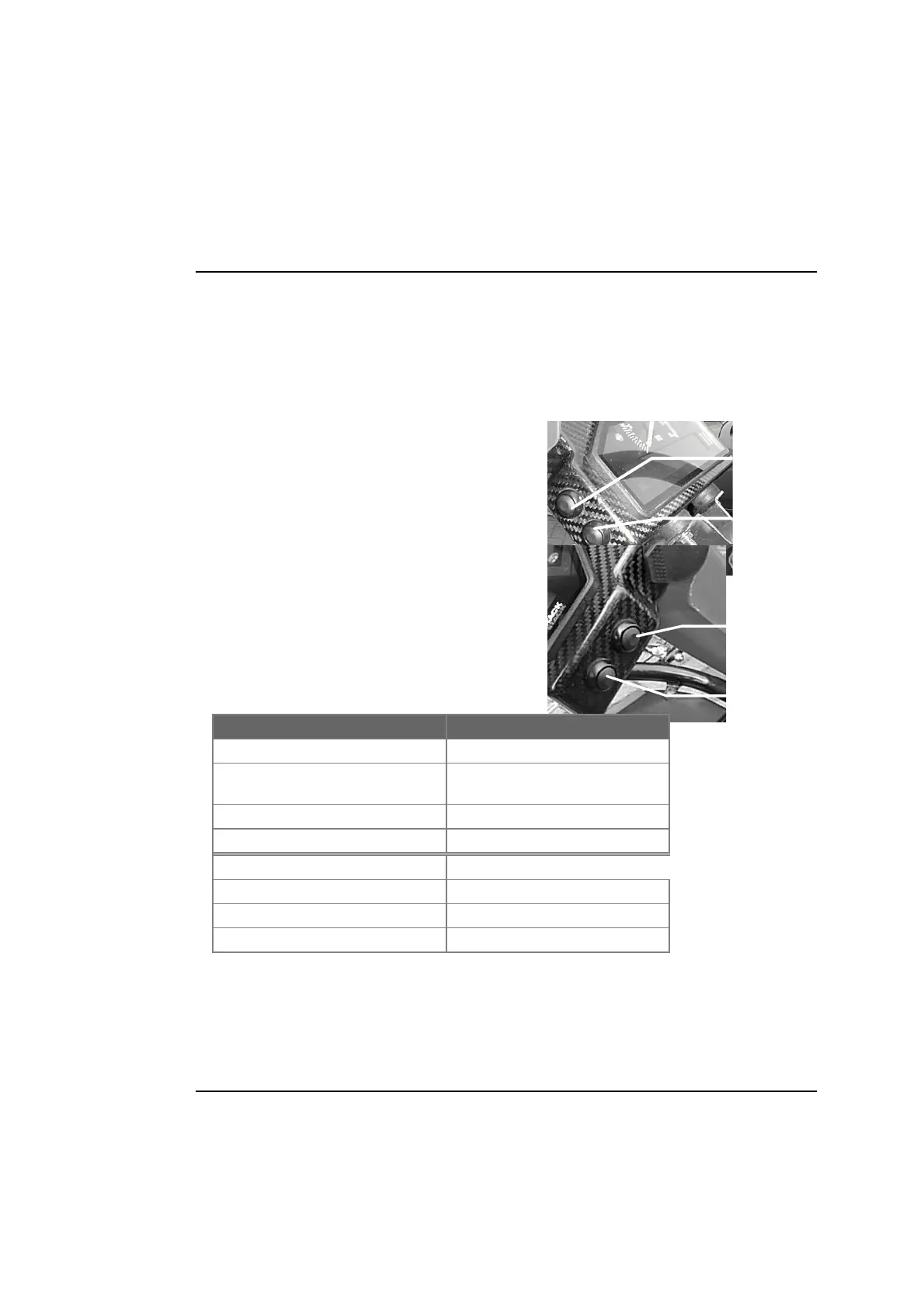
4 switches are used to control the functions of the Dash-2 Kart Logger.
Switches 1 & 2 on the left side of the Dash-2 are used for changing the
displayed channels. Press and hold switch 1 to show the recorded peaks.
Press switch 2 to change the display layer. This is the only switch the
driver needs to use when driving the kart.
Switches 3 and 4 are used for manual control of the Dash-2. Press
switch 3 to turn logging on and off. Press switch 4 to create a lap
marker.
Summary of switch functions
Switch 1
Switch 2
Switch 4
Switch 3
Switch Functions
Switch 1 pressed Show Peak Values
Switch 2 pressed Change Display Layer/Clear
Alarm
Switch 3 pressed Turn Recording On/Off
Switch 4 pressed Manual Lap Marker
Switch 1 Held Down followed by:
Switch 2 pressed Enter SETUP mode.
Switch 3 pressed RESET Logger (Erase Memory)
Switch 4 pressed RESET Peaks & Laptimes



 To Next Page