STACK Dash-2 Kart Logger 5. Using the Dash-2 Charts
24 Users Guide
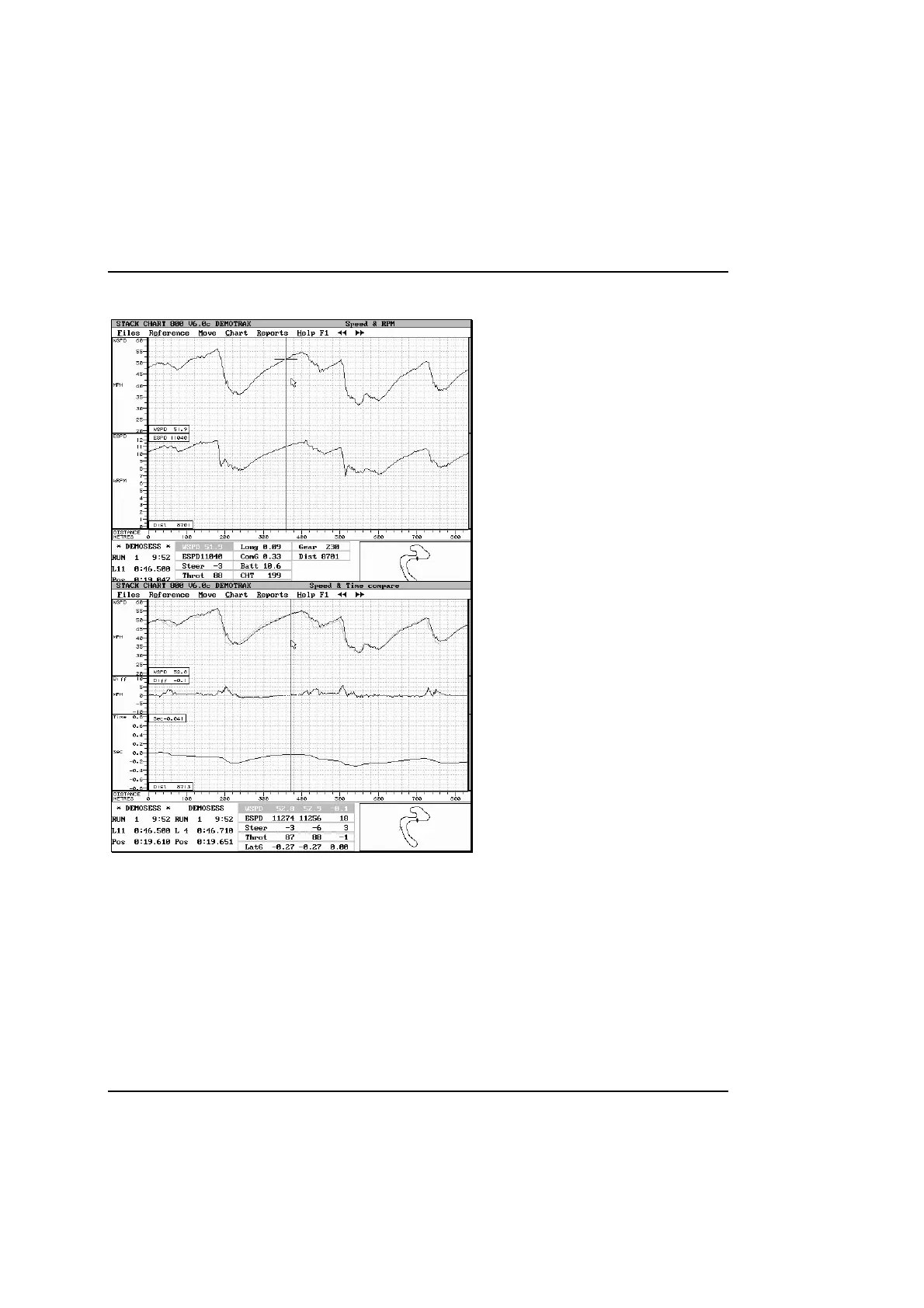
Speed & RPM
This chart displays wheel speed and engine speed.
With the larger screen areas than the Gear Ratio
chart, more detail can be see in the traces,
particularly when overlaying.
Remember that it is the wheel speed you are trying
to maximise, not the RPM.
Speed & Time Compare
This chart displays wheel speed, speed difference
and timeline.
Refer to the Data Analysis Software User Guide
for a detailed description of the timeline.
With this chart you can easily separate differences
in engine and driver performance. There are a couple
of points to watch:
• Compare engine performance on the straight
only for laps with the same corner exit speed.
• You can gain time by braking too late going into
a corner, but lose it on the exit and all the way
up the following straight. Try and maximise
exit speed in corners leading onto straights.



 To Next Page