STACK Dash-2 Kart Logger 5. Using the Dash-2 Charts
18 Users Guide
5. Using the Dash-2 Charts5. Using the Dash-2 Charts
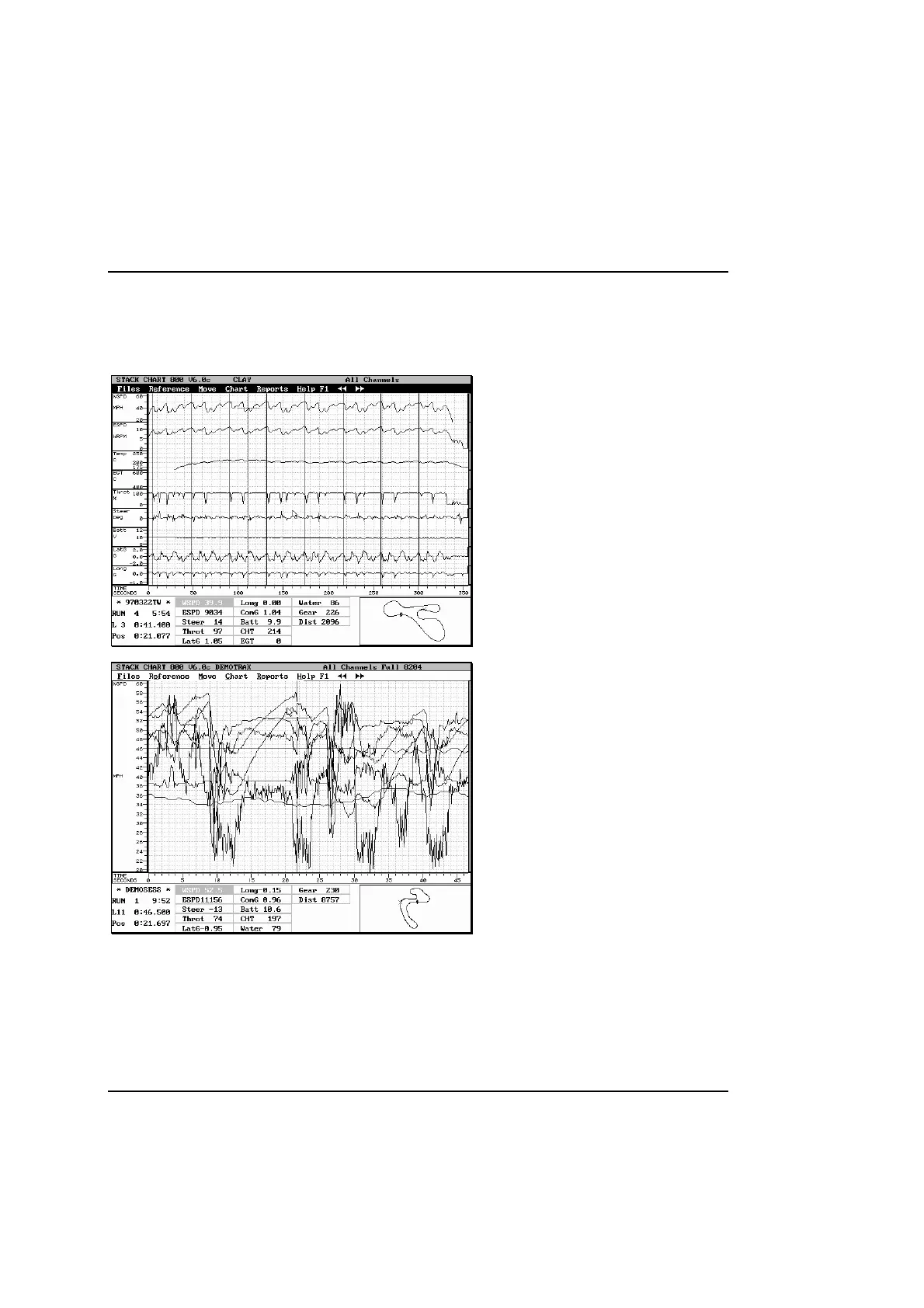
All Channels
This chart displays all of the channels recorded by
the Dash-2. It is useful for checking that the sensors
are working correctly, and if you zoom out to a run
view all of the lap markers can be seen.
All Channels Full
This chart displays all the channels in a full screen
mode.
It isn’t easy to see the channels you are interested
in, but some users may be more accustomed to this
presentation if they have previously used other data
logging systems.



 To Next Page