Page 31
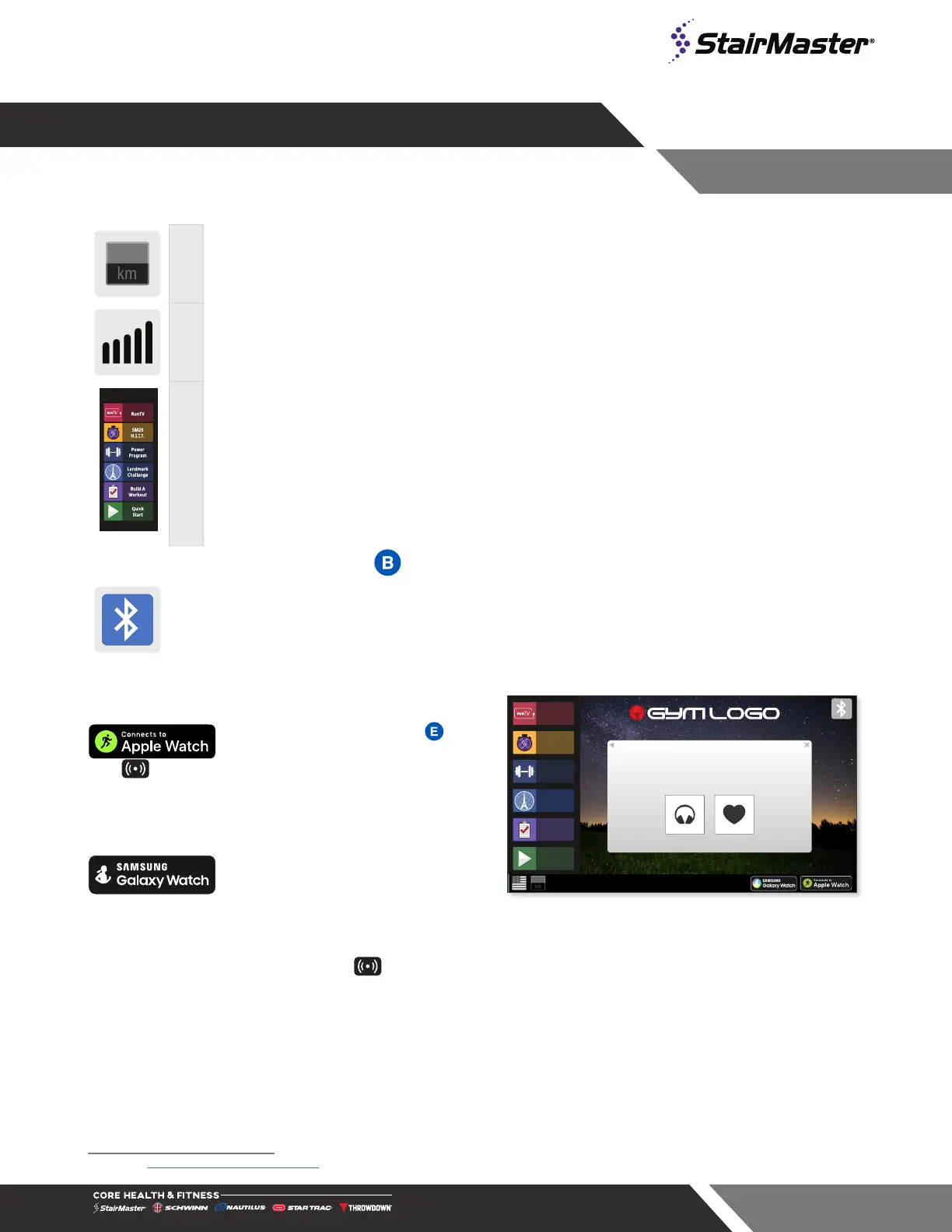
D Unit Button
Unit toggle, appears only on home screen
H Level Adjustment
Allows user to increase/decrease program level
A Main Menu
Workout controls, varies by unit. See the Menu Map in the Console Manual for
complete details.
BLUETOOTH DEVICE PAIRING
Bluetooth Device Pairing with Bluetooth Button: Pushing the button puts the console into
discover mode. The console will be available for pairing for up to 60 seconds to pair with a
compatible App. The button will flash while searching for pairing, and the display will show the
unique console code. Once a device is paired with the console, the light will stop flashing and
remain on to indicate the connection. Visit our website for a list of compatible Apps.
mi
Bluetooth Menu
To connect with compatible App use
BLE ID: 9999
For more info visit OpenHubConnect.com
Press to Connect Press to Connect
Quick
Start
Build A
Workout
SM20
H.I.I.T.
RunTV
Landmark
Challenge
Power
Program
Fig. 36
Pairing with Apple Watch :
OpenHub consoles marked with this
icon have the capability to connect using Near Field
Communication (NFC) with Apple Watch (must be running
WatchOS 4.2 or later and have option Detect Gym
Equipment set to On in Watch settings for Workout App.)
Pairing with Samsung Galaxy
Watch: OpenHub consoles marked
with the Samsung icon also have the capability to connect
with Samsung Galaxy Watch (must be running software 4.8
or later and have NFC set to On)
1
.
To connect: Hold the watch near the icon on the console (this is where the NFC reader is located). When
the display and watch detect each other, the Bluetooth button on the display will flash and then turn solid blue,
and watch will ask user to confirm connection with the display. Once connection is confirmed by user, it will
finalize and data will begin to pass between console and watch. It is possible to make this connection either
before the workout begins (recommended), or at any time during an active workout. At the end of workout, the
connection will be terminated.
Note: when Apple Watch is connected to display, the Calories display window will show both Active and Total
Calories per Apple Watch calculations.
1 See support.corehandf.com/software for version numbers and update instructions




 To Next Page