Page 48
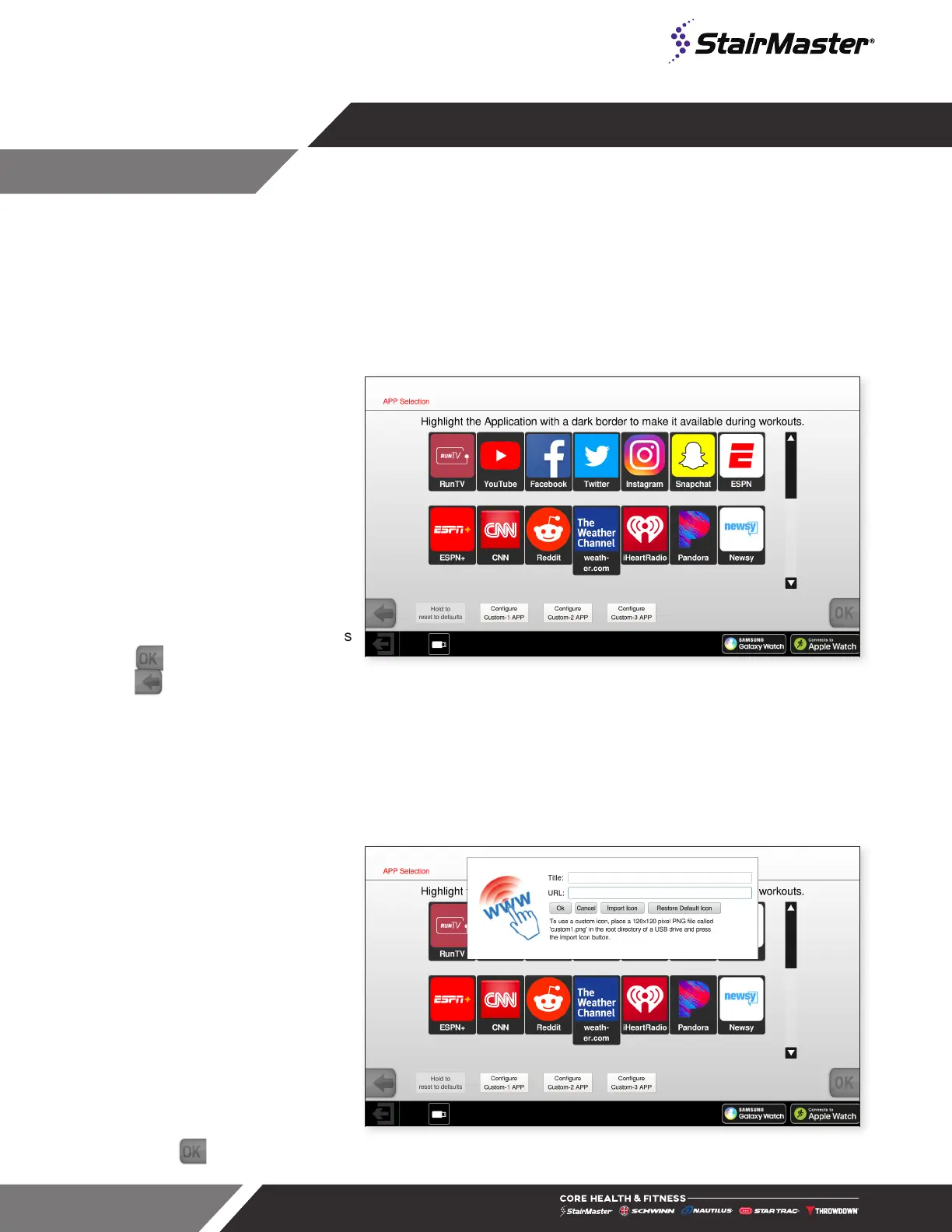
App Selection
1. Select App Selection on the
Calibration and Setup screen.
2. Press an app icon to select or
deselect an app.
If app is deselected, it will not
be available to the user.
3. Once changes are made, press
to save and exit or press
to cancel and exit.
Fig. 62
App Selection Screen
Custom App
1. Select App Selection on the
Calibration and Setup screen.
2. Press Configure Custom
App
3. Enter the title and URL of the
custom app, then click OK to
save.
4. On the app selection screen
make sure the custom app is
selected (highlighted).
5. Press to save and exit.
Fig. 63
Custom App




 To Next Page