Page 38
Maintenance Mode allows access to service and diagnostic information, as well as provides the ability to adjust
certain program default parameters. To enter Maintenance Mode:
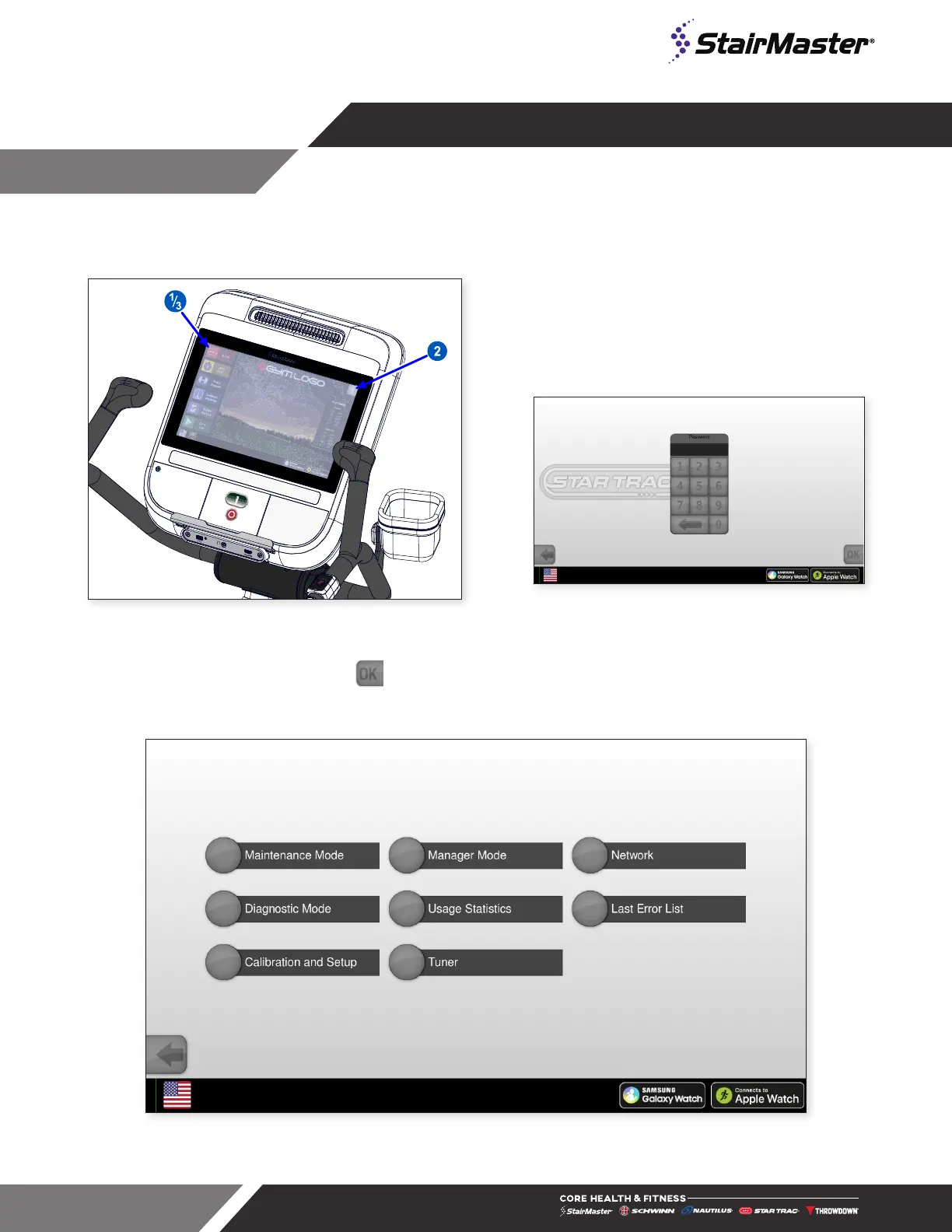
Fig. 45
Accessing the Service Menu
1. On the top of the touchscreen, tap the upper
left corner, then upper right, then upper left again.
Password Screen will display. (Screen varies by unit.)
Fig. 46
Password Screen
2. Enter password 218, tap . Service Menu will display.
3. Tap the Maintenance Mode button.
Fig. 47
Service Menu
MAINTENANCE MODE





 To Next Page