Page 52
Channel Editing
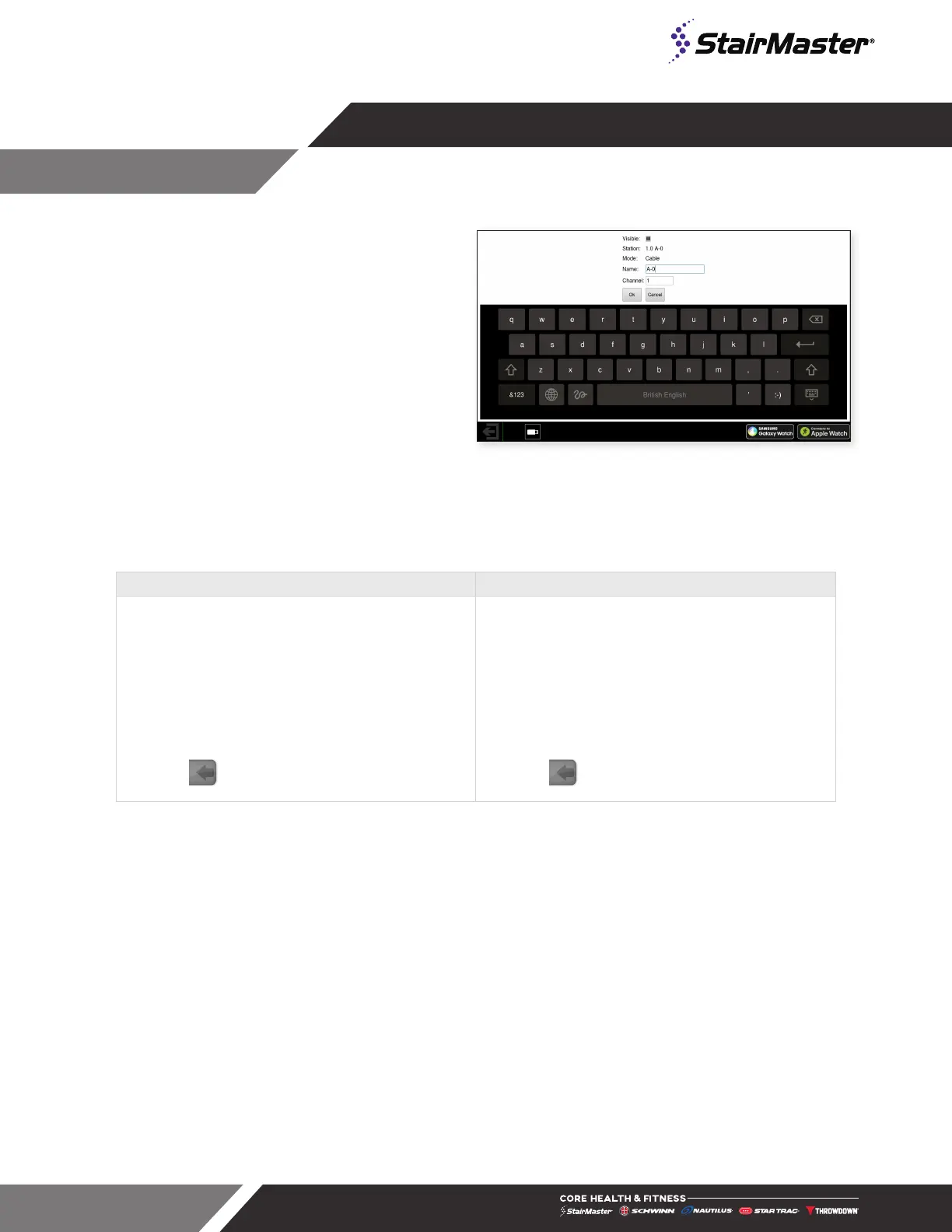
1. Select a channel on the Tuner Configuration
screen.
2. Tap ‘edit selected’.
3. In the dialog box that opens, use the ‘visible’
box to add or remove access to the channel
from the console, or to rename the channel.
Fig. 71
Channel Edit Dialog
Channels can be moved from one Capacitive Touch OpenHub console to another with an empty USB flash
drive, preventing the need to scan on every unit during an install. Channels cannot be moved between earlier
generation consoles. Procedures below:
Channel Export Channel Import
1. Connect an empty USB thumb drive to the USB
port on the center console.
2. Wait until the USB source is recognized by the
system (USB icon will appear on the screen).
3. Navigate to the TV Setup screen and select
Export Channels.
4. A confirmation will appear when the export is
complete.
5. Press to exit and go back to the Home
Screen.
1. Connect the USB thumb drive that contains the
channel export to the USB port on the console.
2. Wait until the USB source is recognized by the
system (USB icon will appear on the screen).
3. Navigate to the TV Setup screen and select
Import Channels.
4. A confirmation will appear when the import is
complete.
5. Press to exit and go back to the Home
Screen.




 To Next Page