Page 41
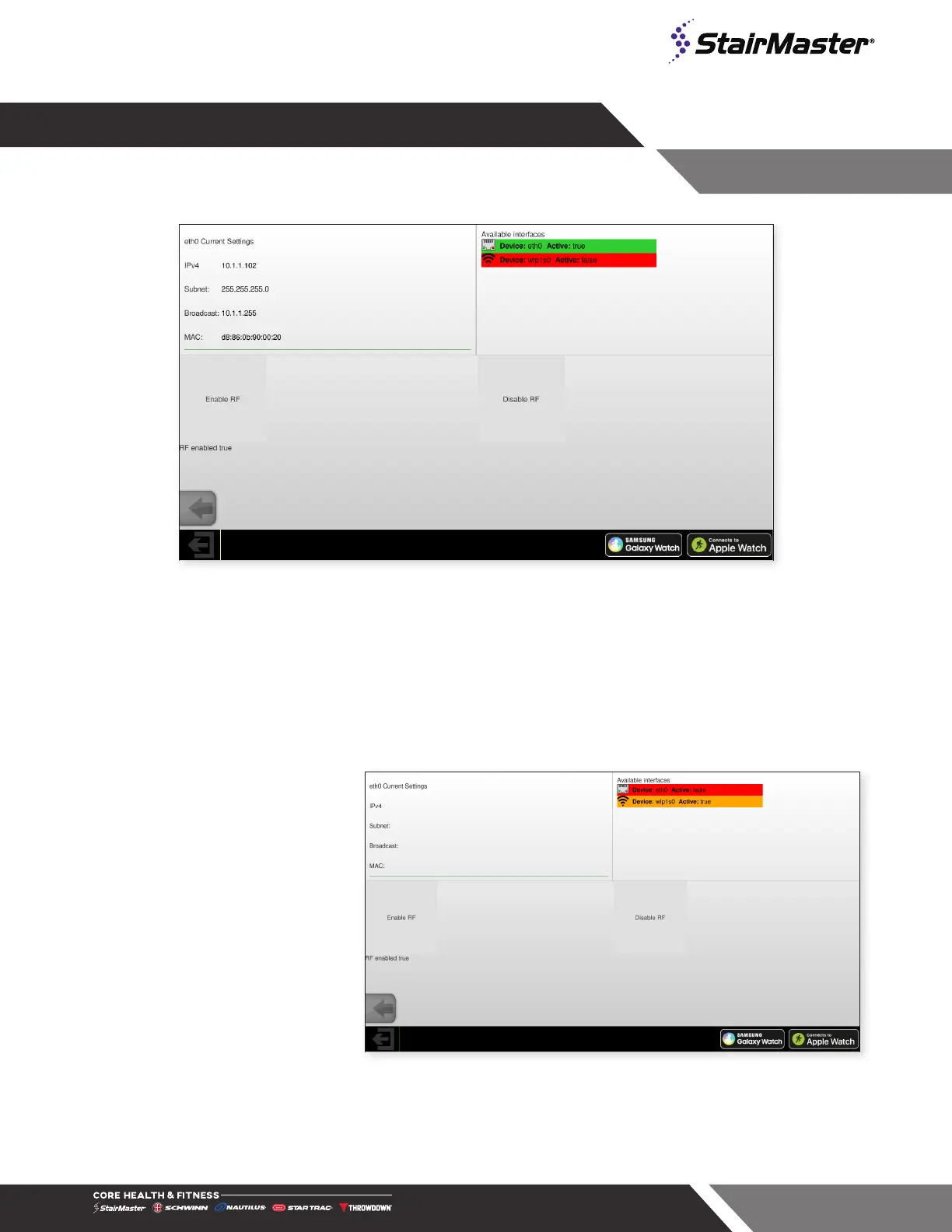
Fig. 50
Network Mode (Ethernet Connected)
NETWORK MODE
Internet connection information and network settings are shown and changed in this screen. An internet speed
of 4mbps for up to 4 machines, then an extra mbps for every additional 4 machines is recommended.
Connecting to WIFI
1. Tap Enable RF if not active.
Fig. 51
Network Mode (WiFi Available)




 To Next Page