Page 42
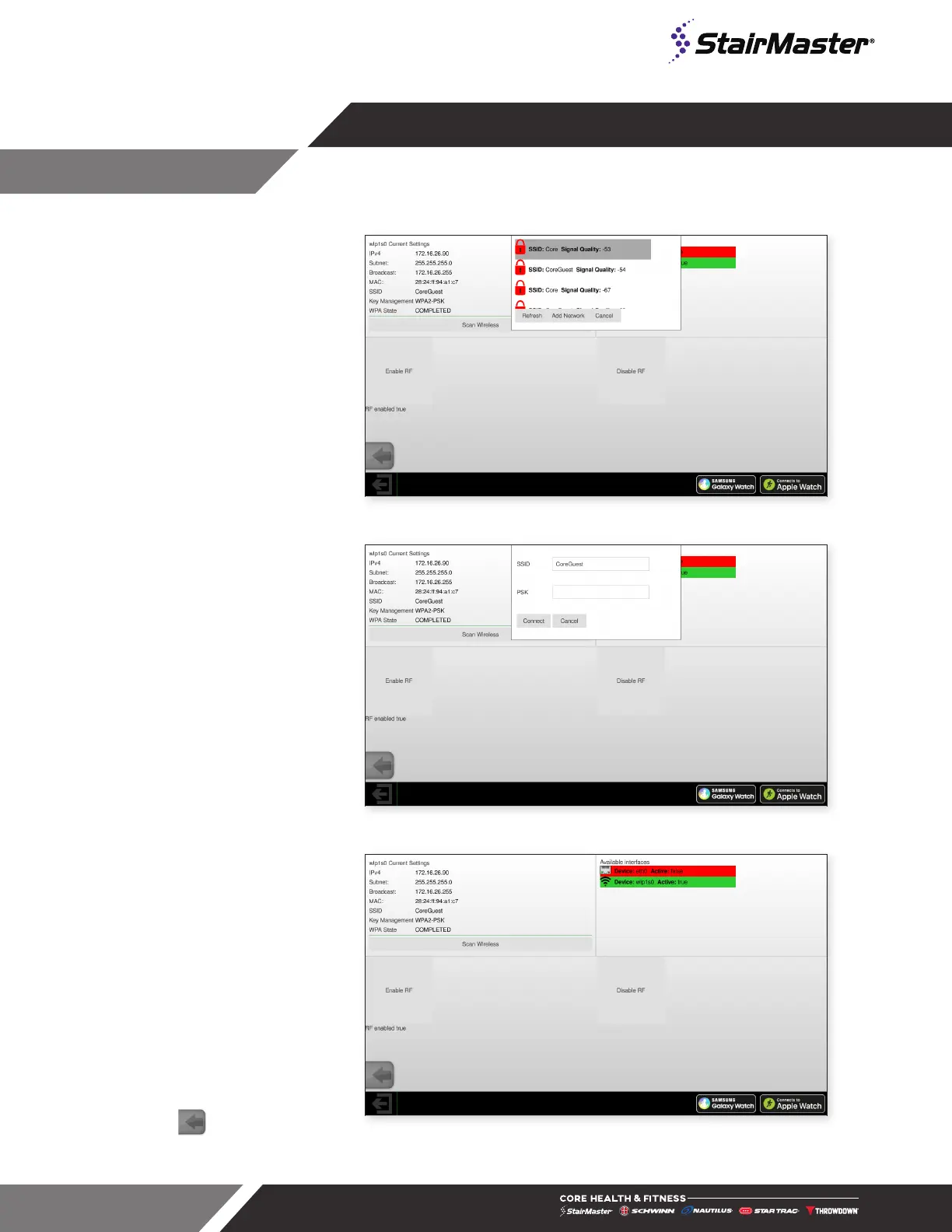
2. Tap Scan Wireless
3. Select the correct network
then tap Add Network.
Fig. 52
Network: Select Network
4. Enter the key in the PSK field
then tap Connect
Fig. 53
Network: Enter Key
5. Once connected, current
connection information
appears in the upper right and
the active connection is green.
6. Press to exit and go back
to the Home Screen.
Fig. 54
Network: Enter Key







 To Next Page