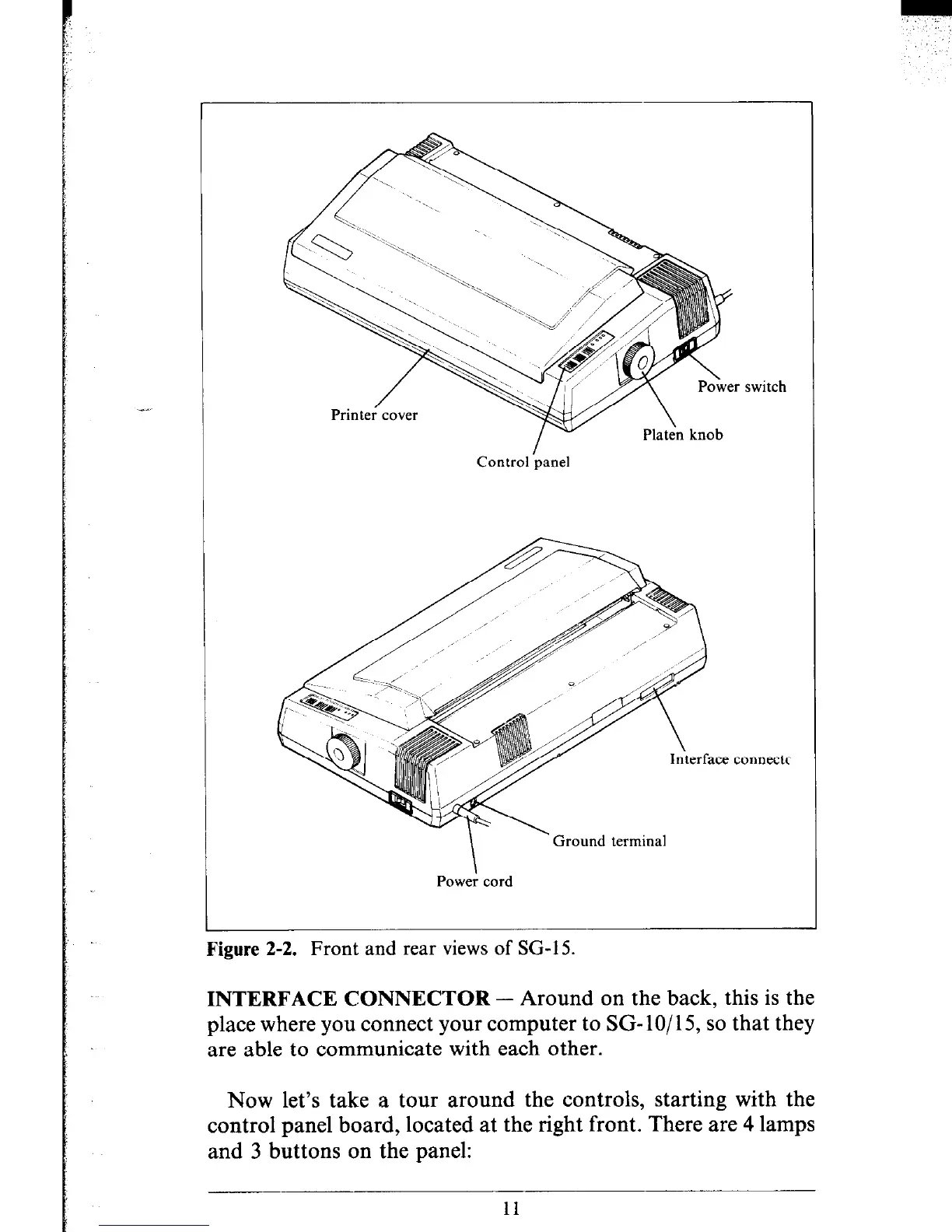
switch
Control lpanel
erface connectc
Ground terminal
Powe; cord
Figure 2-2. Front and rear views of SG-15.
INTERFACE CONNECTOR - Around on the back, this is the
place where you connect your computer to SG- lo/ 15, so that they
are able to communicate with each other.
Now let’s take a tour around the controls, starting with the
control panel board, located at the right front. There are 4 lamps
and 3 buttons on the panel:
11











 To Next Page