Using in-call features
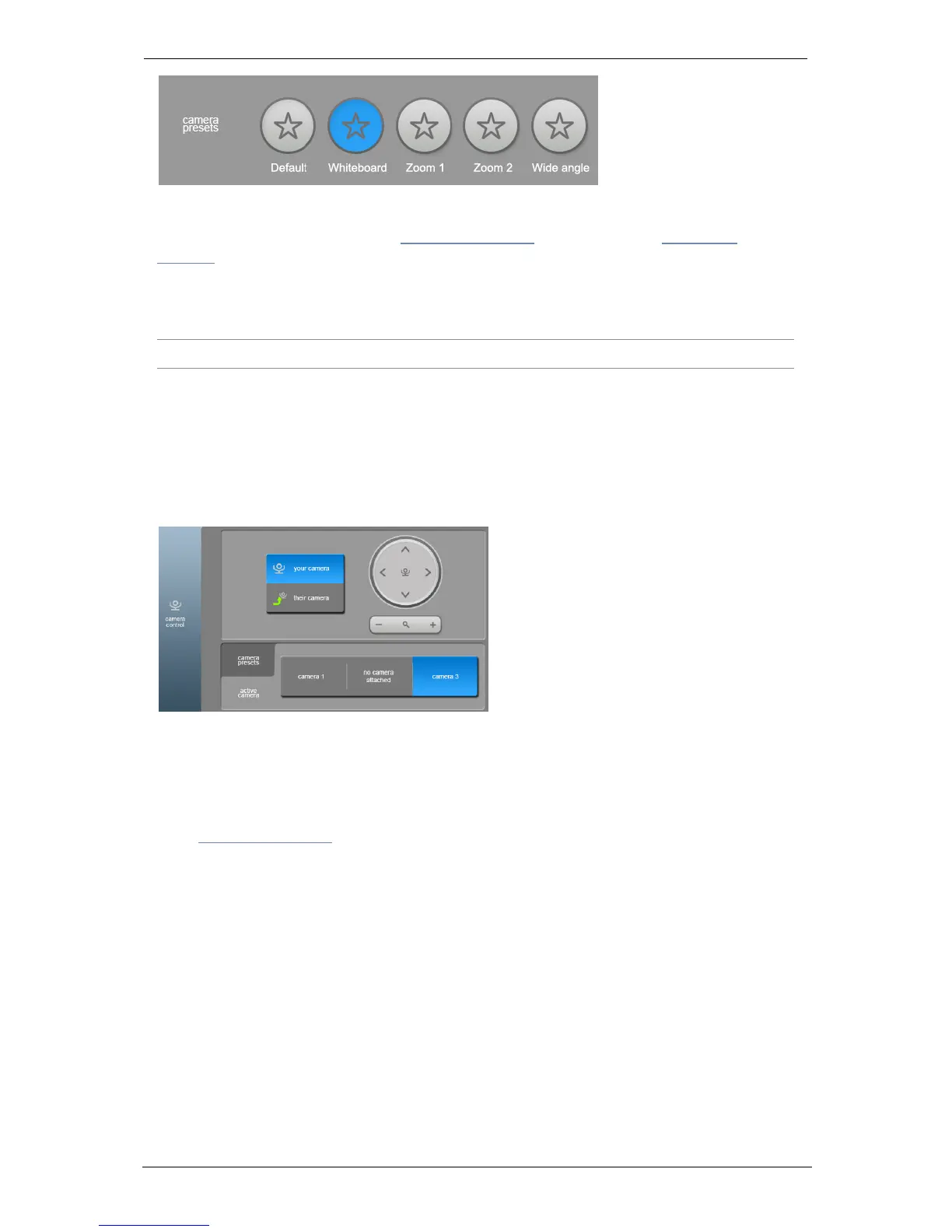
The camera presets must be predefined in the Portal. For more information on setting
camera presets, refer to the topic About the camera for the GT 3351 or About the
camera for the GT Mini 3330.
Active cameras
Note: The use of multiple cameras is limited to the GT 3351 only.
You can have up to three cameras connected to the GT 3351 but only one camera can
be active at a time. These three cameras can utilize the camera presets described
above to determine not only which camera is in use, but also what the cameras focus on
in the meeting room.
When multiple cameras are connected to the codec, the active camera is selected in
the Camera Control tab on the touchscreen controller.
Selecting any of the other cameras in the Camera Control tab makes the one you've
selected the active camera and, if done while in a call, the video immediately switches
to that camera and the configured preset view.
For more information on configuring camera presets with multiple cameras, refer to the
topic About the camera.
Layouts for dual screen room systems
Room systems with two screens attached (screen A and screen B), show full-screen self
view under the following circumstances:
n in a call, with self view enabled, and no computer connected, screen B shows self view
n off hook, but not in a call, and no computer connected, screen B shows self view
n off hook, but not in a call, with a computer connected, screen A shows self view
The table below shows what is displayed and when in a dual-screen room system.
Group Telepresence, 27 September 2017 Page 14 of 38



 To Next Page