About guest invites
l
a link to the Sign up page for Breeze:
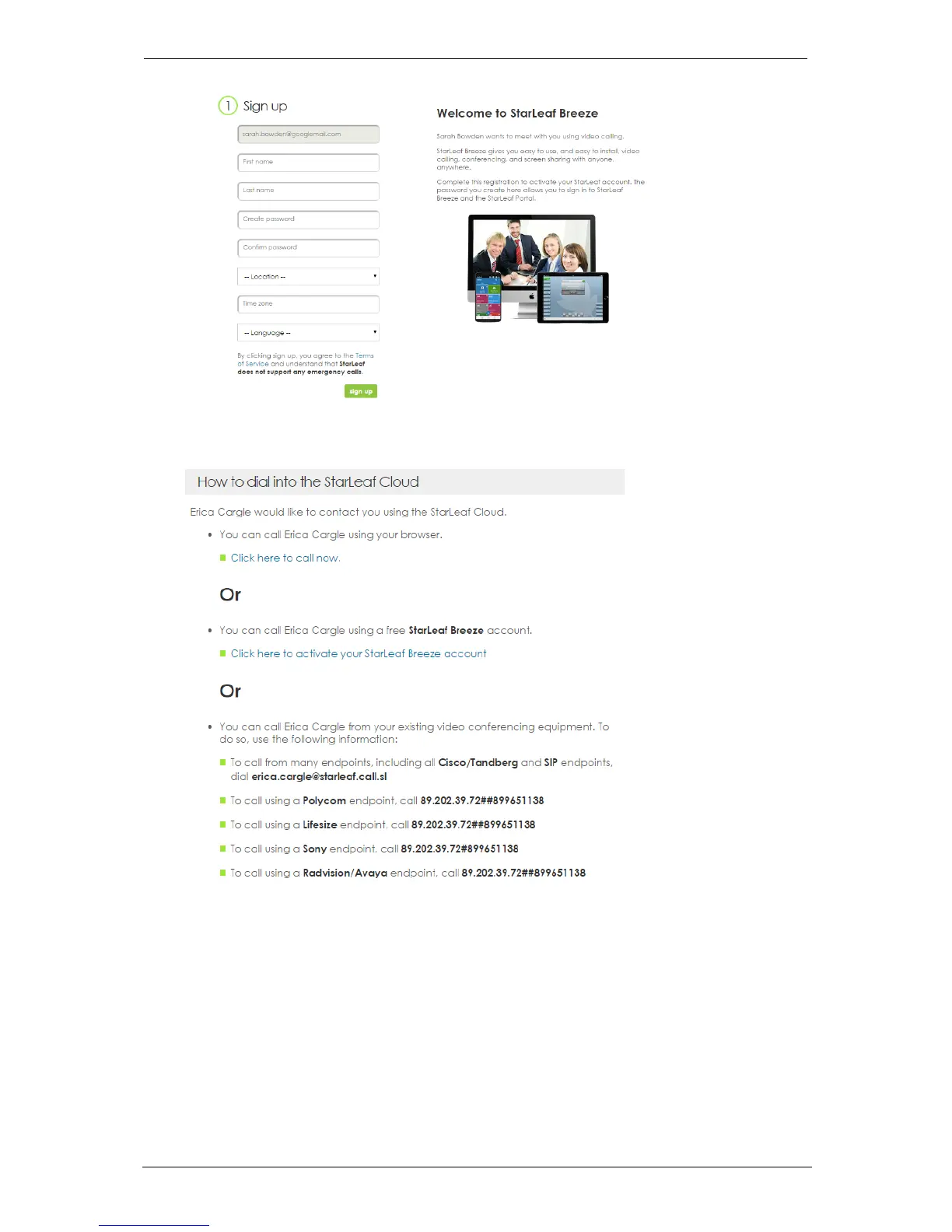
4. The invited person can either use the click-to-call link or complete a short sign up form
and download Breeze.
Alternatively, they can call the user directly using the dialing instructions provided.
For more information refer to Dialing from third-party endpoints, below.
Dialing from third-party endpoints
The guest invite also provides a link to detailed instructions for how to dial the inviter from a
third-party endpoint. This means that the guest has a choice: call from a browser,
download Breeze, or use existing video-conferencing equipment to call the inviter. The
instructions cover a range of third-party manufacturers, for example, Cisco, Tandberg,
Polycom, Lifesize, Sony, Radvision, Avaya, Skype for Business. The picture below shows an
example of the instructions, for dialing this specific user:
Group Telepresence, 27 September 2017 Page 34 of 38



 To Next Page