Conference layouts
Conference layouts
The following video layouts are available for all meetings.
Video layout
In this layout, the current speaker is given prominence with the
largest pane. Other participants are displayed in a strip below
the current speaker. A maximum of five participants appear in
the strip. Counters display the numbers of additional audio and
video participants in the meeting
In this layout, every participant is given equal prominence in
equal-sized panes. The number of panes is determined by the
number of participants in the meeting. Up to 25 participants are
shown. Counters display the numbers of additional audio and
video participants in the meeting
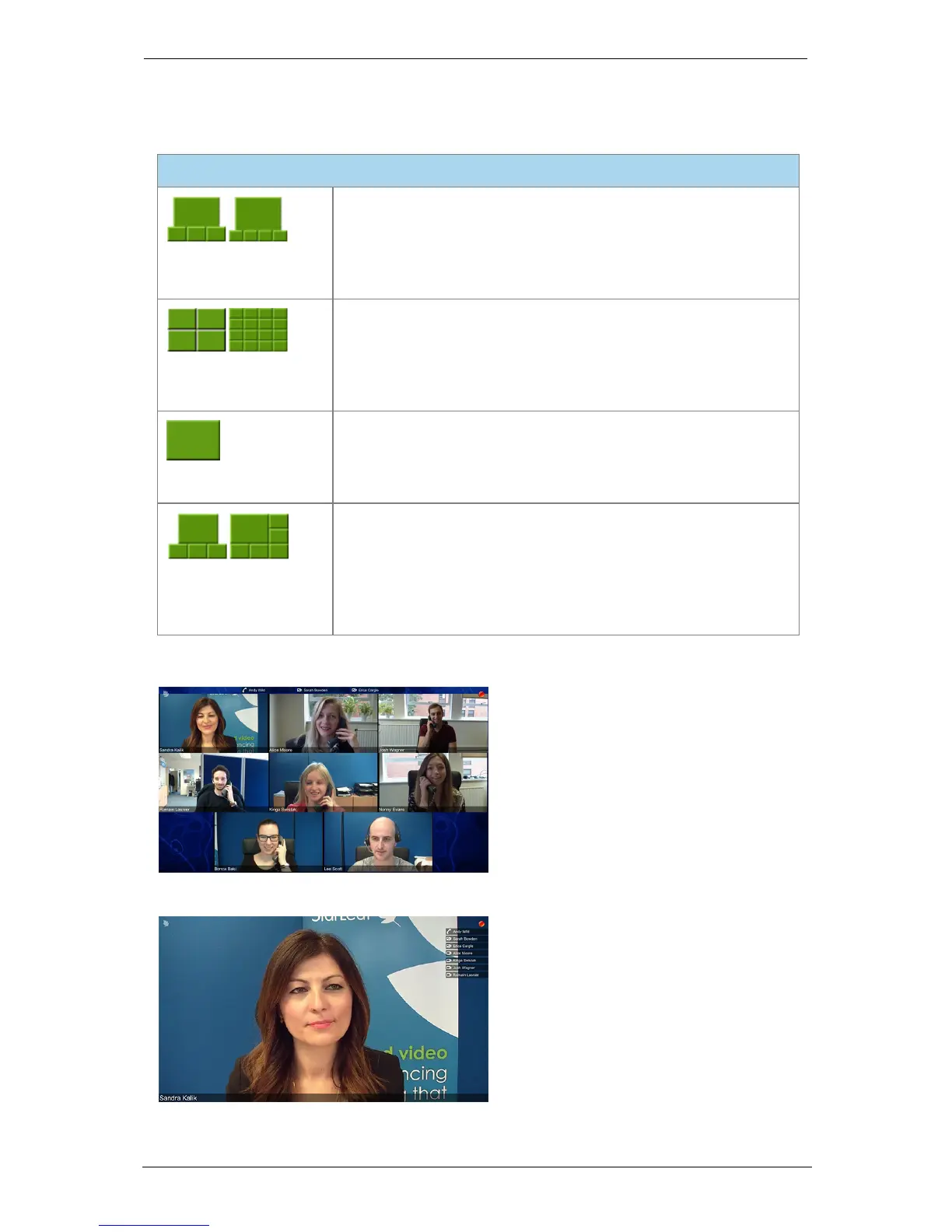
In this layout, only the current speaker is seen in a large pane.
This layout is sometimes known as 'speaker-only'. Counters
display the numbers of additional audio and video participants
in the meeting
In this layout, the current speaker is given prominence in the
largest pane. The size of that pane is determined by the number
of other people in the meeting. Every participant remains
visible at all times up to a maximum of 10 participants. Counters
display the numbers of additional audio and video participants
in the meeting
The image below show a conference using the equal panes layout:
The image below shows a speaker only layout:
Group Telepresence, 27 September 2017 Page 28 of 38



 To Next Page