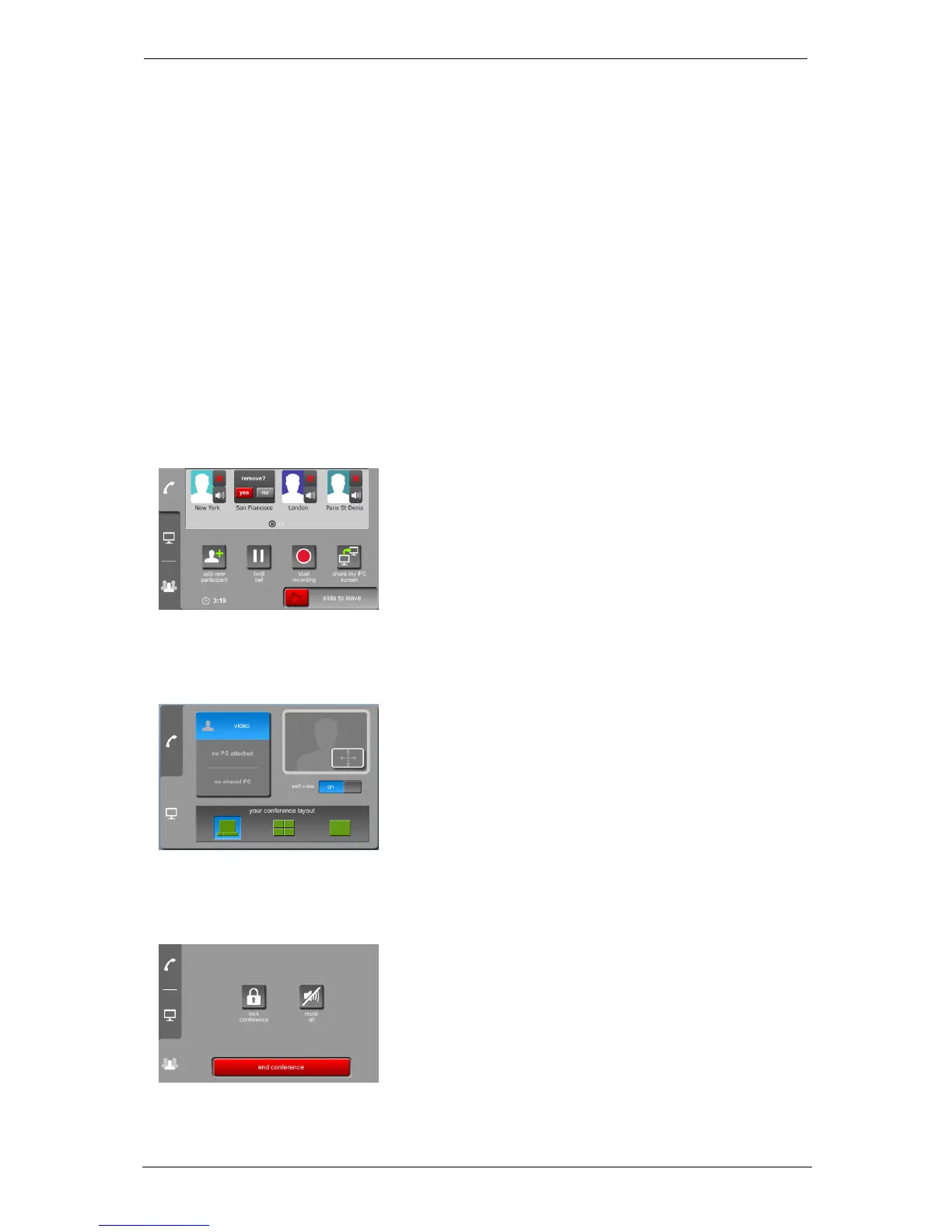
In-call conference control and icons
In-call conference control and icons
In-call conference controls
When in a meeting, the StarLeaf touchscreen controller and Breeze show conference
controls on the in-call control panel. You will have access to these controls if you are:
n the conference owner in an ad hoc (QuickMeet) meeting
n a participant in a scheduled meeting
These controls are not available to participants who have dialed into a meeting from
outside an organization.
Participant controls
You can individually control (mute or remove) every participant in a meeting. Participants
who have been individually muted using these controls see a 'you are muted' notification.
When there are five or more participants, the participant list becomes horizontally
scrollable.
Layout control
Controls on the layout tab allow you to choose a different video layout.
Conference control
The conference control provides in-call controls.
Group Telepresence, 27 September 2017 Page 30 of 38



 To Next Page