128
MIDI Setup and Mixing
The MIDI Page
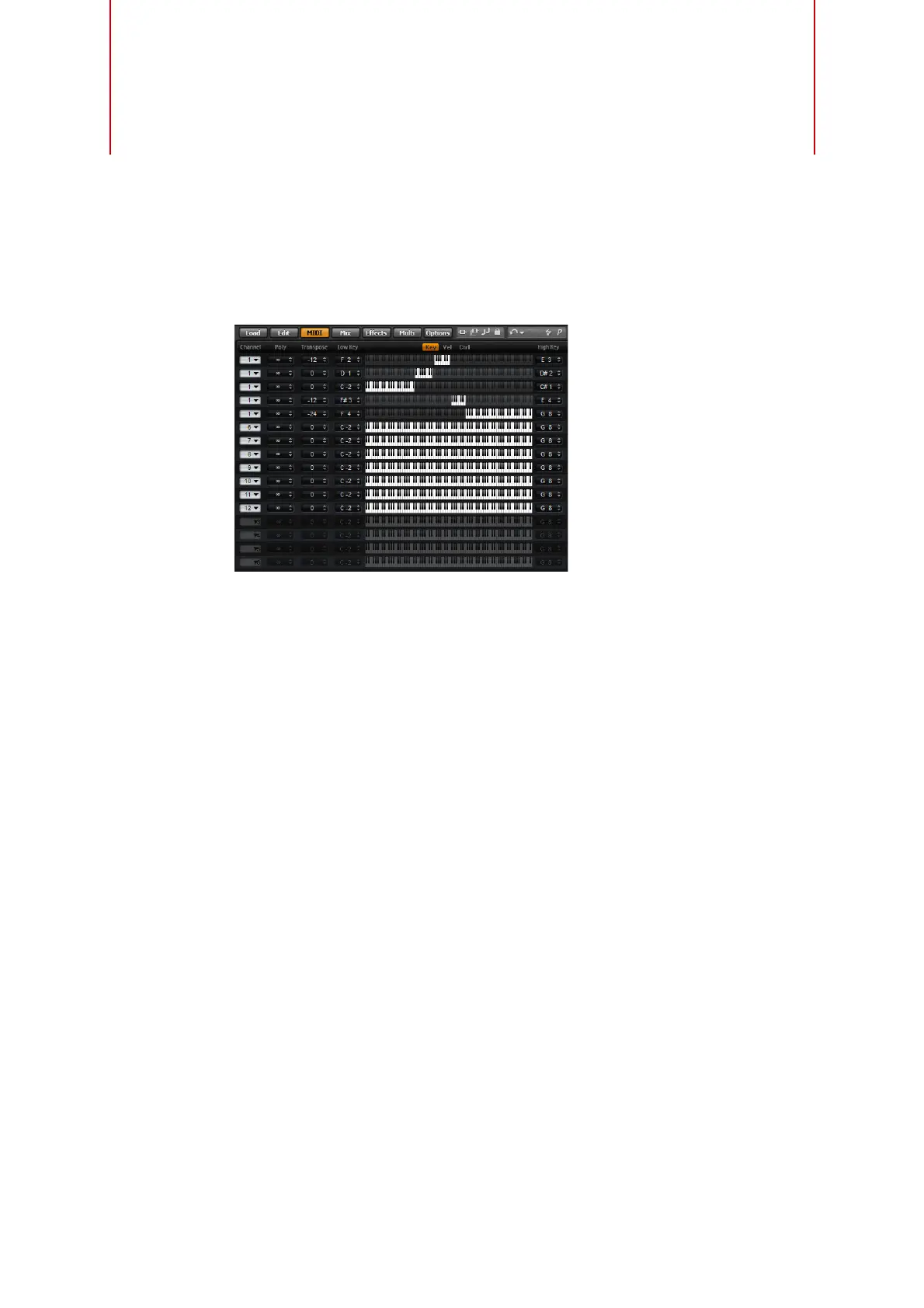
The MIDI page gives you access to the MIDI parameters of HALion Sonic. This
comprises the MIDI channel, Key and Velocity ranges as well as Transpose and
Polyphony settings. To switch between velocity and key range, use the Key/Vel
switches above the range controls.
MIDI Page Parameters
Channel
Here you can specify on which MIDI channel a slot should “listen”. You can set
multiple slots to the same MIDI channel and trigger them simultaneously with the
same note events.
Poly (Polyphony)
This setting is used to specify how many notes can be played at the same time. Since
programs can contain up to four layers, the resulting number of voices (stereo
samples, synth voices etc.) can be much higher than the value specified here.
Transpose
Here you can shift the incoming MIDI notes by ±64 semitones before they are sent to
the loaded program.
Key Range (Low Key, High Key)
Each slot can be limited to a certain key range. You can set the range with the Low
Key and High Key values or by dragging the keyboard range control at its ends. When
you click and drag towards the middle of the keyboard, both values are moved at the
same time. As an additional option, you can use the MIDI input to set the range.
Simply click in the value field and play the note.



 To Next Page