113
B-Box
Introduction
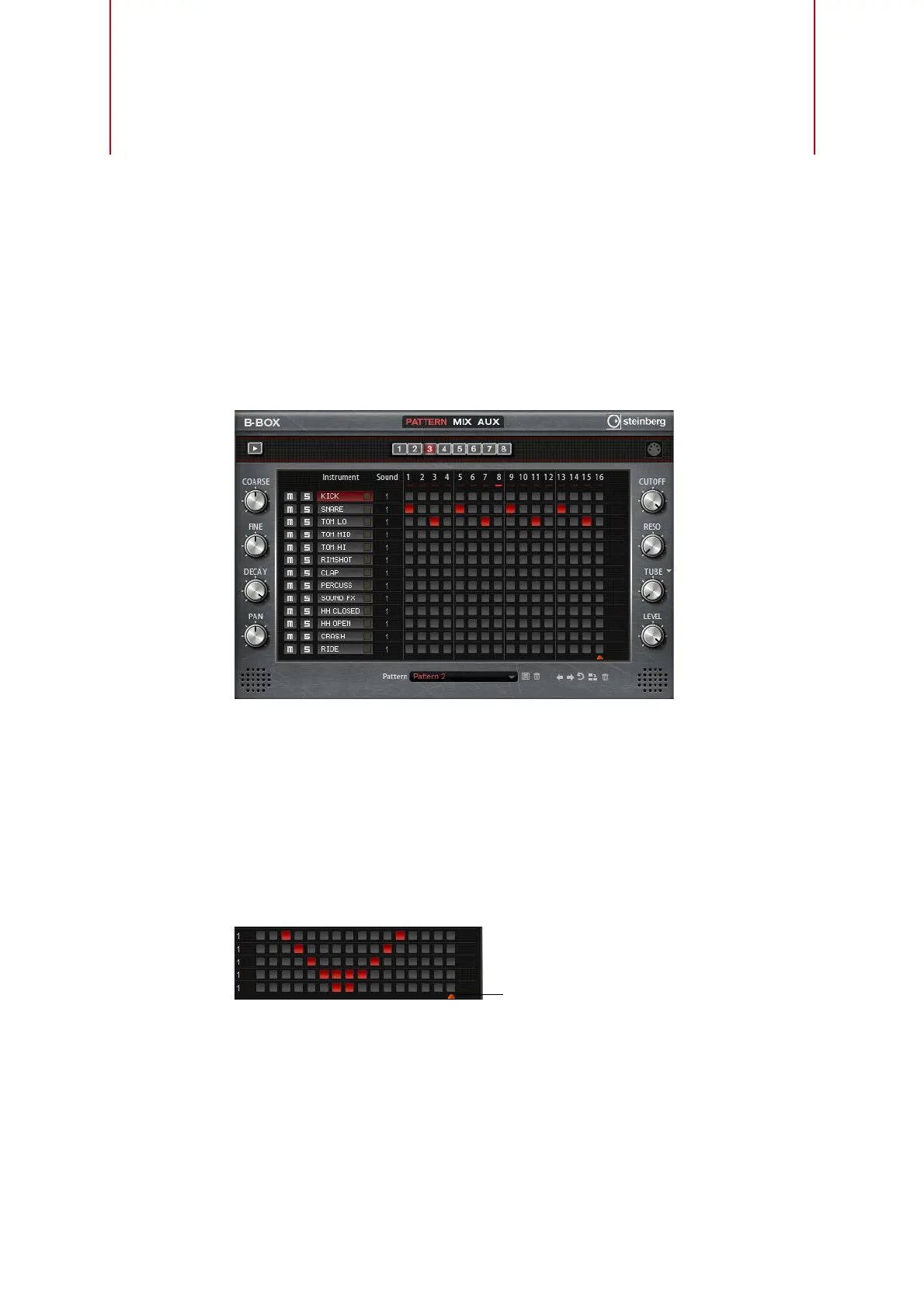
The B-Box provides you with a veritable drum computer inside HALion Sonic. It
comes with 13 instrument lanes that can make use of up to 128 different sounds. You
can set up your drum patterns, create variations, and modify each drum sound using a
low-pass filter and several distortion modes.
The B-Box contains three pages: Pattern, Mix, and Aux. To open a page, click the
corresponding button in the top section of the B-Box.
The Pattern Page
The Pattern page is where you create and edit the drum patterns. It gives you access
to the pattern editor as well as to some of the most important sound parameters.
The pattern editor section allows you to create and edit your drum patterns.
Setting up the Pattern Length
• Specify the number of steps for the pattern by dragging the small triangle in the
lower part of the pattern display. The maximum length is 16 steps.



 To Next Page