82
Editing
Editing Instrument Layers
Loop FlexPhraser Variations
By activating Random and by adjusting the parameters Tempo, Tempo Scale, Swing,
Gate Scale, Quantize, Amount, Start and Length, you can create up to eight variations.
For further information, see
“Working with FlexPhraser Variations” on page 73.
Ö The parameters Loop, Sync, Hold, Trigger Mode, Restart Mode, Key Follow and
Center Key are not part of the variations. You set them up only once per FlexPhraser.
Editing Instrument Layers
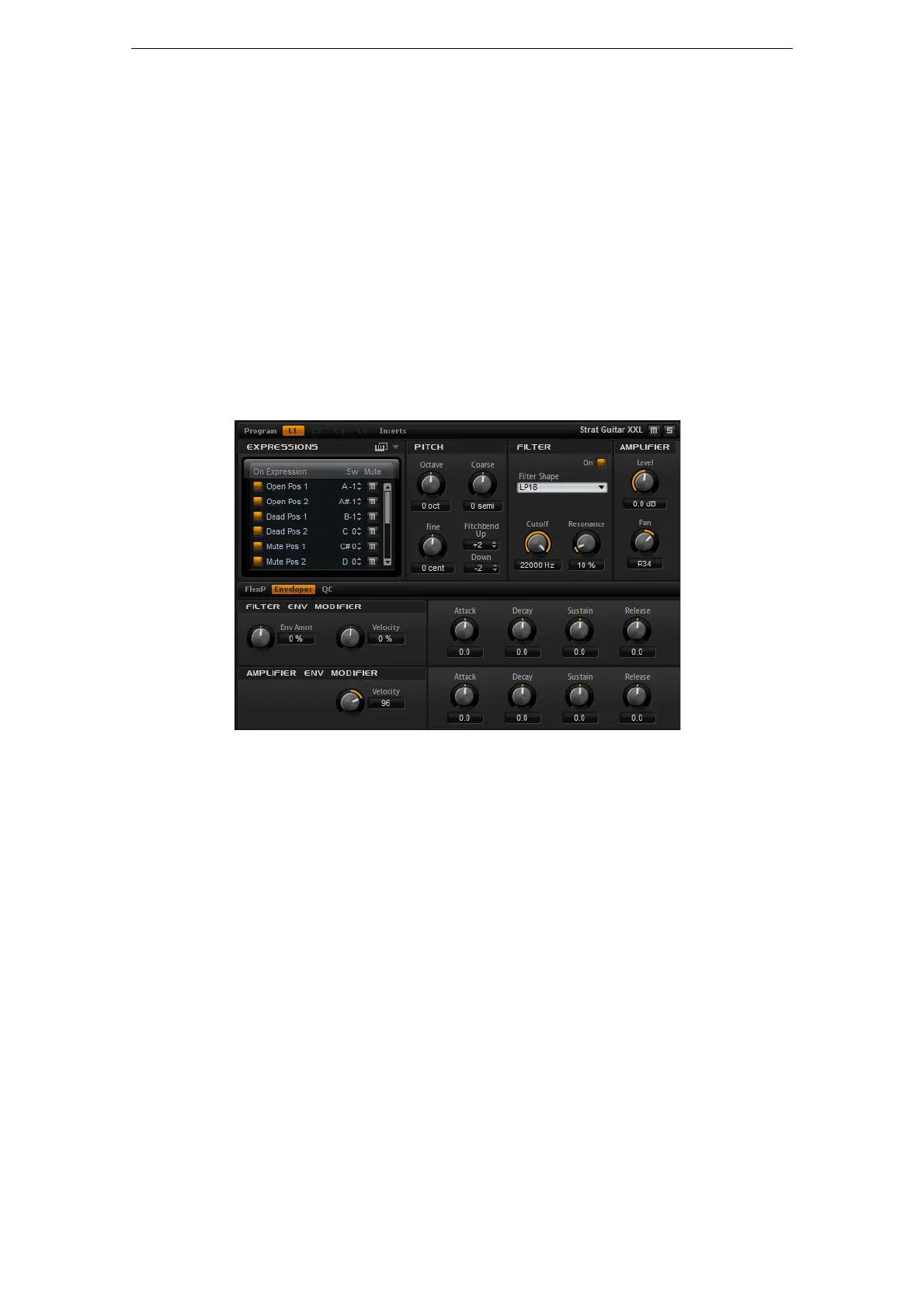
For easy editing, instrument layers have fewer controls. In the list at the top left, you
will see the expressions of the instrument layer. Typically, an expression is a certain
playing style of the instrument. In some cases, it can also be a part of the sound that
can be turned on or off, for instance, to add realism or to maximize the performance.
To the right and below, you will find the pitch, filter and amplifier settings of the
currently selected expression.
• Click the “On” button to load an expression. Note that you can use this option to
reduce the amount of used RAM by turning off individual expressions. You cannot
switch to an expression that has not been loaded before.
To edit an expression, proceed as follows:
1. Select the expression you want to edit in the list to the left.
2. On the right and below, adjust the parameters to your liking.
Only the selected expression will be modified.
To mute an expression, proceed as follows:
• Click the Mute button in the list on the left. The expression will not play back while
this is active.
• Click the button again to make the expression audible again.
Ö You can activate “Select Expression via MIDI” in the expression list if you want the
editor to follow incoming MIDI key switches or MIDI controller values.



 To Next Page