23
Managing Your Sounds
Setting Up a Multi Chain
Setting the Character Values
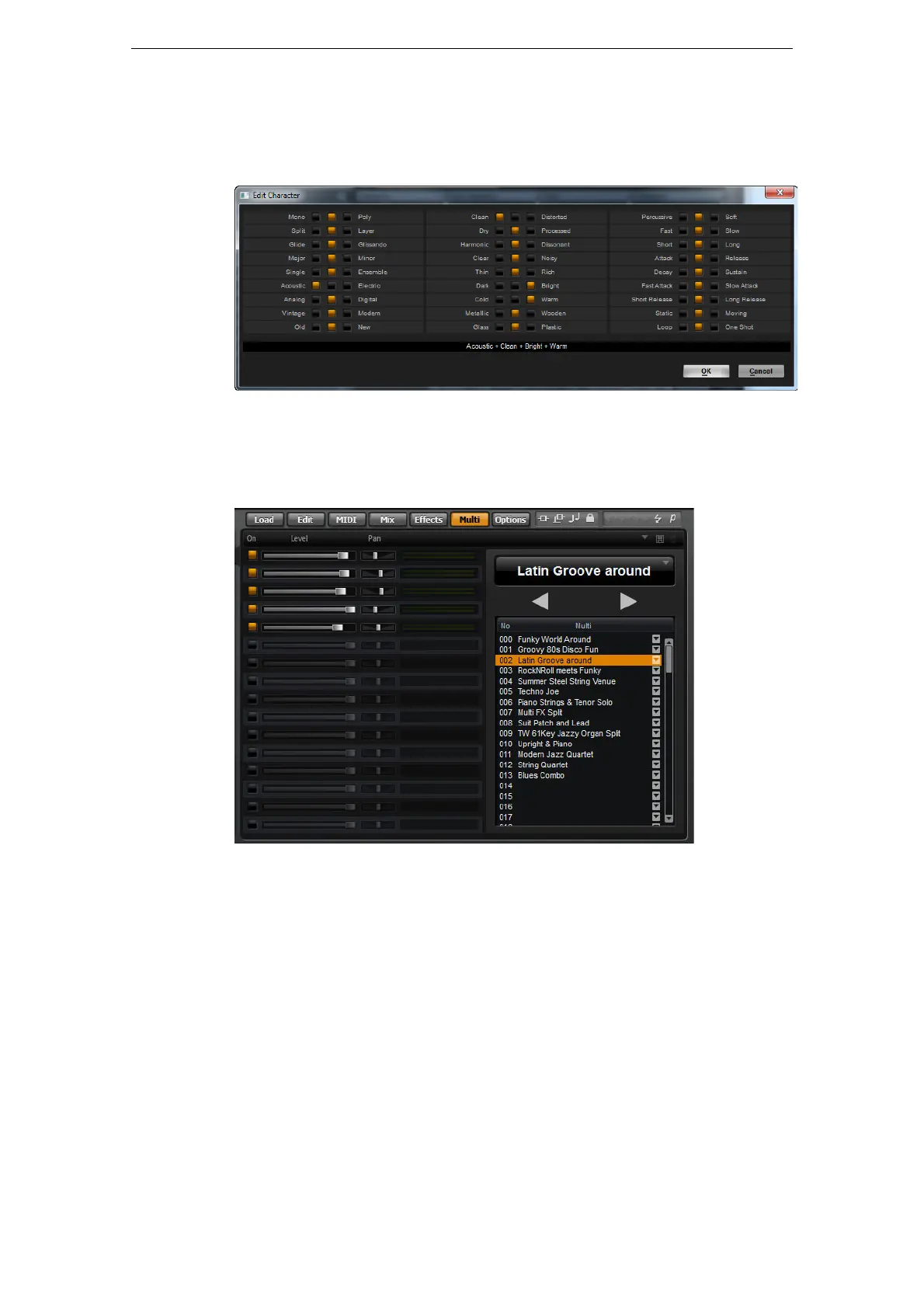
Character attribute values can be set via a dedicated editor. This editor provides a list
of values that describe the character of a sound.
Setting Up a Multi Chain
HALion Sonic comes with a special multi chain feature which allows you to set up a
list of 128 multis. This is done on the Multi page of the Edit display.
The list of multis in your chain is displayed on the right. When you select a multi in this
list, its name is displayed in the field above the list, and the corresponding programs
are displayed in the list on the left.
You can step through the multis manually or via MIDI control changes. This feature is
particularly useful when performing live on stage. It allows you to set up a list of
sounds that follows the order of their appearance during your performance, for
example.
• To load an existing multi chain, use the preset controls in the top right corner of the
Multi page.
To set up a multi chain, proceed as follows:
1. Open the Multi page, and in the list on the right, click the down arrow button of a
list entry to open the Load Multi-Program dialog.
2. Select a multi and click OK.
3. Repeat the same procedure for all multis that you want to be part of the list.



 To Next Page