11
Introduction
HALion Sonic Overview
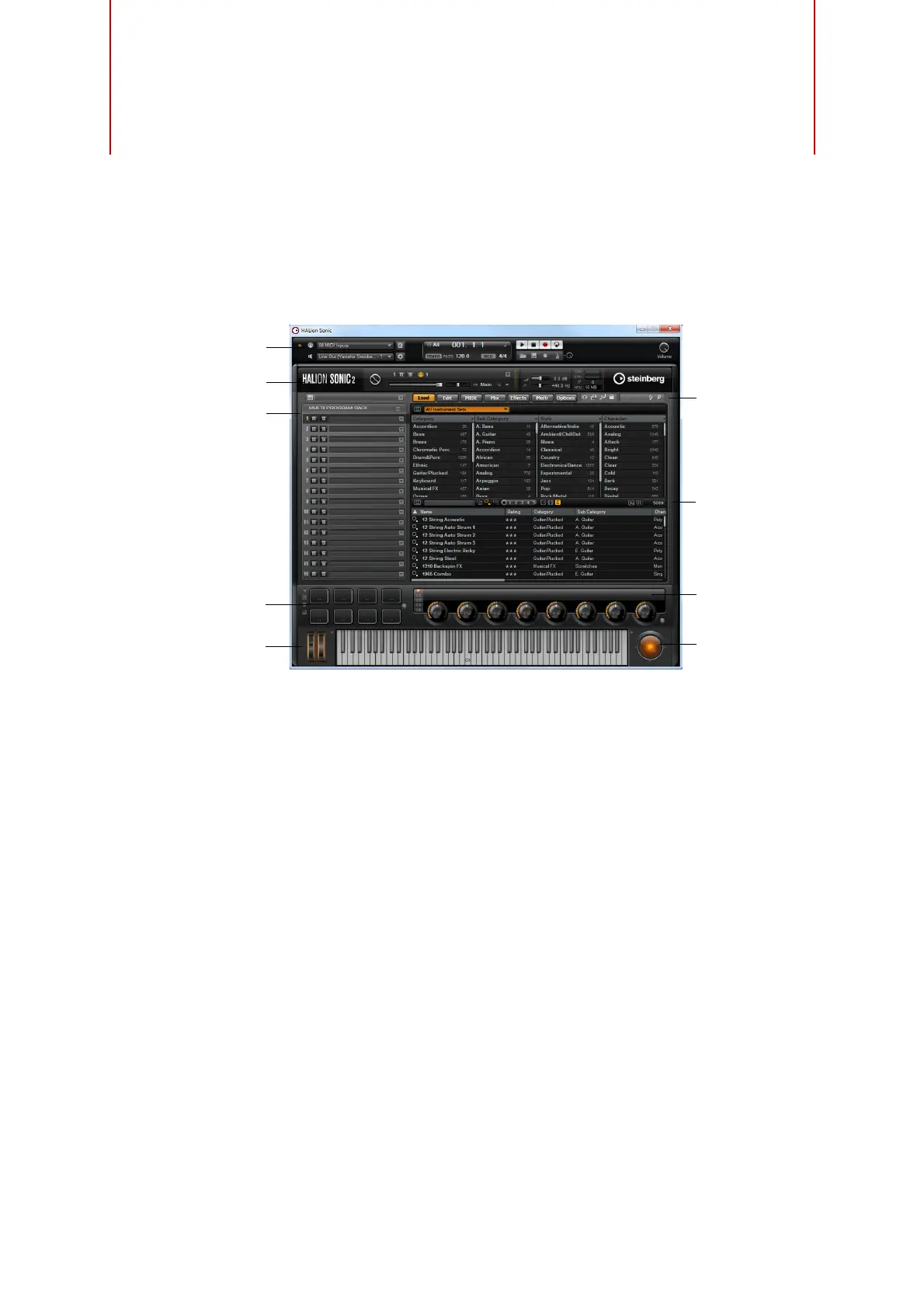
The HALion Sonic interface follows a fixed size single-window concept and is
subdivided into several sections:
• The Multi Program Rack on the left.
See “The Multi Program Rack” on page 15.
• The Edit display with the Load, Edit, MIDI, Mix, Effects, Multi, and Options pages
on the right.
See the chapter “Editing” on page 25.
• The Performance section with the trigger pads, quick controls, performance
controllers, and sphere control at the bottom of the application window.
See “The Performance Section” on page 166.
• The Plug-in functions section at the top of the application window.
See “The Plug-in Functions Section” on page 179.
• The toolbars above the Edit display.
See “The Toolbars” on page 181.
• If you are using the standalone version of HALion Sonic, you will find a number of
specific functions in an extra section at the top of the application window.
See “The Controls in the Standalone Functions Section” on page 187.
Performance
controllers
Plug-in functions
Standalone functions
Multi Program Rack
Toolbars
Trigger pads
Sphere
Edit display
Quick
controls



 To Next Page